What's new

Need some help please...

Hi Tanya, I use CS4. What I did here was duplicate the image and changed the blend mode to multiply. I found it still too light so I pressed Ctrl J twice and it came out as in my sample. Of course the couple became very dark. I merged the duplicate layers
and applied layer mask and with a sharp brush, I carefully brushed away the dark couple to show the original light image of the two. Adjusted with levels the background layer and flattened.
 
Can any one help me , i need your help guys about some adobe photo shop my new cs4 is corrupt now and in other system i only have cs2 and i am not proficient in that .
Can any one remove the watermark and make these 2 images with transparent background( i don't need white background).

You realize that removing watermarks on images that someone else owns the copyright to is unethical, and basically stealing? And you are asking us to do that? Most of us aren't thieves.. so I doubt that you will have any takers! BTW, I am reporting this! :)
 
Last edited by a moderator:
Thanks, John!! We definitely don't need that kind of thing on here!
 
Can any one help me , i need your help guys about some adobe photo shop my new cs4 is corrupt now and in other system i only have cs2 and i am not proficient in that .
Can any one remove the watermark and make these 2 images with transparent background( i don't need white background).

You realize that removing watermarks on images that someone else owns the copyright to is unethical, and basically stealing? And you are asking us to do that? Most of us aren't thieves.. so I doubt that you will have any takers! BTW, I am reporting this! :)
I am not gone use it i just want to learn how to remove watermark BTW i am also not a thief if you find to learn new things is unethical, i remove that post.
Asking someone to remove the watermark from an image that doesn't belong to you is a violation of copyright. If you want to practice on something, download a copy of the gimp (www.gimp.org) a free, very full-featured editing application much like Photoshop, create some watermarked images and then figure out how "un mark them". Any further continuation of this line of discussion will likely result in your taking a holiday from TPF.
 
Can any one help me , i need your help guys about some adobe photo shop my new cs4 is corrupt now and in other system i only have cs2 and i am not proficient in that .
Can any one remove the watermark and make these 2 images with transparent background( i don't need white background).

You realize that removing watermarks on images that someone else owns the copyright to is unethical, and basically stealing? And you are asking us to do that? Most of us aren't thieves.. so I doubt that you will have any takers! BTW, I am reporting this! :)
I am not gone use it i just want to learn how to remove watermark BTW i am also not a thief if you find to learn new things is unethical, i remove that post.

Really? Why would you want to remove someone else's watermark? And why would you want to learn how?

For that matter... if you OWN the copy of CS4 that is corrupt, just remove it and reinstall it, right? Of course, if it was an illegal download... it might not be that easy! But I'm sure that isn't the case since you show so much concern about copyright! ;)

(oh... and btw, HIJACKING someone else's thread is considered kind of RUDE! :))
 
tirediron said:
...Any further continuation of this line of discussion will likely result in your taking a holiday from TPF.

Keith would have already banned this guy. And his mom. Twice.

:wink: :lol:
 
tirediron said:
...Any further continuation of this line of discussion will likely result in your taking a holiday from TPF.

Keith would have already banned this guy. And his mom. Twice.

:wink: :lol:
Someone's gotta play good cop! ;)
 
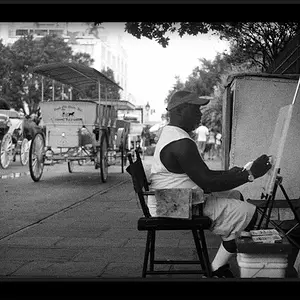
I wouldnt bother doing anything to it because the stupid cap he is wearing kills the shot
 
Last edited:
Hi Tanya, I use CS4. What I did here was duplicate the image and changed the blend mode to multiply. I found it still too light so I pressed Ctrl J twice and it came out as in my sample. Of course the couple became very dark. I merged the duplicate layers
and applied layer mask and with a sharp brush, I carefully brushed away the dark couple to show the original light image of the two. Adjusted with levels the background layer and flattened.


Thanks! That is all very helpful and I will make a note of that for future use :)
 
I wouldnt bother doing anything to it because the stupid cap he is wearing kills the shot

I completely agree. I also despise them wearing sunglasses for half the shoot (which was only about 10 minutes long:grumpy:) but they were very insistent on rushing and doing whatever they liked by completely shooting down a few of my ideas for some photos. So I worked with what they would give me lol. I wish I could have had a better first Engagement shoot, but hopefully it all goes uphill from here :)
 
So...was this an official schedule a time and do an e-session or a "hey you two lovebirds, sit right there while I take a few snaps" because your original post makes it sound like the latter in that the photo is a gift? Either way, Charlie's edit is spot on. She will have an attachment to the fountain when looking at the photo regardless if it's in the image. It'll go like this:

Visitor: "I love this picture of you two!"
Friend: "Tanya took it by the water fountain...*sigh*...I love that place. I should've given her more time to photograph us because now that she's famous and living in NYC she never calls or texts me."
 
This was an actual scheduled e-session. She even chose the time and day! They were both just not super into it. I just wanted it to be a gift because it was her favorite one from the day so I figured I could print and put it in a nice frame and give it to her as something special. Lol but i loved your "it'll go like this:" convo!
 
Wrong post, sorry.
 

Create an account or login to comment

You must be a member in order to leave a comment

Create account

Create an account on our community. It's easy!

Log in

Already have an account? Log in here.

Back
Top Bottom