What's new

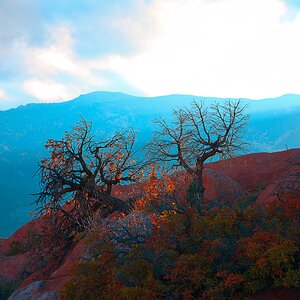
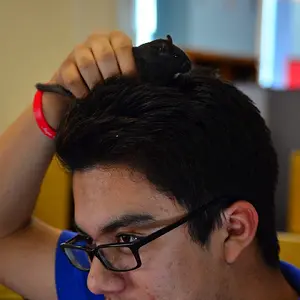
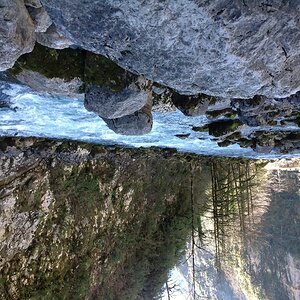
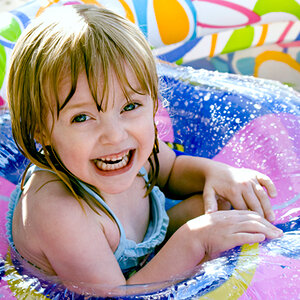
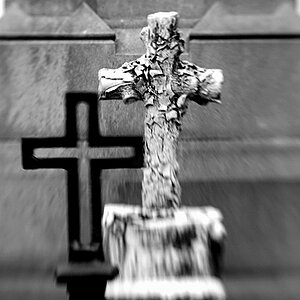
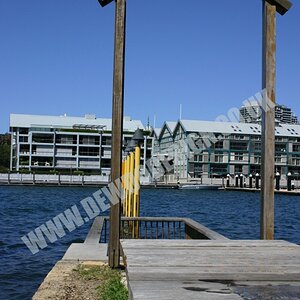
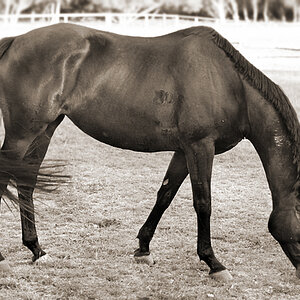
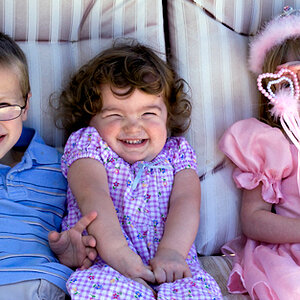
New member. What do you think of my photos?

CS3 has everything you need to process a photo. Try using RAW Therapee to process your NEFs.

Joe
 
What are you using for your website? It's pretty cool that the iPhone can read it without an issue. Is it JavaScript?
 
Hi,

You're doing some good seeing and finding interesting things to photograph.

You need to pay closer attention to the lighting, for example a bright light in the background behind a spider will cause your camera to underexpose the spider. The difference between an amateur and professional photographer can be summed up in one sentence: An amateur looks through the camera and sees the thing they are photographing while a photographer looks through the camera and sees how that thing is lit. If you click the shutter release and haven't consciously thought about how the lighting will work in the photo you've made a mistake.

I don't want to discourage you, but here's a challenge for the future. You're using a typical consumer market camera that processes the photos you take to finished JPEGS. If you hang around here long enough you'll encounter Pros using cameras that save RAW files. Digital photography's dirty little secret is that camera image processors really don't work very well. The technical goal is to have a finished photo with correct tone distribution and correct color. There's nothing wrong with your camera; it just can't really do that job. My camera cost $4,000.00 and it's no better. So I and most Pros do the job ourselves manually. Your camera won't give you that option and it's going to screw-up a lot. So you have to learn to fix the tone and color screw-ups that your camera produces. Here's an example from your website:

leaves.jpg


Tone response: Your camera rendered the photo flat -- lacking contrast.
Color: Your camera made the photo way too blue and a little cyan.

As I said there's nothing wrong with your camera. If the engineers who design these things could make them work they would. The marketers in the meantime have decided that it's best not to tell the public the truth.

Fixing your photo was very easy. I used Photoshop and it took me a couple minutes at most. The hardest thing in this is learning to see what's wrong in the first place. That will come with practice. Folks here can help.

Joe

This is absolutely amazing.

Thanks.

what did you do to this picture?

And i dont really have the money for photoshop, so what is the best alternative to a program that can do something like this?
 
What are you using for your website? It's pretty cool that the iPhone can read it without an issue. Is it JavaScript?

Yep. Javascript.

And a ton of it.
 
Not too bad, I like your composition. Shooting in RAW is just that, raw data and it is much easier to manipulate color, dynamic range, temperature, things like that, with programs and what clanthar said is pretty much true. I have a Canon Digital Rebel XTi, it isn't pro-grade it's kind of almost in the middle between pro and consumer level, it has all the manual pro functions in a consumer level body. Your learning curve will accelerate exponentially with a camera that you can shoot full manual without any automatic aids.

My 35mm's comprehensively annihilate it in an image quality and tone contest but it has been a great learning tool for me being able to screw up 100 times and not pay lots of money for processing film that was shot like crap.
 
GIMP, it's free.

For processing, RawTherapee... its considerably better than Gimp at processing, and its also free.

Gimp is a great program for touch ups, but its a PITA for processing.
 
What is the difference between a raw file and a jpeg?

And if there is one, how do I get my camera to make raw files instead of jpegs?
 
What is the difference between a raw file and a jpeg?

And if there is one, how do I get my camera to make raw files instead of jpegs?

No way to have RAW with your camera. RAW is the direct recording of sensor output, which can be then processed to obtain JPEG. JPEG is a compressed format, where part of information present in the original data is lost in favor of a minor size. As other posters told you, JPEG can be produced automatically by camera (from its internal raw recording) or by you (including your intelligence and creativity) on computer. However, there are many operations that can be done on JPEG too, as demostrated with the picture, just to start understanding. Try GIMP as suggested. Results will not be optimal as from RAW, but anyway better than just using pictures as they come.
 
Hi,

This is absolutely amazing.

Thanks.

what did you do to this picture?

And i dont really have the money for photoshop, so what is the best alternative to a program that can do something like this?


You don't need Photoshop -- I could have used GIMP just as easily.

I did four things to your photo. I duplicated it to a second layer and used a Soft Light blending mode to raise the contrast. I used Levels to tweak the tone response just a little. I removed the blue/cyan color cast and I used a Multiply blending mode and mask to darken the left edge a little to close it off. As I said before the hard part is seeing what needs to be done. The first step toward doing that is to come to the realization that the technology doesn't work very well. You now must hold your camera suspect for every photo it takes -- did it screw-up? Probably.

Take Care,
Joe
 
What is the difference between a raw file and a jpeg?

And if there is one, how do I get my camera to make raw files instead of jpegs?
Read your camera's users manual to find out how to set up your camera.

RAW files are like a film negative and JPEG is like a printed photo.

A RAW file has had minimal processing by the camera's electronics and programs and has a larger bit depth. Bit depth referrs to the number of tonal gradations for each color channel. DSLR Raw files are 12-bit (4096 tonal gradations) or 14-bit (16,384 tonal gradations). Raw datat files must be post processed before they are ready for display or print. Raw dtat files allow the most headroom for editing and local edits can be applied.

JPEG is a lossy, compressed, final, ready-to-print file type that has been automatically processed in the camera. The least compression (Fine) is 1:4 meaning up to 80% of the color data the image sensor recorded was discarded when converting the original Raw image data to the JPEG format (an 8-bit depth, or only 256 tonal gradations per color channel).

The conversion to JPRG also converts the image into 64 pixel squares (8 px by 8 px) that then become the smallest unit that can be edited.

Tutorials - The RAW File Format
JPEG - Wikipedia, the free encyclopedia
Raw image format - Wikipedia, the free encyclopedia
http://en.wikipedia.org/wiki/Color_depth
http://www.cambridgeincolour.com/tutorials/bit-depth.htm
 
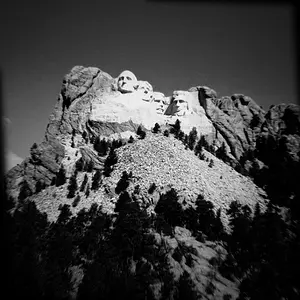
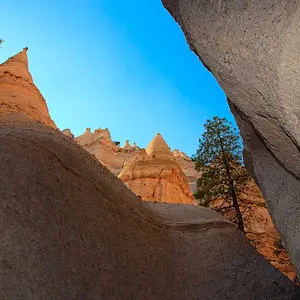
What do you think of the new/edited photos?

Ive only done gallery 1 so far.

I am going to make high contrast kind of one of my styles.

http://hudson.zzl.org
 
Images added for you people who don't have the patience to click on a link...

For those of you who do, it would be great to get some more feedback on gallery one

Thanks
 

Create an account or login to comment

You must be a member in order to leave a comment

Create account

Create an account on our community. It's easy!

Log in

Already have an account? Log in here.

Back
Top Bottom