What's new

New member. What do you think of my photos?

Maxhudson

TPF Noob!
Joined
Nov 5, 2010
Messages
24
Reaction score
0
Can others edit my Photos
Photos OK to edit
What do you think of my photos?

Http://hudson.zzl.org

I just got a new camera and its awesome.

I need some feedback though

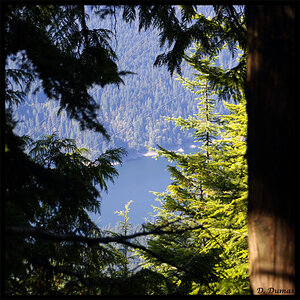
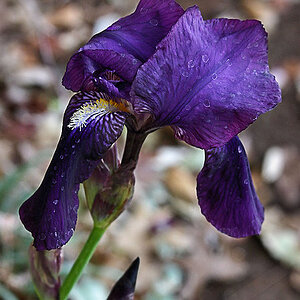
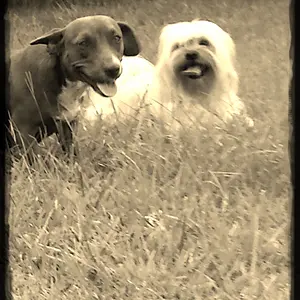
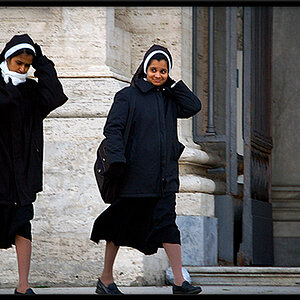
EDIT: Ya'll are lazy, so I'm posting the good pics

14.png


12.png


10.png


13.png


20.png
 
Last edited:
A lot of issues with under exposure. Also saw a bunch with unlevel horizon lines.

Any pictures in specific you would like crituqued?
 
I quite like them, what kind of camera are you working with
 
Post a few for folks to see.too many galleries to go through. The first 2 look like a trial and error of DOF to me?
 
Galleries 4 and 5 are mainly the ones I want feedback on.

Galleries 1-3 except for few pictures are getting cleaned out when I get home. Most of those photo are just trial and error with my new camera (p&s Panasonic dmc zs5
 
Grab the few photos from those galleries you want folks to see.
 
I would rather just get feedback on which ones are good and which ones arent so good.
 
I would rather just get feedback on which ones are good and which ones arent so good.
I would rather not have to click a link. That's why people post photos in threads....... to get feedback.
 
I would rather just get feedback on which ones are good and which ones arent so good.

Pick your top 5. Number them and post them here. Without that, the best you are going to get is generalizations about your work such as.....

Just because you take a close up shot of something, that does not make it an interesting photo. Composition and proper lighting are still essential.


p!nK
 
I feel like you're shooting on automatic, the DOF doesn't quite seem to know what it wants to do!
 
Hi,

You're doing some good seeing and finding interesting things to photograph.

You need to pay closer attention to the lighting, for example a bright light in the background behind a spider will cause your camera to underexpose the spider. The difference between an amateur and professional photographer can be summed up in one sentence: An amateur looks through the camera and sees the thing they are photographing while a photographer looks through the camera and sees how that thing is lit. If you click the shutter release and haven't consciously thought about how the lighting will work in the photo you've made a mistake.

I don't want to discourage you, but here's a challenge for the future. You're using a typical consumer market camera that processes the photos you take to finished JPEGS. If you hang around here long enough you'll encounter Pros using cameras that save RAW files. Digital photography's dirty little secret is that camera image processors really don't work very well. The technical goal is to have a finished photo with correct tone distribution and correct color. There's nothing wrong with your camera; it just can't really do that job. My camera cost $4,000.00 and it's no better. So I and most Pros do the job ourselves manually. Your camera won't give you that option and it's going to screw-up a lot. So you have to learn to fix the tone and color screw-ups that your camera produces. Here's an example from your website:

leaves.jpg


Tone response: Your camera rendered the photo flat -- lacking contrast.
Color: Your camera made the photo way too blue and a little cyan.

As I said there's nothing wrong with your camera. If the engineers who design these things could make them work they would. The marketers in the meantime have decided that it's best not to tell the public the truth.

Fixing your photo was very easy. I used Photoshop and it took me a couple minutes at most. The hardest thing in this is learning to see what's wrong in the first place. That will come with practice. Folks here can help.

Joe
 
Hi,

If you hang around here long enough you'll encounter Pros using cameras that save RAW files. Digital photography's dirty little secret is that camera image processors really don't work very well.

Joe

There's a question lodged in the back of my mind, I use a Nikon so when I shoot on Raw it saves them as a Nikon Raw which then needs to be converted into a proper Raw for use in PS - Anyone know a free, non glitchy, virus free converter? I've gone through a fair few!
 
Hi,

If you hang around here long enough you'll encounter Pros using cameras that save RAW files. Digital photography's dirty little secret is that camera image processors really don't work very well.

Joe

There's a question lodged in the back of my mind, I use a Nikon so when I shoot on Raw it saves them as a Nikon Raw which then needs to be converted into a proper Raw for use in PS - Anyone know a free, non glitchy, virus free converter? I've gone through a fair few!

Odd, I have never experienced any difficulty opening RAW files from my D300 in PS. Have you updated it recently?
 
@Dustin [bows head to ground] nooo - but then again I'm STILL insisting on using PS CS3. I'll get off my ass and upgrade!
 

Create an account or login to comment

You must be a member in order to leave a comment

Create account

Create an account on our community. It's easy!

Log in

Already have an account? Log in here.

Back
Top Bottom