What's new

New to Photography

incubusfan4evr

TPF Noob!
Joined
Aug 8, 2011
Messages
9
Reaction score
0
Location
reisterstown md
Can others edit my Photos
Photos OK to edit
Hello All,

I am brand spanking new to this forum and to photography. I have been following the posts on the Beginners Forum for awhile now and I think I am now ready to post a couple of photos for some C&C. Since I am I beginner, I dont expect the comments to be great and I want the brutal honesty that comes with this forum. I am here to learn and grow in my new hobby. Thanks in advance


1.
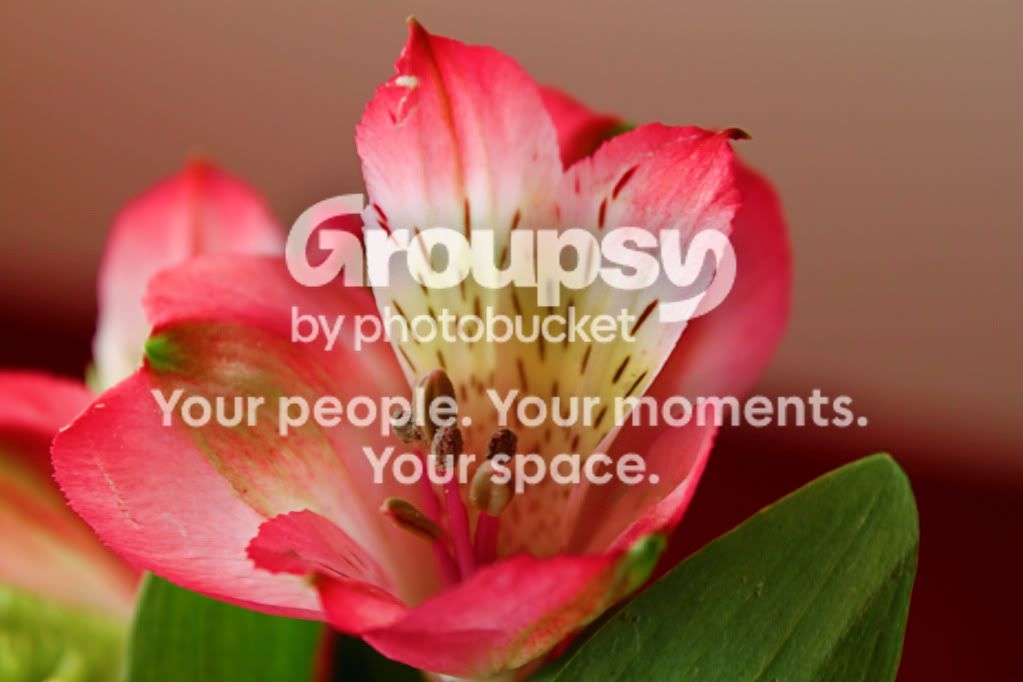
3.jpg


2.
2.jpg


3.
1.jpg
 
Try not to double post...
1st two frames: lighting is flat a board. Framing is decent. Last shot - drag the shutter a bit.
Keep shooting and improving :)
 
Oops, I didn't even realize I double posted. Sorry. Thanks for the input, any advice on how I can improve the lighting?
 
Oops, I didn't even realize I double posted. Sorry. Thanks for the input, any advice on how I can improve the lighting?


you can improve the lighting by using prime lenses with low focal points such as the 10-24mm and the like.. these lenses are a bit pricy though.. you can try shooting under natural or bounced light.
 
Light has qualities: type, strength, angle, direction, etc. Look at your subject, examine light and understand it. Remember a picture is 2 dimensional, a GREAT photograph usually (not always) will have 3 dimensional qualities WHILE on a 2D medium.
good luck
 
AidaSanchez said:
you can improve the lighting by using prime lenses with low focal points such as the 10-24mm and the like.. these lenses are a bit pricy though.. you can try shooting under natural or bounced light.
What???? First off, the 10-24 is a ZOOM lens and not a prime (fixed focal length) lens. Second what is a low focal point? Lenses have little to do with lighting. Light has everything to do with lighting.
 
Did you add vignette to #3 PP or is that just an ultra wide angle lens thing?
 
#1 DOF should cover the entire flower instead of having parts oof
#2 the framing (or cropping) is dead on, good work. Lighting is really flat tho
#3 is cool, kinda creepy quality to it

They're all very sharp and pretty interesting to look at, keep it up :)
 
tmL said:
Did you add vignette to #3 PP or is that just an ultra wide angle lens thing?

Yes I added vignette in PP. The original photo was really bland but I liked the composition of it so I tried to fix it in PP.
 
....Thanks for the input, any advice on how I can improve the lighting?

You don't need to improve the lighting for the flower photos -- your lighting choice was very good and appropriate to the subjects. The two flower photos are a little flat, but not because of poor lighting. They just need tonal correction in PP. Here's a comparison of your original with itself and a tone/color adjustment:

yellow_flwr.jpg


I used Levels in Photoshop to adjust the tone response. Then I assumed the background was the sky and shifted the color to remove a little red.

That's a nice photo and you're doing real good.

Joe
 
....Thanks for the input, any advice on how I can improve the lighting?

You don't need to improve the lighting for the flower photos -- your lighting choice was very good and appropriate to the subjects. The two flower photos are a little flat, but not because of poor lighting. They just need tonal correction in PP. Here's a comparison of your original with itself and a tone/color adjustment:

yellow_flwr.jpg


I used Levels in Photoshop to adjust the tone response. Then I assumed the background was the sky and shifted the color to remove a little red.

That's a nice photo and you're doing real good.

Joe


And BAM in comes Clanthar and hooks up the image. Wow, I wish I could just look at stuff and fix it up like that. The only thing worse than editing pictures for me is trying to sing. I make dog's ears bleed for blocks around me...
 
clanthar said:
You don't need to improve the lighting for the flower photos -- your lighting choice was very good and appropriate to the subjects. The two flower photos are a little flat, but not because of poor lighting. They just need tonal correction in PP. Here's a comparison of your original with itself and a tone/color adjustment:

I used Levels in Photoshop to adjust the tone response. Then I assumed the background was the sky and shifted the color to remove a little red.

That's a nice photo and you're doing real good.

Joe

Wow that looks so much better, I don't have photoshop yet, I am using corel and im not very good with it yet. I just bought a book on it and im still learning. Thanks for showing me a better version so I can start to see how to make them better.
 
clanthar said:
You don't need to improve the lighting for the flower photos -- your lighting choice was very good and appropriate to the subjects. The two flower photos are a little flat, but not because of poor lighting. They just need tonal correction in PP. Here's a comparison of your original with itself and a tone/color adjustment:

I used Levels in Photoshop to adjust the tone response. Then I assumed the background was the sky and shifted the color to remove a little red.

That's a nice photo and you're doing real good.

Joe

Wow that looks so much better, I don't have photoshop yet, I am using corel and im not very good with it yet. I just bought a book on it and im still learning. Thanks for showing me a better version so I can start to see how to make them better.

I've never used any Corel programs. With that said, you should DEFINITELY check out Lightroom. It's extremely easy to use, even for a beginner.
 
clanthar said:
You don't need to improve the lighting for the flower photos -- your lighting choice was very good and appropriate to the subjects. The two flower photos are a little flat, but not because of poor lighting. They just need tonal correction in PP. Here's a comparison of your original with itself and a tone/color adjustment:

I used Levels in Photoshop to adjust the tone response. Then I assumed the background was the sky and shifted the color to remove a little red.

That's a nice photo and you're doing real good.

Joe

Wow that looks so much better, I don't have photoshop yet, I am using corel and im not very good with it yet. I just bought a book on it and im still learning. Thanks for showing me a better version so I can start to see how to make them better.

Corel's software is more than capable. You said you're new at this so practice will improve your skill -- you're off to a good start.

Joe
 

Create an account or login to comment

You must be a member in order to leave a comment

Create account

Create an account on our community. It's easy!

Log in

Already have an account? Log in here.

New Topics

Back
Top Bottom