What's new

Niece Shots with Exposure Comp turned up. How do I fix them?

digabella

TPF Noob!
Joined
Oct 12, 2010
Messages
60
Reaction score
0
Location
Alabama
Can others edit my Photos
Photos OK to edit
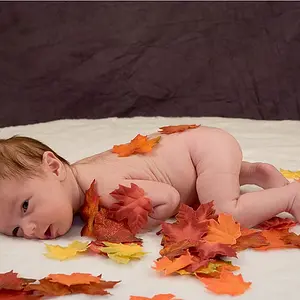
I shot some photos of my nieces Saturday. It was a bright sunny day, but they were willing to be my first guinea pigs so I started taking pix. It was my first time shooting people in manual so I nervous and didn't realize the the exposure comp was at 4.7. I adjusted down, but they still look really bright.

I don't really know anything about post processing, so can these be fixed? If anyone can do anything with it, could you just tell me the steps that you took. I can study it once I know.

Also, I couldn't upload my pic directly to the forum. It says that you must be a subscriber to do it. Is being a subscriber more than having a username/password?

http://www.flickr.com/photos/63831554@N08/5804225067/
5804225067


Hopefully I did the image right, because I don't see anywhere on flickr to grab the image link.
5804225067
 
Last edited:
You can upload them to Flickr or Photobucket and post them through there. Or you can share a link but an actual picture is always better because some people do not like to click on links. I would say if its family just redo them.
 
Currently, your photo is set to Private.
 
i thought this is the beauty of digital photography? You can see the preview on your camera?
 
Sorry, I have reset it to public.
 
That's just it. It says that I can't upload attachments to the forum and I'm wondering why. I would love to just insert it into the post.
 
You grab the BBC code and then paste that into the body of the post.
 
You grab the BBC code and then paste that into the body of the post.

Deeeeee, BBC = British Broadcasting Corporation

BBCode = Bulletin Board Code

:lol:
 
That's just it. It says that I can't upload attachments to the forum and I'm wondering why. I would love to just insert it into the post.
To post attachments, you have to give the forum some money first. Just post the picture from Flickr like mwcfarms was saying.
 
I did see the preview. Hubby and I both use the camera and I didn't turn up the exposure comp (that I remember) so it never crossed my mind that to check it. As I said, new to shooting manual and I was nervous because there were people standing there waiting on me so I just underexposed until it looked good on the screen but on the puter it is still blown out some.
 
That's just it. It says that I can't upload attachments to the forum and I'm wondering why. I would love to just insert it into the post.
To post attachments, you have to give the forum some money first. Just post the picture from Flickr like mwcfarms was saying.

Oh, Ok I see. Hopefully this is right. I clicked on BBC code and flicker and it gave me all of this. Let me know if I just need the
part.


Kids Resized by digabella, on Flickr
 
[Oh, Ok I see. Hopefully this is right. I clicked on BBC code and flicker and it gave me all of this. Let me know if I just need the
part.

facepalms.jpg
 
Exposure compensation doesn't work in manual.
At least not on any camera I have used.
 
Exposure compensation doesn't work in manual.
At least not on any camera I have used.

That was my thought too. I had to pull out my camera to see what it actually did. Basically, with exposure compensation on, it messes with the meter so that if you center the indicator, you end up at whatever exposure compensation you're "aiming" for. So if I have a scene that is f/8 1/200 ISO 200 with the meter centered, then if I set my exposure compensation to -1, the meter will now tell me I'm over-exposing by a stop and I'd have to bring the exposure down by a stop (i.e. f/11 1/200 ISO 200) to center the meter again.

That's on the D7000 anyways.
 

Create an account or login to comment

You must be a member in order to leave a comment

Create account

Create an account on our community. It's easy!

Log in

Already have an account? Log in here.

New Topics

Back
Top Bottom