What's new

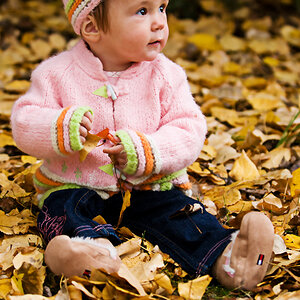
Niece Shots with Exposure Comp turned up. How do I fix them?

That's the rear LCD, not the viewfinder, but that shows the +,- box I was refering to that is displayed in the viewfinder to alert the photographer that some value of ED is set, as the frame a shot

I do see what you are talking about. I checked with it set to the 4.7 EC and it does show in the viewfinder. I will definitely make sure and notice that the next time!
 
I never realized that this was so unusual, but I just took another pic of the same plant with the exposure set to 4.7 and the meter waaaaayyy off of 0. The pic does not look blown by 5 stops. The second picture is what my camera screen is showing so people can understand what I did to "correct" the issue(as I said, on the kids didn't realize the comp was set to that) so after all of the facts, with the kids picture looking as it does, is there anything post processing that can be done to make the colors look a little darker/richer and play down the bright sun?

1.
comp4.7fast shutter by digabella, on Flickr

So what you've done is set the exposure comp and then effectively cancel it by putting the camera on manual and adjusting the shutter and f/stop so that the meter reads way off but the image looks OK on the LCD. Having the meter way off cancels the exposure comp. This photo of the plant looks OK.

Back to the photo of the children; blown highlights can't be repaired in post processing. Where your photo has white holes there's no help. Light colors can be darkened, but there has to be detail and/or color there to begin with.

Joe
 
Well, with Nikon cameras in manual mode, setting EC biases the meter.

The way it is SUPPOSED to work. For example, when you shoot subjects like people, standing in front of a large expanse of dark hedge, woods, or other natural foliage that is in shade, with a wide-angle lens, the needed exposure compensation is about Minus 1.7 f/stops on an overall, full-scene light metering with a short focal length lens...so...if you need to shoot a whole sequence, you dial in MInus 1.7, center the metering system, and Presto! You're good to go. If you decide additional compensation is needed to further refine the composition, that can then be added, and once again, the light meter set to 0.0 (centered) as once again, good to go. That's the entire POINT of adding exposure compensation--to compensate for odd lighting situations or very challenging light metering conditions...so that once the degree of compensation is dialed in you can shoot in Manual, Aperture,Shutter, or Programmed exposure, effortlessly.
 
So what you've done is set the exposure comp and then effectively cancel it by putting the camera on manual and adjusting the shutter and f/stop so that the meter reads way off but the image looks OK on the LCD. Having the meter way off cancels the exposure comp. This photo of the plant looks OK.

Back to the photo of the children; blown highlights can't be repaired in post processing. Where your photo has white holes there's no help. Light colors can be darkened, but there has to be detail and/or color there to begin with.

Joe

Yes, that is exactly what I did. That's why they don't look any worse than they do.

I've just seen a lot of people take someone's picture and work with it in PS and were able to make whatever was wrong with it look better. I thought maybe someone would know something that they could do to this picture to help bring out the colors better. I'm more familiar with PSP and I was able to make it look a little better with it. I know PS is a better program, so I was just hoping someone here could just take the pic and see what they could do with it and tell me what they did to achieve it. I've got a whole bunch of pictures that turned out like this, and even though I see they are blown out the family loves them so I just wanted to be able to "fix" some of the better ones the best that I can.
 
Well, with Nikon cameras in manual mode, setting EC biases the meter.

The way it is SUPPOSED to work. For example, when you shoot subjects like people, standing in front of a large expanse of dark hedge, woods, or other natural foliage that is in shade, with a wide-angle lens, the needed exposure compensation is about Minus 1.7 f/stops on an overall, full-scene light metering with a short focal length lens...so...if you need to shoot a whole sequence, you dial in MInus 1.7, center the metering system, and Presto! You're good to go. If you decide additional compensation is needed to further refine the composition, that can then be added, and once again, the light meter set to 0.0 (centered) as once again, good to go. That's the entire POINT of adding exposure compensation--to compensate for odd lighting situations or very challenging light metering conditions...so that once the degree of compensation is dialed in you can shoot in Manual, Aperture,Shutter, or Programmed exposure, effortlessly.

It is nice to know the point of it. What is going on is that I'm trying to learn photography and so now hubby is "getting interested/involved" so he's always playing with my camera and settings and I'm not experienced enough that I think "oh, this happened, must be this setting" yet. So, my settings are always messed up because you have two inexperienced people trying to learn manual. Honestly, I don't usually mess with it, so it just didn't cross my mind. Thanks for clarifying what it is actually for though. I will definitely never forget to check that little setting again!
 
Drex, don't be an idiot. BBC code has no relation to a forum post. You know that.

Then again, maybe you don't.

BBCode, and BBC are entirely different. Further, the BBC "code" website you linked to only uses the word "code" twice.

<html xmlns="http://www.w3.org/1999/xhtml" dir="ltr" lang="en"> <head> <meta http-equiv="Content-Type" content="text/html; charset=ISO-8859-1" />
=/= Code of conduct - Wikipedia, the free encyclopedia

Two different types of "codes", you see.
 
I will stick with Canon, thank you.

In reference to the absolutely silly "BBC Code" references I see in this thread: BBC Editorial Guidelines
Now that is BBC Code....and this is UBBS Code (Universal Bulletin Board System)

Oh my lord, so I said BBC Code instead of BBCode whatever. Pull your panties out, she obviously understood what I was talking about. Lord. :greenpbl:
 
Digabella, when you wrote, "I will definitely never forget to check that little setting again!" my heart kind of went out to you...but oftentimes the most lasting and best lessons are the most painful ones we experience. Yes, "that little setting" seems so inconsequential, so harmless....but man alive, when a bunch of exposure compensation is dialed in and things get hectic and you do not notice it, the final picture results can be just devastatingly poor...I've been there...I know...luckily, with d-slr capture, we're usually alerted to accidental exposure compensation settings when we review the LCD image and histogram...
 
allowing exposure compensation in manual mode for nikon's is a fairly new feature. For years it could only be used with aperture or shutter modes. It is easy to engage, at least on the d700 as the dial is close to other command features and I have engaged it myself, by accident. However, it also shows up in the view finder as well as the LCD and usually blinks to alert one that it has been engaged.
 

Create an account or login to comment

You must be a member in order to leave a comment

Create account

Create an account on our community. It's easy!

Log in

Already have an account? Log in here.

New Topics

Back
Top Bottom