What's new

Photoshoot, thoughts?

sactown024

No longer a newbie, moving up!
Joined
Jul 30, 2012
Messages
658
Reaction score
29
Location
New Hampshire
Can others edit my Photos
Photos OK to edit
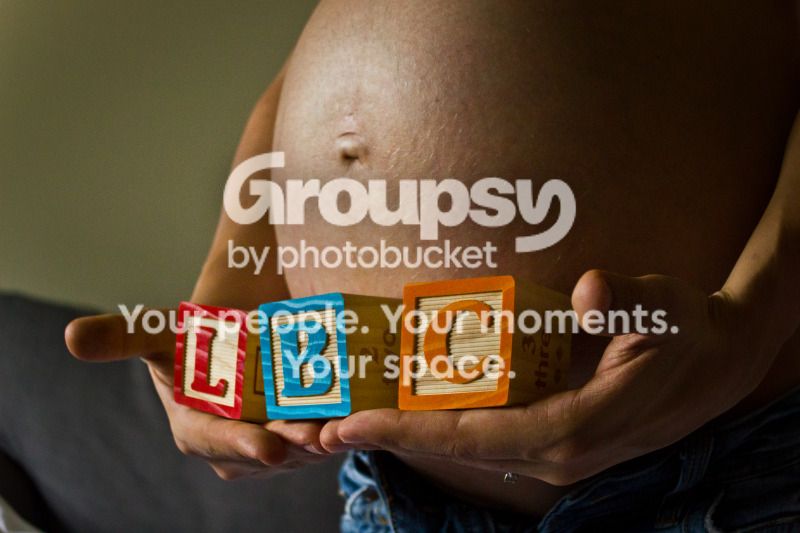
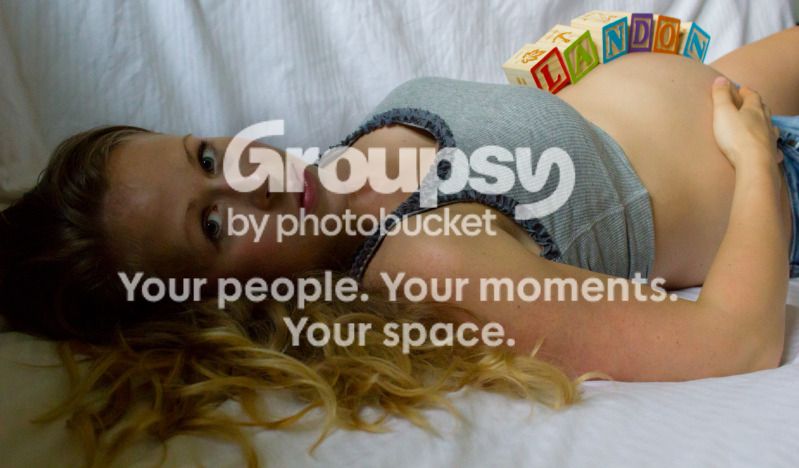
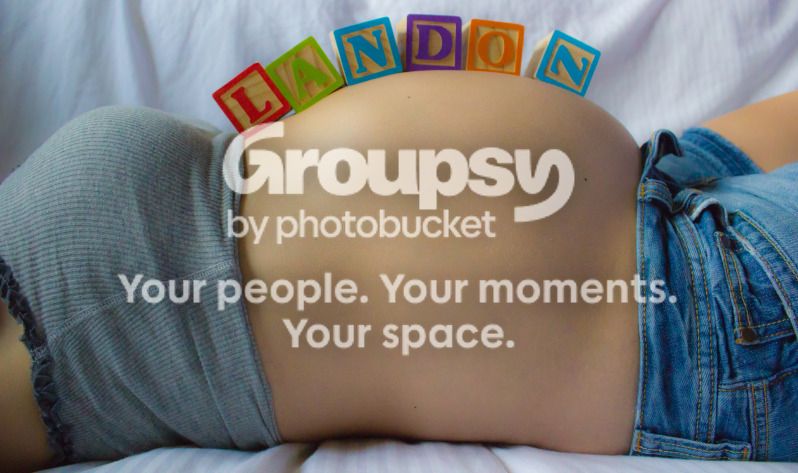
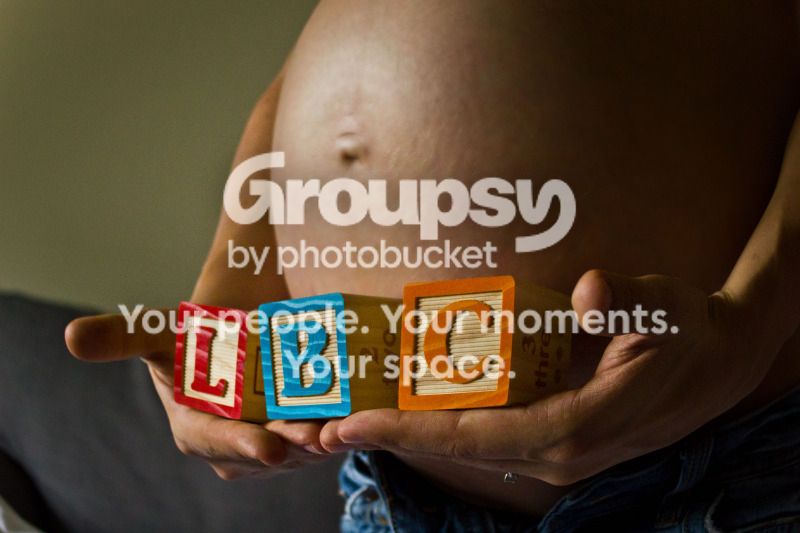
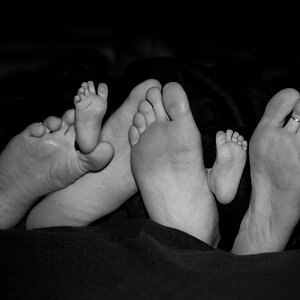
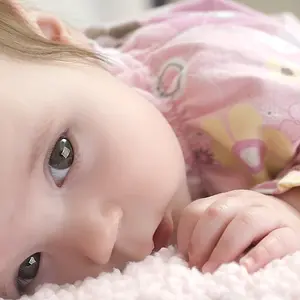
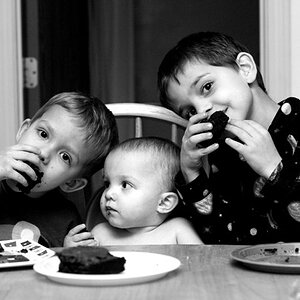
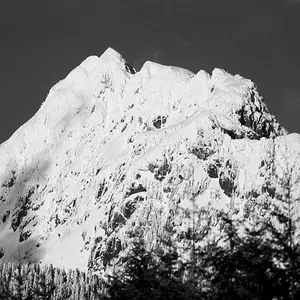
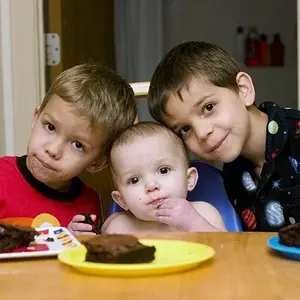
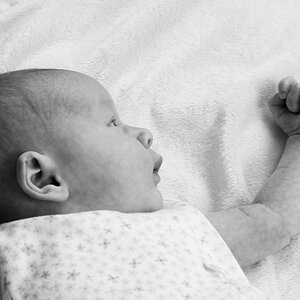
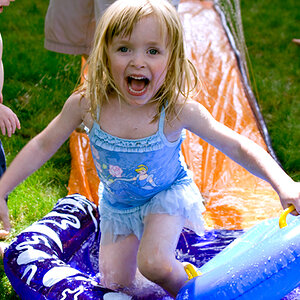
first photoshoot, this was all done inside with no flash nor studio equipment just a couch a down comforter and a tripod.

T2i with kit lens.
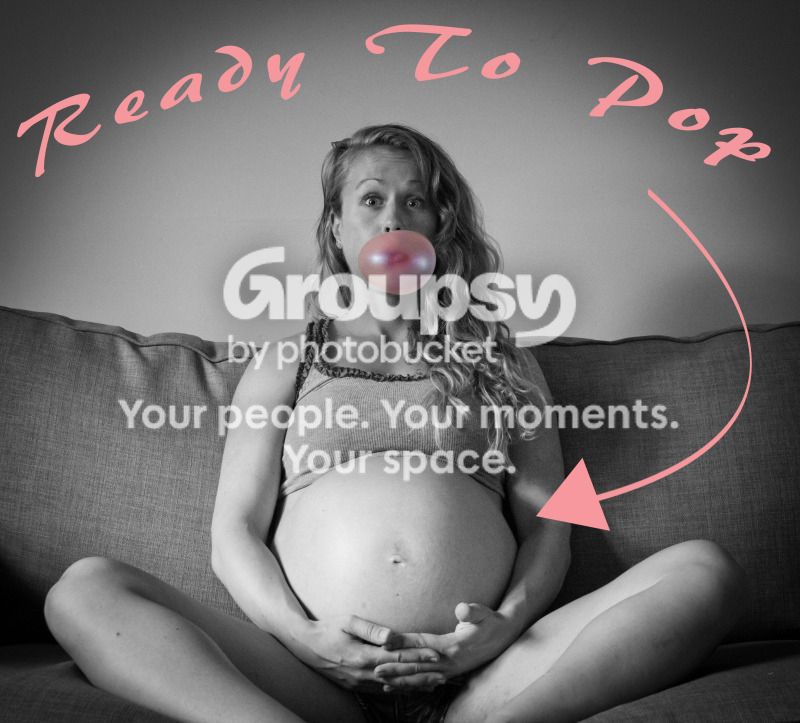
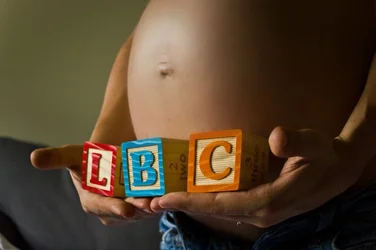
R2P.jpg


IMG_2882.jpg


IMG_2879.jpg


IMG_2877.jpg


IMG_2874.jpg
 
I love the idea of the first one!

The second one has some color issues. Focus is sharp. It's a bit dark and has some shadowy issues. The line or whatever in the wall behind is a serious eye draw that hurts your balance a bit.
3 is incredibly uneven and the shadows on her face are really bad. These ones your subject should have been several feet from the background and that's hurting.

They are an excellent start for a beginner!
 
The first one is outstanding. I think I'd do away with the text and have the message as an implied message, instead of a written one. However, that's just me.

I would also do some minor processing to the belly to smooth the skin in both one and two. The reflection of the light in both make her skin look oily and poorly maintained.

Three has some terrible lighting issues on her face. I don't know if it would even be fixable using the dodge tool. You might be able to dodge the mid tones and then add some contrast in an adjustment layer. However, on my monitor, it looks as if the shadows in her hair are plugged, so I don't think that it will do you any good in this case.

Four I like a lot... and Five would have turned out better if a layer mask was used to control where you were desaturating from.


Even with all of that said. These compositions are outstanding for a first timer :) Keep up the good work!
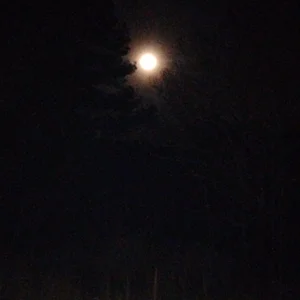
 
Thanks everyone, I do understand that these have issues especially number 3, i actually hate this photo and the only reason i posted it was because my wife liked it lol. The background in these photos are not ideal by any means as they were all shot in my apartment after sundown with little light and very high iso.

On number one, my wife wanted the text really bad and i needed some Photoshop practice so i went for it! I agree with everything everyone has said here and I will try to correct and hopefully get a better backdrop, i dont think the down comforter worked well haha.
 
on number two, what is the best way to remove the reflection from the belly?
 
So if you know these have problems and you know what you did wrong and you have every excuse why... Why did you post them for critique?
 
So if you know these have problems and you know what you did wrong and you have every excuse why... Why did you post them for critique?

i said ONE of them i knew wasn't good but my WIFE liked it, and i never said i knew what was wrong on any of them except that one. I said the conditions were not ideal which is not an excuse just a simple statement of why that ONE pic came out bad, so take the stick out of your ass and go post your bull**** somewhere else.

to everyone else, thank you for the CC, i planned to take your opinions and put them to use.
 
Well, I was going to give some feedback, but I think I'll leave the stick in my a$$ and not risk pi$$ing you off. Well done fauxtog.
 
#1 looks like an instagram pic. its cutesie. especially with her expression.
#2 the color is off a bit, but you can probably fix in lightroom or photoshop.
#3 I liked, but i personally would have swung around just a hair more to the right to square the blocks in the frame a little more.
#4 is amazing, in my opinion. me and the wife love this one! well lit, good color, great composition.
#5 im not a really big fan of selective coloring. this one is ok. composition is ok, but again, i personally would have been a little more to the right.

overall, definitely a great start!
 
1. Selected the stomach area using polygonal lasso tool with a 15 pixel buffer
2. Copied stomach area
3. Pasted stomach area onto new layer
4. Applied Gaussian blur at 9 pixel
5. Changed opacity to 60%
6. Duplicated layer
7. changed opacity on duplicated layer to 23%

voila

$belly.webp
 
1. Selected the stomach area using polygonal lasso tool with a 15 pixel buffer
2. Copied stomach area
3. Pasted stomach area onto new layer
4. Applied Gaussian blur at 9 pixel
5. Changed opacity to 60%
6. Duplicated layer
7. changed opacity on duplicated layer to 23%

voila

View attachment 16620

wow. amazing improvement there. that's the power of knowing your processing.
 
What? NO Butterball turkey pop-up timer????
 
1. Selected the stomach area using polygonal lasso tool with a 15 pixel buffer
2. Copied stomach area
3. Pasted stomach area onto new layer
4. Applied Gaussian blur at 9 pixel
5. Changed opacity to 60%
6. Duplicated layer
7. changed opacity on duplicated layer to 23%

voila

View attachment 16620


WELL DONE SIR.... I wish I knew PS as good as you lol, ima try to do what you did see if i can follow your instructions!
 
okay so here is my attempt to copy what you did, i copied your step by step but it doesnt look the same :(

bellyedit.jpg
 

Create an account or login to comment

You must be a member in order to leave a comment

Create account

Create an account on our community. It's easy!

Log in

Already have an account? Log in here.

New Topics

Back
Top Bottom