What's new

Please feel free to tell me how to improve

MWC2

TPF Noob!
Joined
Jun 19, 2011
Messages
261
Reaction score
67
Location
Texas
Can others edit my Photos
Photos OK to edit
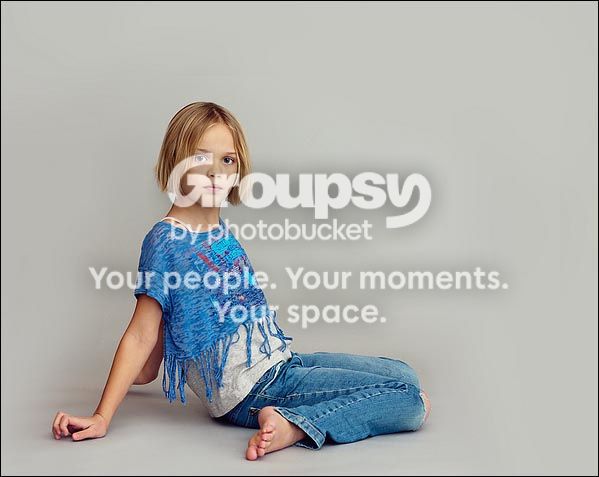
Kids finally let me take a couple of pictures of them, please feel free to tell me what I should be doing to improve (and what I should STOP doing) and move forward with my hobby, thanks!

#1
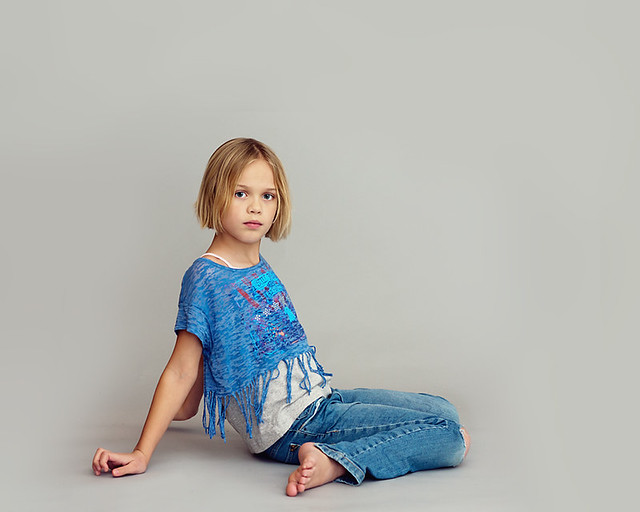
Ms. C by Just a Mom With a Camera, on Flickr

SS 1/250
F/3.5
ISO 320

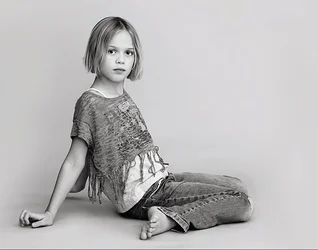
#1a (same picture just working on my b/w conversions)
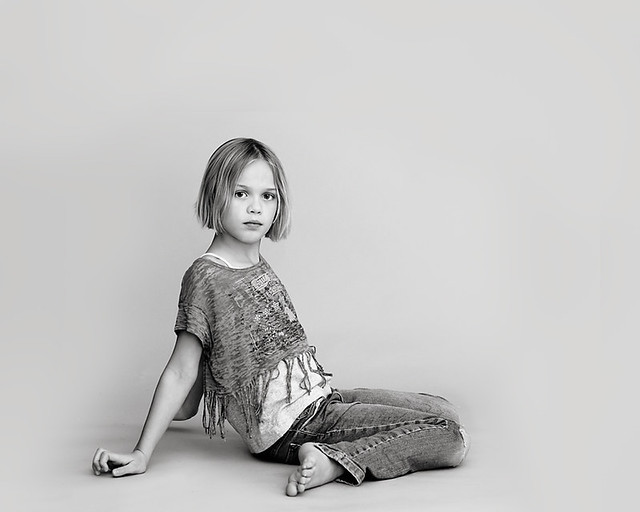
Ms. C by Just a Mom With a Camera, on Flickr


#2
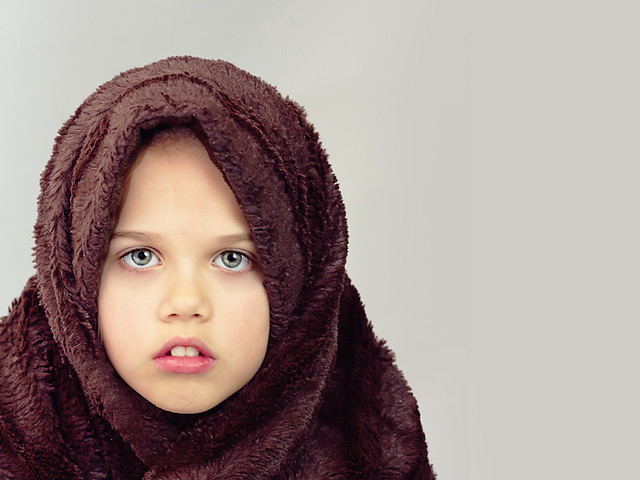
Ms. K by Just a Mom With a Camera, on Flickr
pay no attention to the yucky old blanket, she said it was too cold and she had to stay warm... it was 67 degrees outside and 72 degrees in the house. I swear she is a little old lady at times.

SS 1/60
f/4.0
ISO 320
 
Howdy neighbor! Oklahoma Dad here! Did you shoot this with the kit lens?

Sent from my iPhone using PhotoForum
 
Just looking at on my phone they look fairly decent.

Sent using PhotoForum
 
Last edited by a moderator:
They were taken with the nifty fifty (50 1.8), I've challenged myself to shot with it for the month of January. I forget what it's like not to use the 24-70, but at the same time I think I am falling in love with the idea of primes. This could turn out to be an expensive experiment.
 
i hate to be the one to cry portrait orientation...but these have a lot of dead space with nothing going on. tighten up the crop, or pick a more interesting background.
 
I love your shots, I think you did a great job
the composition is good, the focus is tack sharp, your subject is clearly the center of attention, love the white background!
and she is really cute.
Let's see what the pros have to say!
 
I struggle with cropping, I fight with myself all the time about it. When I first started I would crop the living poop out of every picture, and was told to leave more room. Now I've going the other direction, I leave way to much room.

Any suggestions on cropping? how much would you crop away?
 
I struggle with cropping, I fight with myself all the time about it. When I first started I would crop the living poop out of every picture, and was told to leave more room. Now I've going the other direction, I leave way to much room.

Any suggestions on cropping? how much would you crop away?
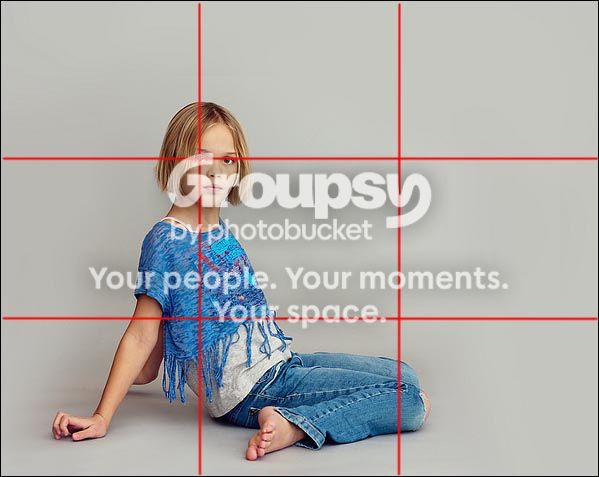
Then crop using one of the guidelines - like the Rule of Thirds, Golden Spiral, Golden Diagonals, etc.
 
Kids finally let me take a couple of pictures of them, please feel free to tell me what I should be doing to improve (and what I should STOP doing) and move forward with my hobby, thanks!

#1
A bit off the top and the left side. Camera left eye on rule of third power point.

8399Crop868269_d038f8cda1_z_zps65d66cf2.jpg


8399868269_d038f8cda1_z_zpsa78cf286.jpg
 
KmH - thank you for the cropping sample. I appreciate it.

Robin - I'll lower the ISO next time and up the flash power, thank you.
 
Kids finally let me take a couple of pictures of them, please feel free to tell me what I should be doing to improve (and what I should STOP doing) and move forward with my hobby, thanks!

#1a (same picture just working on my b/w conversions)

I think you caught some nice personality here... but a tighter crop would be nice. Emphasize "her" more....

Maybe:
$girl.webp
 
i hate to be the one to cry portrait orientation...but these have a lot of dead space with nothing going on. tighten up the crop, or pick a more interesting background.

The use of dead space here is really working for me. Especially in 1a and 2, because of the facial expressions. It really sets a mood. Your focus and skin tones in #2 is dead on. The wb in #1 is off. I see some excess magenta. I am not sure if #1 is over sharpened, but it looks a little pixelated. The pose is adorable.
P.S. I LOVE primes!!!!!
 
Last edited:

Create an account or login to comment

You must be a member in order to leave a comment

Create account

Create an account on our community. It's easy!

Log in

Already have an account? Log in here.

New Topics

Back
Top Bottom