What's new

Potential Problem "Im Worried"

Enem178

TPF Noob!
Joined
Jan 3, 2008
Messages
268
Reaction score
0
Location
East Orange,NJ
Can others edit my Photos
Photos NOT OK to edit
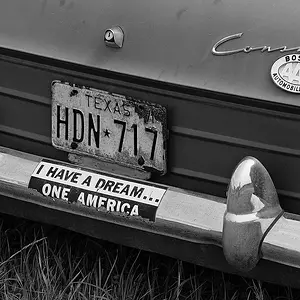
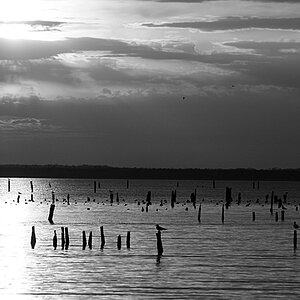
I posted a thread a couple days ago where I was worried about what I thought were pixilated clouds in some of my images. From the replies I received most thought it was just color banding or something that had to do with the atmosphere so I didnt worry about it, until now.

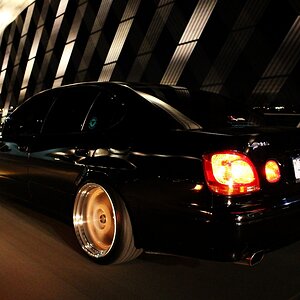
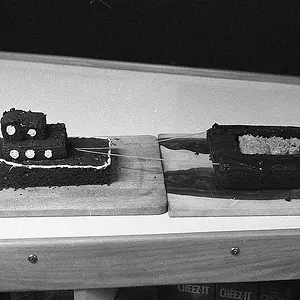
I noticed that im getting pixilated images all over the place!!! I though it might be my monitor, so I saved a few random images to my flash drive and viewed them on my second pc and they are still there:cry: I shot the included pix in JPEG/Fine. Even if they were shot in the lowest resolution the pix should'nt do this!! Is something wrong with my camera?? Should I send it into canon?? Im pissed because my 30days to return it are over. I bought it from B/H. Look at the pix and tell me if you guys know what this could be..Thanks

UnksBdayAtMichelle09.jpg


IMG_0605.jpg
 
are these posted from photobucket? sometimes that screws up resolution and are they being ran through a photo program?(photoshop?)
 
Yea, the camera isn't doing this. No way. Post a link or upload the original unedited versions.
 
Both of these images are unedited straight from the camera. I used photobucket to post on here but this is how they looked before photobucket. I know it dosent make sense but for some reason they seem to get worst overtime!! I never notice anything when I first download them from the card reader but after a day or two the pixelation shows up. I know I know, its dosent make sense to me either. I hope your right ANDS, cuz I dont want to send this camera in!
 
ive never seen something come out of the camera lookin like that even my 2 Mp camera on my phone doesnt look like that
 
set the shutter to bulb and open it and make sure there is no dust or debris on the sensor.

It's not the lens, there is no way the lens is doing that. Either you have crap on the sensor, or the sensor itself is going bad.
 
just did the bulb thing and no dust..
 
just did the bulb thing and no dust..

I would take it in somewhere and have it looked at. There is definitely a problem with your sensor or other hardware if there are no fingerprints, dust, or anything else on it. There is no way a lens issue would be causing pixelation. Maybe a haze effect, but not pixelate. Do you have a warranty on the camera?
 
Both of these images are unedited straight from the camera. I used photobucket to post on here but this is how they looked before photobucket. I know it dosent make sense but for some reason they seem to get worst overtime!! I never notice anything when I first download them from the card reader but after a day or two the pixelation shows up. I know I know, its dosent make sense to me either. I hope your right ANDS, cuz I dont want to send this camera in!

Send the actual files to mrspecLaLed@gmail.com. Like the ones you pulled straight off the card.
 
no, i just bought it on the 28th of dec
 
If those files aren't edited, then you have to be shooting in JPEG mode and have it on the lowest settings. If you look at the pixel size of the photo, this assumes you have not done ANYTHING to the photo other than download it off your card, put a watermark on it, and upload it, then the file itself is about 2.5Megapixels - from a 10MP camera.

Have you ever shot in RAW? Do you know how to set that up on your camera?
 
If those files aren't edited, then you have to be shooting in JPEG mode and have it on the lowest settings. If you look at the pixel size of the photo, this assumes you have not done ANYTHING to the photo other than download it off your card, put a watermark on it, and upload it, then the file itself is about 2.5Megapixels - from a 10MP camera.

Have you ever shot in RAW? Do you know how to set that up on your camera?

But you would think on a 40D at 2.5mp that it would still be clean, even at a low detail rating. I could be wrong though, I'm not a camera tech.

I know on the lowest resolution and detail rating on my D60 the images still show up pretty clean.
 

Create an account or login to comment

You must be a member in order to leave a comment

Create account

Create an account on our community. It's easy!

Log in

Already have an account? Log in here.

New Topics

Back
Top Bottom