What's new

Rose C&C

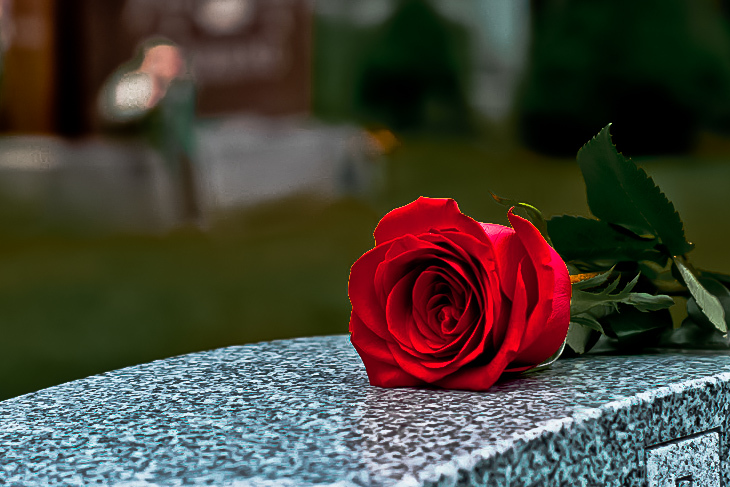
I personally prefer the colour photo myself but the question was asked so I tried to step up to the mark, I could probably get a better effect if I spent some time on it but hey what do you want for a 5 minute edit in PS, lol...
 
MY only nitpick is that the horizon seems tilted. And i for one prefer the color version. Well done.

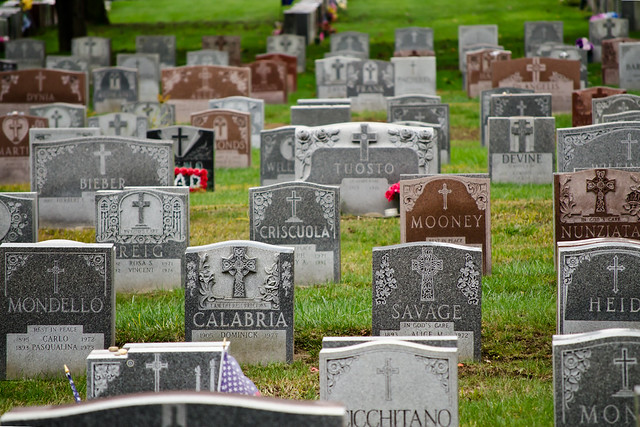
The horizon is definitely rough. Some areas are level and some areas are not. The closer gravestones are on a shallow pitched hill while the grave stones in the back are on flatter ground. I have another shot I'll dig up showing the uneven turf. I didn't know which level so I used the gravestones in the back.
 
This is more what I was thinking though... but then, I love contrasty B&W

white_rose_-CG.jpg
 
I personally prefer the colour photo myself but the question was asked so I tried to step up to the mark, I could probably get a better effect if I spent some time on it but hey what do you want for a 5 minute edit in PS, lol...

I thought you did good. If I never saw the color photo I would like the black and white.
 
Did you just remove the red channel?
 
I'm just not loving any of the black and white at all. If the subject of the photo was the tombstones, it would be great. But the subject is a flower, and IMO flowers always look better in color.
 
I'm just not loving any of the black and white at all. If the subject of the photo was the tombstones, it would be great. But the subject is a flower, and IMO flowers always look better in color.

I think that's what I like about black and white photo's; it allows you to focus on the beauty of the object itself, and not have color influence your opinion. I think it needs to be composed differently and have the rose fill the frame more for the purpose of B&W.
 
Did you just remove the red channel?

No I tried a few different things, firstly I used the quick selection tool to copy the rose with the intention of using the Replace Colour feature and layer it over a B/W conversion, but for the effect looked poor and pale pink rather than white, so I then went about playing with the channels.

The only channel I left was actually the Red channel. Now I'm no PS expert, infact I'm a novice at best and there are probably better ways to achieve this, but I just experiment till I get the effect I want, failing that I use my old friend Google.

Here's how it all panned out.


Last edited:
Did you just remove the red channel?

No I tried a few different things, firstly I used the quick selection tool to copy the rose with the intention of using the Replace Colour feature and layer it over a B/W conversion, but for the effect looked poor and pale pink rather than white, so I then went about playing with the channels.

The only channel I left was actually the Red channel. Now I'm no PS expert, infact I'm a novice at best and there are probably better ways to achieve this, but I just experiment till I get the effect I want, failing that I use my old friend Google.

Here's how it all panned out.

Cool. I'll mess with this myself.
 
There are plenty of effects you can get out of PS, as I'm sure you already know, here's how it looked with all channels.


And here it is again with all channels but I messed about with the Curves to give a completely different effect all together, which IMO looks pretty cool.


I'd normally use the history brush to bring colour to a B/W conversion, but this is just part of what I was originally trying to achieve, the main problem is, I didn't quite cut the rose out properly leaving a very thin outline around the rose, but like I said before it was a quick edit.

 
There are plenty of effects you can get out of PS, as I'm sure you already know, here's how it looked with all channels.


And here it is again with all channels but I messed about with the Curves to give a completely different effect all together, which IMO looks pretty cool

I'd normally use the history brush to bring colour to a B/W conversion, but this is just part of what I was originally trying to achieve, the main problem is, I didn't quite cut the rose out properly leaving a very thin outline around the rose, but like I said before it was a quick edit.

See, this selective coloring is awesome. I did this myself but refrained from posting because people usually just complain about it.
 
Bah, post what you like, if people complain then it's there opinion. I personally love it on the right photo and this is one of those photos where it works really well.
 
Since we're allowed to play, this is how I see it...


i-nS3H5xc-XL.jpg


Create an account or login to comment

You must be a member in order to leave a comment

Create account

Create an account on our community. It's easy!

Log in

Already have an account? Log in here.

Back
Top Bottom