What's new

The incoming storm: backcountry snowboarding mountain scenery.

rkymtnhigh

TPF Noob!
Joined
Dec 31, 2012
Messages
22
Reaction score
6
Location
Colorado
Can others edit my Photos
Photos OK to edit
Hello all.
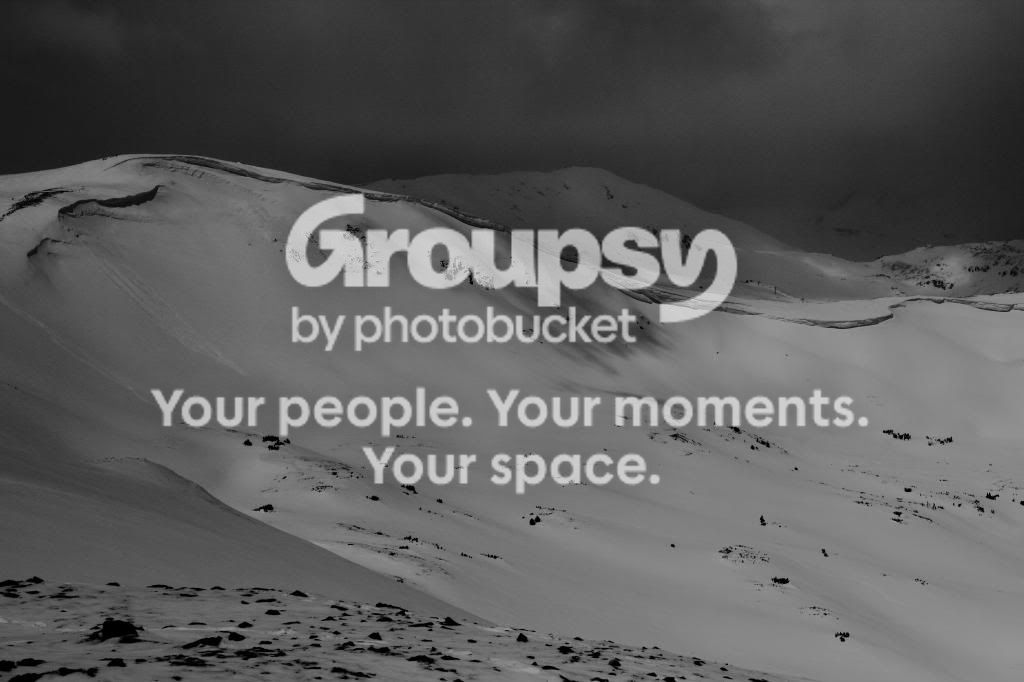
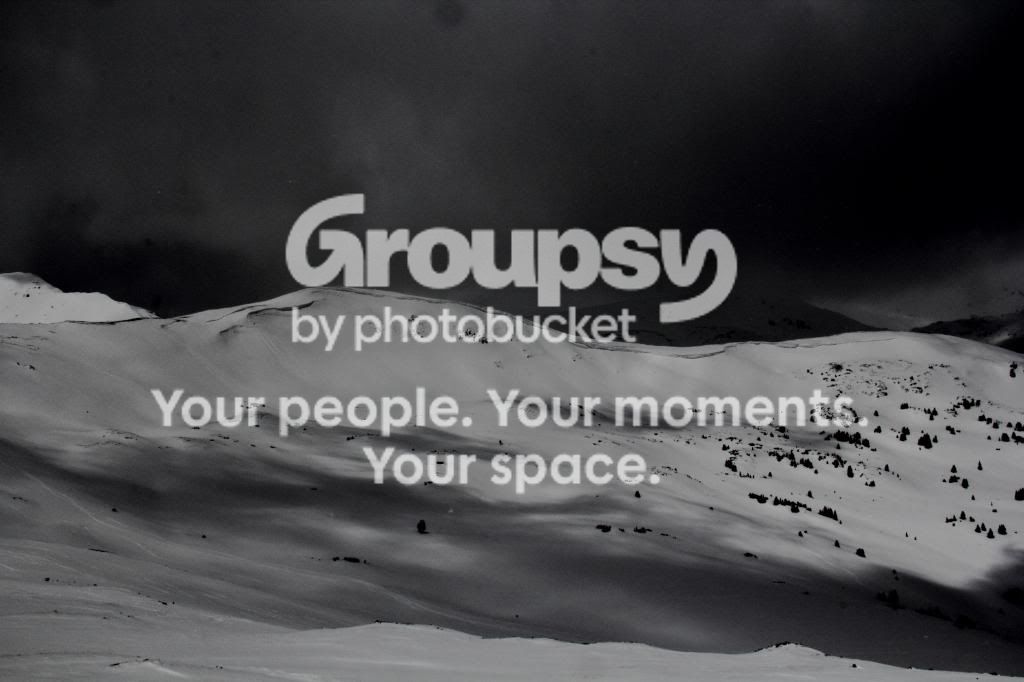
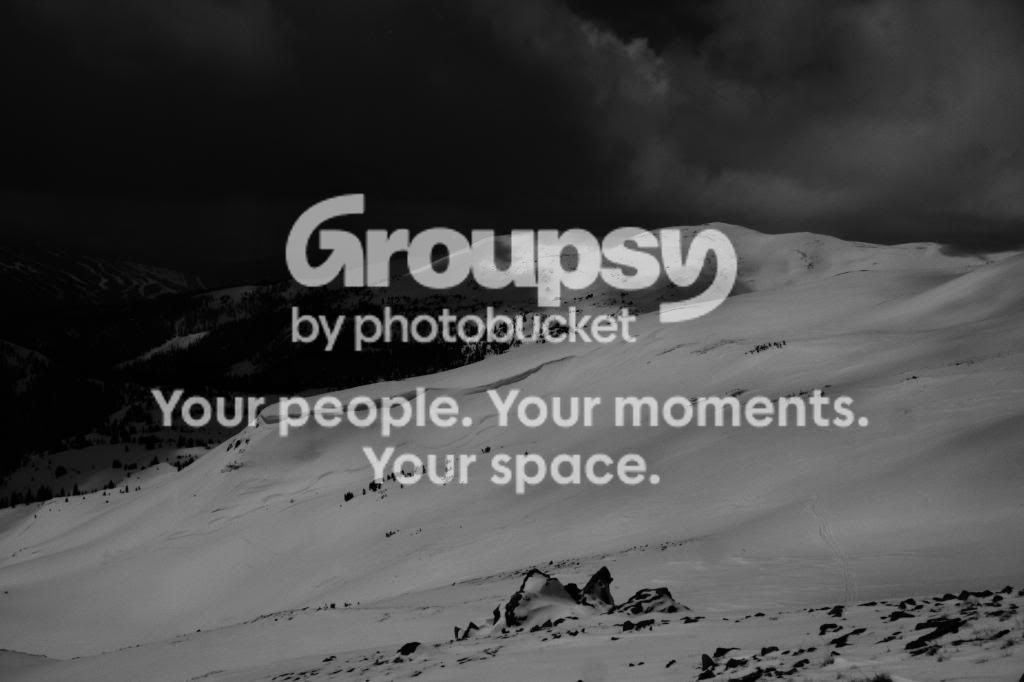
Yesterday I went up to one of my favorite backcountry snowboarding spots for a nice hike and a few spring runs. It was a beautiful day. My first hike to the top I did not have my DSLR so I could travel light and so I wouldn't hurt my camera if I fell. But the views, as always, impressed me so much that I picked up my DSLR from the truck at the bottom and made my way to the top again to grab a few pics. There was some weather moving in and the views became even more dramatic as the clouds began to thicken.

I took all of these pictures underexposed (so I didnt loose any detail on the bright side), I really wanted to keep the subtleties in the detail of the snow. They were taken in color but they pretty much came out black and white. I played with the shadows and contrast a little before brightening them back up and then converted them to true black and white. I like them but since this is the first time I've really ever messed with B/W I wanted to post these up for some feedback.

1)

2)

3)

4)

 
You may have intentionally underexposed the snow, but it doesn't look like snow now. Bring the white point down to, say, 150.
 
Because of the way digital images work, we have to expose for the highlights and let the shadows take care of themselves.
http://www.adobe.com/digitalimag/pdfs/linear_gamma.pdf

Linear capture
You may be tempted to underexpose images to avoid blowing out the highlights, but if you do, you’re wasting a lot of the bits the camera can capture, and you’re running a significant risk of introducing noise in the midtones and shadows. If you underexpose in an attempt to hold highlight detail, and then find that you have to open up the shadows in the raw conversion, you have to spread those 64 levels in the darkest stop over a wider tonal range, which exaggerates noise and invites posterization.

A DSLR camera's light meter is calibrated on the assumption that the vast majority of scenes average out to having a luminosity equal to a neutral shade of gray of 12% to 18% reflectivity. Consequently, when a scene is predominantly white, the camera will under expose even when the center mark of the light meter indicates a correct exposure.
To correct the camera's propensity to under expose a predominately white scene, the photographer has to add some +EV exposure compensation, usually 1/2 to 2/3 of a stop.

The term of art is to Expose to The Right, or ETTR.
ETTR refers to the image histogram that can be displayed on a DSLR's rear LCD.

The images as they are displayed here are still 1.5 stops under exposed, which is why all the snow is dark gray.

Understanding Camera Metering and Exposure
Understanding Digital Camera Histograms: Tones and Contrast
Understanding Digital Camera Histograms: Luminosity and Color
Optimizing Exposure
ETTR
 
Last edited:
You may have intentionally underexposed the snow, but it doesn't look like snow now. Bring the white point down to, say, 150.


Thanks! I have never heard the term "white point". I did a little searching and didnt find an exact answer but from what I gather it is the right side on the histogram. I use the supplied editing software that came with my camera (Digital Photo Professional). Under the RGB histogram there is a box that says 255. I changed that to 150 and noticed I started seeing more white. I played with that a little more and ended up with 125. I noticed that the histogram is now just barely not touching the right side (no highlight detail lost) and I actually see some white. I think this is MUCH better. I will play with the editing some more on the others.


KmH: Thank you very much for that info. I was aware of some of it but not all. It will help me greatly in the future!
 
Last edited:
Thanks! I have never heard the term "white point". I did a little searching and didnt find an exact answer but from what I gather it is the right side on the histogram. I use the supplied editing software that came with my camera (Digital Photo Professional). Under the RGB histogram there is a box that says 255. I changed that to 150 and noticed I started seeing more white. I played with that a little more and ended up with 125. I noticed that the histogram is now just barely not touching the right side (no highlight detail lost) and I actually see some white. I think this is MUCH better. I will play with the editing some more on the others.

Congratulations! You just discovered one major step of how to adjust your images using the histogram! And you can do the same thing with the 'black point', raise it from 0 to get darker blacks.


..........The term of art is to Expose to The Right, or ETTR..........

I wouldn't call adjusting the exposure due to sunlit snow as ETTR....... I'd call it exposure compensation.
 
Last edited:

Create an account or login to comment

You must be a member in order to leave a comment

Create account

Create an account on our community. It's easy!

Log in

Already have an account? Log in here.

Back
Top Bottom