What's new

Topaz InFocus

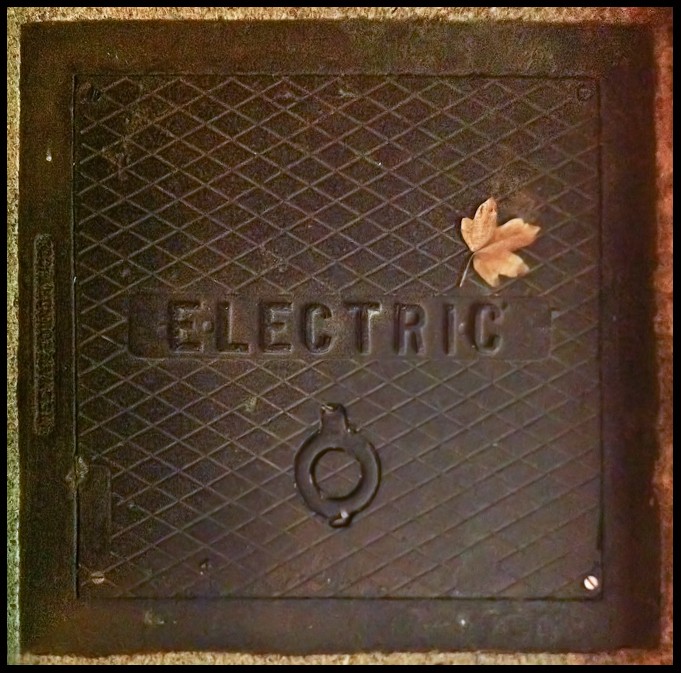
Ok, test shot.

Night photo taken with iPhone, so it be noizy and blurries.
Can you see what I did there?
5200278190_b7b9f7b0e1_o.jpg


One thing I have noticed about a lot of your photos...when needed to be shot square & plumb you have a very good eye. Or, you have a knack in editing to square them well.
 
Yes - that does make a noticeable/usable difference.
 
You must shoot static objects all the time then, I don't have that luxury - curious to see how real world examples turn out with this.

I downloaded it and ran it, but didn't have much time to tinker around yet.

Not all the time. :grumpy:

I'm on the fence about it, really.
I simply cannot believe the license plate example from their site. :er:

Half diagonal is processed? Nice!

Yes.

One thing I have noticed about a lot of your photos...when needed to be shot square & plumb you have a very good eye. Or, you have a knack in editing to square them well.
Both. :D Thanks.


Here's another example. See if you can find the pattern. I'll post it via text link, as to not spoil it.

5199784621_71d0290553_o.jpg


Pattern
 
Hmm here's a question for the smart ones - Topaz Detail:
Topaz Detail - Halo-free Detail Enhancement and Sharpening

Whats the specific difference that Topaz detail is working with that their InFocus software is isn't dealing with - or Vis versa. I'd be interested to know peoples thoughts on this as both appear to be doing quite similar things (taking softer details and making them sharper/more defined) and yet are packaged separately.
 
I'm on the fence about it, really.
I simply cannot believe the license plate example from their site. :er:

Indeed I'm inclined to agree- looking at some of their other edits they like to show really amazing results which makes me very skeptical of the overall software's ability to perform - plus also what sizes its able to work with (ie yes it fixed the licence plate, but the output shot was considerably smaller for example).

If it does work well though it could be a fantastic tool for helping with macro work .
 
I am not very good at portrait type photos, but the treatment of this photo has caught my eye.
Did you use dof, or the sharpening technique for this image?

Is this your jewelry?

What lens, what distance from the subjects, etc? if you do not mind.
 
Seems some people are getting a lot of artifacts with the software:
Topaz InFocus: amazing stuff! - Canon Digital Photography Forums

might be early adaptors having problems getting to grips with the settings or Topaz being overly generous with their advertising pictures. Be worth keeping an eye on both threads to see how different users work it out.
 
Yes, you can get horrible artifacts when pushed too far.
Yes, I find it's effect similar to Topaz Detail.
Yes, I tried it on an image that had actual motion blur, it didn't "fix" anything.
Yes I will read the "manual".
Yes, I will probably not buy this.


@Pierre,
The effect was shallow DoF through the lens. I wanted to see how it sharpened an image globally with sharp, and out of focus areas. I wanted to see what it would do to her specifically. Did you click the pattern link to compare? No, didn't make their costume jewelry. Lens: 100-400mm f/4L, I can't remember my distance.
 
Or you could just shoot the shot in focus in the beginning and save yourself 30 bucks. HAHA

You never miss focus?


Nothing to the point of the examples they show on the site. Something like that you can tell over the lcd on the back of your camera and reshoot.

There's times when you can't reshoot. Yes, in a perfect world you could just shot in focus but no one is perfect. And you can't really tell by looking at a 3" screen that your picture is in focus. They all look good till you open the image up on a computer screen.
 
The more you rely on technique, than the LCD screen, the more your blurry shot ratio drops.
 
Well.. I didnt read the instruction but theres not that many sliders... Didnt really fix my camera shake pics LOL
 
Too good to be true. If it is smart enough to do that, the price tag would have been over $300.
 
topaz labs have a lot of good software at a resonable price, so this falls in line with their total products, at least imho

frankly sometimes i think we expect too much from software, there are limits and I didn't expect a miracle from an image which i know has too much camera shake, but for a small correction it did do as shown.

I viewed the whole video and thought it was interesting they were encouraging people to send them images that failed so they could see what was happening and what may need to be tweaked. For those that didn't read the directions or re-view the video he also talked about being careful to avoid artifacts which will occur if not careful.
 

Create an account or login to comment

You must be a member in order to leave a comment

Create account

Create an account on our community. It's easy!

Log in

Already have an account? Log in here.

Back
Top Bottom