rein TPF Noob! Joined May 17, 2008 Messages 171 Reaction score 0 Can others edit my Photos Photos OK to edit Jun 9, 2009 #1 So, a few days ago i finally got my Canon 17-55 f2.8 IS, Took it out yesterday, but the weather was Being an TOOOOOOOOT. So enjoy, Thanks For Viewing
So, a few days ago i finally got my Canon 17-55 f2.8 IS, Took it out yesterday, but the weather was Being an TOOOOOOOOT. So enjoy, Thanks For Viewing
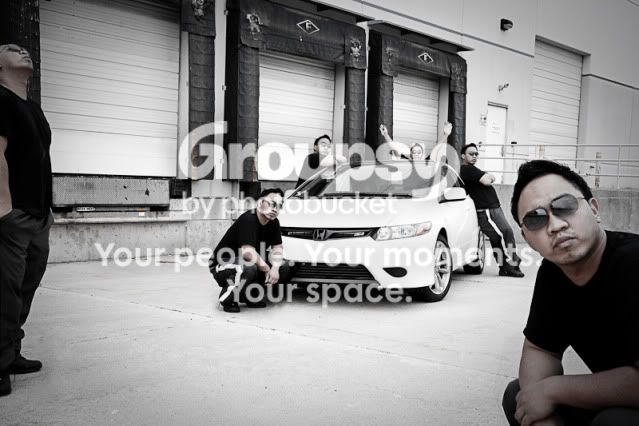
C chrszie TPF Noob! Joined May 26, 2009 Messages 13 Reaction score 0 Location Whittier, CA Can others edit my Photos Photos OK to edit Jun 9, 2009 #2 Great Job... How did you do number Three?
ANDS! No longer a newbie, moving up! Joined Nov 14, 2006 Messages 2,178 Reaction score 3 Location Downtown Can others edit my Photos Photos OK to edit Jun 9, 2009 #3 chrszie said: Great Job... How did you do number Three? Click to expand... 1. Set the camera on a tripod. 2a. Depending on your camers capability, set it up to take a series of shots automatically. This may not work to get what you want in focus however. 2b. Purchase a remote control, and set your camera to auto-detect the focus point. 3. Click button (on remote or on camera to start the action) 4. Import the files into Photoshop on different layers, applying a layer mask to each. 5. Paint in the areas from each successive layer that you want "brought in". 6. Marvel at your "clone" shot.
chrszie said: Great Job... How did you do number Three? Click to expand... 1. Set the camera on a tripod. 2a. Depending on your camers capability, set it up to take a series of shots automatically. This may not work to get what you want in focus however. 2b. Purchase a remote control, and set your camera to auto-detect the focus point. 3. Click button (on remote or on camera to start the action) 4. Import the files into Photoshop on different layers, applying a layer mask to each. 5. Paint in the areas from each successive layer that you want "brought in". 6. Marvel at your "clone" shot.
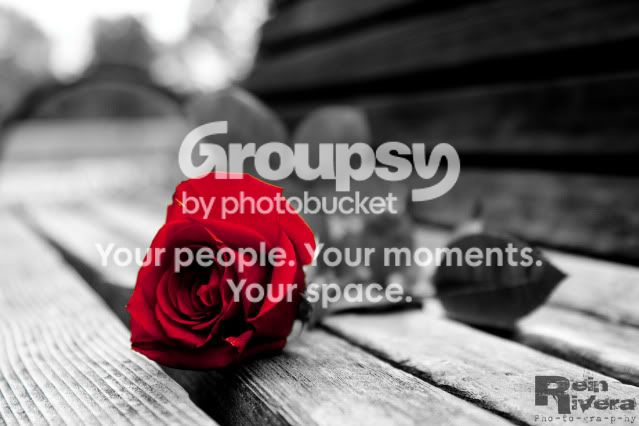
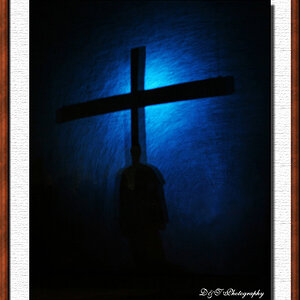
WyckedPhoenix TPF Noob! Joined Jun 6, 2009 Messages 9 Reaction score 0 Location Rosamond, Cali. Can others edit my Photos Photos NOT OK to edit Jun 9, 2009 #4 I love the bold color against the black and white of #1, great image. #3 is such a fun image!
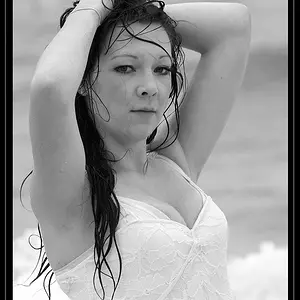
Kimba TPF Noob! Joined Jun 7, 2009 Messages 168 Reaction score 0 Location Brisbane Australia Can others edit my Photos Photos OK to edit Jun 9, 2009 #5 OMG i'm speachless. they are all really well done. Love #3!!!
P Photoadder TPF Noob! Joined Apr 22, 2009 Messages 279 Reaction score 0 Jun 9, 2009 #6 Good job man! I love first one.
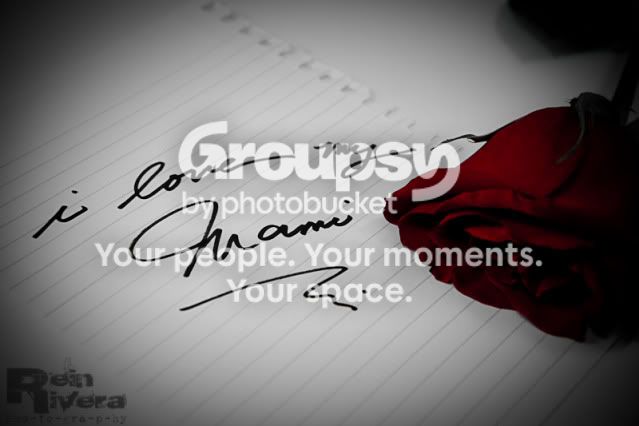
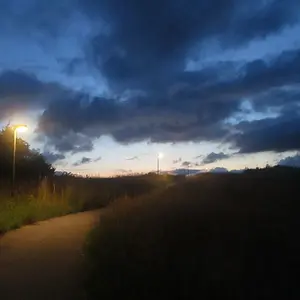
S Stock Photos TPF Noob! Joined Jan 24, 2009 Messages 213 Reaction score 1 Can others edit my Photos Photos NOT OK to edit Jun 9, 2009 #7 Love the first two!
Guido44 TPF Noob! Joined Nov 15, 2008 Messages 190 Reaction score 0 Location Near Chicago. Can others edit my Photos Photos OK to edit Jun 9, 2009 #8 Excellent work! I am definitely going to use that multiple image technique in the future. Really great idea. Thanks for explaining "how to". Dan
Excellent work! I am definitely going to use that multiple image technique in the future. Really great idea. Thanks for explaining "how to". Dan
Dao No longer a newbie, moving up! Joined Mar 24, 2008 Messages 6,427 Reaction score 462 Location St. Louis Jun 9, 2009 #9 I digg the first one~
Jaszek No longer a newbie, moving up! Joined Oct 7, 2008 Messages 2,177 Reaction score 36 Location Brooklyn, NY Can others edit my Photos Photos OK to edit Jun 9, 2009 Banned #10 The first two are definitely winners. The third one, the car is a bit overexposed
SrBiscuit TPF Noob! Joined Apr 22, 2008 Messages 2,716 Reaction score 44 Location NH Can others edit my Photos Photos OK to edit Jun 9, 2009 #11 not a fan of selective color, but #1 is really sharp, and the DOF is very nice. well done.
rein TPF Noob! Joined May 17, 2008 Messages 171 Reaction score 0 Can others edit my Photos Photos OK to edit Jun 9, 2009 Thread Starter 🔹 #12 Thank You Very Much For all the Comments Guys
ANDS! No longer a newbie, moving up! Joined Nov 14, 2006 Messages 2,178 Reaction score 3 Location Downtown Can others edit my Photos Photos OK to edit Jun 9, 2009 #13 Jaszek said: The first two are definitely winners. The third one, the car is a bit overexposed Click to expand... Car isn't overexposed. It's no doubt just that "lightness", and shows up as such on a black and white conversion such as this.
Jaszek said: The first two are definitely winners. The third one, the car is a bit overexposed Click to expand... Car isn't overexposed. It's no doubt just that "lightness", and shows up as such on a black and white conversion such as this.




![[No title]](/data/xfmg/thumbnail/31/31705-3469470a562bc1a3bad361889544af19.jpg?1734160378)
![[No title]](/data/xfmg/thumbnail/33/33436-1304fb294d2141a65ae8309383a3e52a.jpg?1734163466)
![[No title]](/data/xfmg/thumbnail/37/37632-06d8ff7f84d84f6ac01249ce8885d896.jpg?1734170756)


![[No title]](/data/xfmg/thumbnail/34/34139-e52deba745f42ba091907fcc460cd6db.jpg?1734164696)
![[No title]](/data/xfmg/thumbnail/32/32981-27e3d29bfa5b1638f18299ec111c7b87.jpg?1734162931)