What's new

Using masks to accentuate focal points

OMP Ron

TPF Noob!
Joined
May 1, 2019
Messages
76
Reaction score
62
Can others edit my Photos
Photos NOT OK to edit
Hello all,
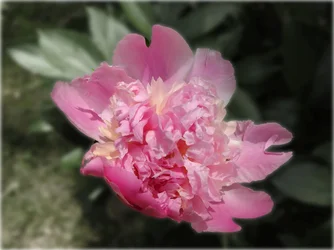
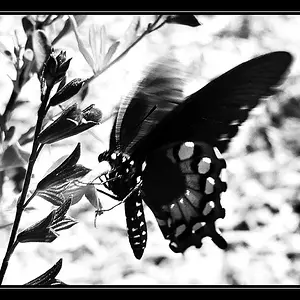
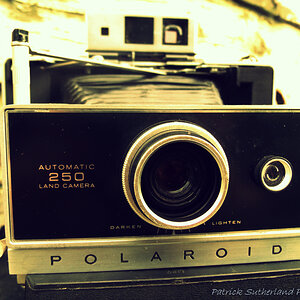
I have been using Affinity Photo recently to bring out focal points but subdueing background saturation and Gaussian blur filters. Though I would post a series to get your opinions.
Ron

 

Attachments

  • DSCN0035c.webp
    DSCN0035c.webp
    167 KB · Views: 134
  • DSCN0035d.webp
    DSCN0035d.webp
    152.2 KB · Views: 134
  • DSCN0035e.webp
    DSCN0035e.webp
    115 KB · Views: 126
To me it looks like the flower was superimposed on top of the background. There is something about the edges of the petals that does not look natural to my eye.
 
Agree with the above poster; it looks to me like this is a considerably less sophisticated version of the PS selection and masking tools.
 
Opinion for me is that it ad a very specific fantasy like effect.
I actually have no issue with it.

The effect is similar to a pre-photoshop technique I was told about in middle school with some sophisticated dodge-burn techniques with a a template that had a fringe edge. this would create a slightly over exposed fringe on objects.

personally I like it.

P.S.
this is something common in wedding photography.
 
You are right about the edges, but that is because I did not take the time to feather or gently blur the edges and I purposely exaggerated the effect for display. I think if you did it with subtle changes it could be used effectively, but as with everything you do to an image, less is always more.
 
Ron, the only thing I don't care for is the halo around the outer edge of the petals in the third photo, but that is mostly a matter of taste.. I really like the Affinity software. I have been dabbling with it here and there, my only problem is that with 20+ years experience in Photoshop when I need to do something quick guess which I go to. Affinity is really nice and quite capable, thier design software is also quite good and you can't complain about the price either...definately a good bang for the buck.
 
Ron, the only thing I don't care for is the halo around the outer edge of the petals in the third photo, but that is mostly a matter of taste.. I really like the Affinity software. I have been dabbling with it here and there, my only problem is that with 20+ years experience in Photoshop when I need to do something quick guess which I go to. Affinity is really nice and quite capable, thier design software is also quite good and you can't complain about the price either...definately a good bang for the buck.

I quite agree Jeff, I guess I started using Photoshop and Corel Draw about 20 years ago myself and still use Photoshop for some applications but Adobe in general is like dealing with Apple, great product but the company policies and prices make it hard to stay loyal. My use for this technique is to make a subtle change that brings out a good focal point. I did this by selecting the flower, copying it, adjusting the saturation of the photo down and then pasted the flower back in its original spot on the photo, same with the third photo I just added a little Gaussian blur before pasting the flower back. Next I want to work on out of focus images to see if the technique can be used to create a sense of realistic sharpening.
 
Photoshop and CorelDraw are my go to programs but it's getting harder to justify the cost for personal use. I originally bought them to teach myself to stay competitive in the job market.
 
Photoshop and CorelDraw are my go to programs but it's getting harder to justify the cost for personal use. I originally bought them to teach myself to stay competitive in the job market.
Hello Jeff,
I sold history products (booklets, videos, interpretive photos of Civil War Battlefields) in National Park Service bookstores and I used Corel to create all the super imposed figures on the aerial photos I took of the parks and have been a user since Corel 3. Photoshop I really only used for auto photo correction and cropping.
 

Create an account or login to comment

You must be a member in order to leave a comment

Create account

Create an account on our community. It's easy!

Log in

Already have an account? Log in here.

New Topics

Back
Top Bottom