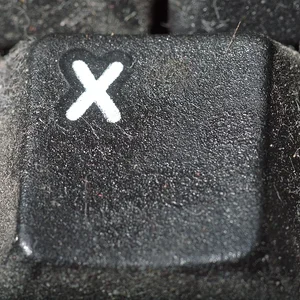
I love the composition here. The image itself looks a tad bit soft. If you have photoshop, try this: Go into FILE>MODE and change the mode from RGB to LAB color. In channels, select the brightness channel and then go to FILTERS>UNSHARP MASK and set the sharpening up for very small amounts. Resharpen several times. By using small amounts of sharpening, you give your image a much more "refined" sharpening. Using the brightness channel will also help you avoid halos due to sharpening as well. When you're done, change it back to RGB. LAB is a much bigger gamut and because of this, you can go back and forth between LAB and RGB without any loss of information.
Additionally, I'd also punch up the color on this by slightly increasing the saturation.
Really nice shot though and I love the composition. Good job!






![[No title]](/data/xfmg/thumbnail/42/42255-14c14cc733bc4ab5cd38a6fa6783ece1.jpg?1734176628)



![[No title]](/data/xfmg/thumbnail/36/36393-86ce601930c671b92b6df002b7fcbd0b.jpg?1734168775)


![[No title]](/data/xfmg/thumbnail/42/42277-63576745f84be96df79b94ca0f49e00b.jpg?1734176687)