What's new

What do you think of these shots?

Stacylouwho

TPF Noob!
Joined
Mar 27, 2013
Messages
188
Reaction score
20
Location
Georgia
Can others edit my Photos
Photos OK to edit
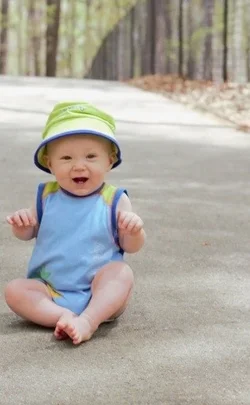
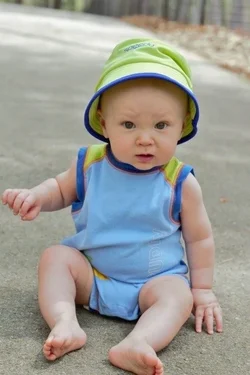
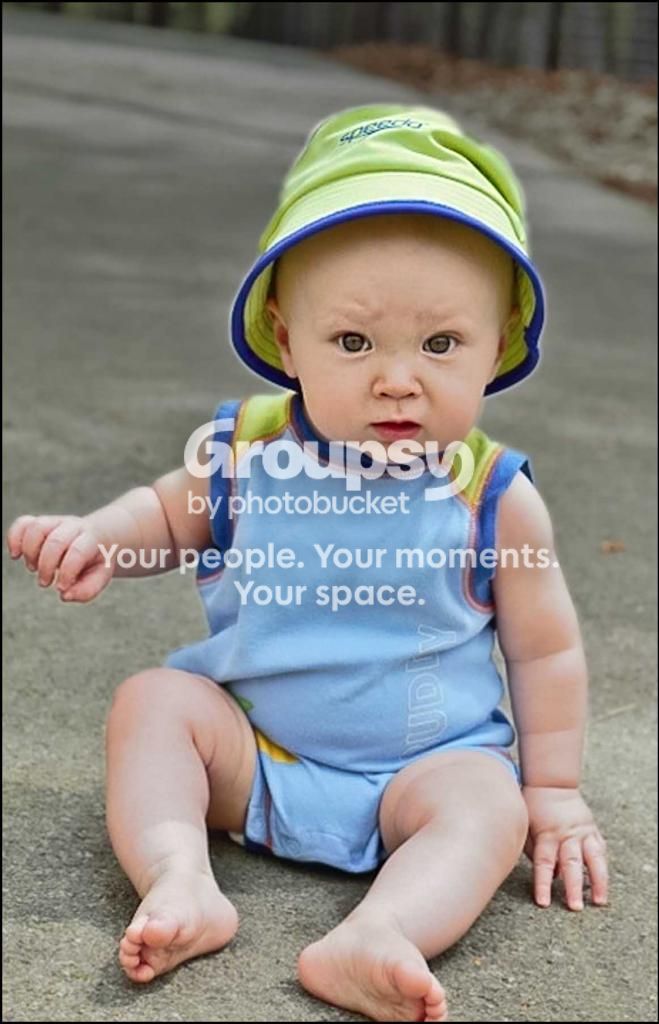
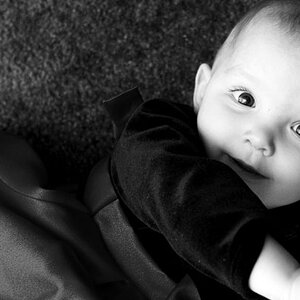
$image.webp$image.webpWe took some pictures today.. Let me know what you think!
 
First one you missed focus.


Second is okay but I'd like to see more light on him, particularly his face. :mrgreen:
 
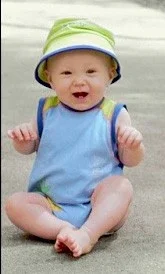
I love the pose you captured in The first one. Can you crop closer, though? There seems to be a lot of unneeded space, unless you are meaning to accentuate the golf cart trails.
 
Thanks! Yeah I notice the focus issue now. You are right his face is a little darker that the rest of his body.
 
Did you use any kind of flash?
 
I love the pose you captured in The first one. Can you crop closer, though? There seems to be a lot of unneeded space, unless you are meaning to accentuate the golf cart trails.
Thanks! It is hard to capture any poses with him.. I'm just happy I got some lol! I already cropped it in some because the stroller was to the left.. But I can crop in more.
 
Did you use any kind of flash?
No, I just picked a spot the shade. I have yet to get an external flash, and I don't usually think to use my flash much.
 
I love the pose you captured in The first one. Can you crop closer, though? There seems to be a lot of unneeded space, unless you are meaning to accentuate the golf cart trails.
Thanks! It is hard to capture any poses with him.. I'm just happy I got some lol! I already cropped it in some because the stroller was to the left.. But I can crop in more.

I looked at cropping more, but it looks odd with just asphalt in the background. Sometimes you may just have to lay down to get a lower angle. ;)
 
I love the pose you captured in The first one. Can you crop closer, though? There seems to be a lot of unneeded space, unless you are meaning to accentuate the golf cart trails.
Thanks! It is hard to capture any poses with him.. I'm just happy I got some lol! I already cropped it in some because the stroller was to the left.. But I can crop in more.

I looked at cropping more, but it looks odd with just asphalt in the background. Sometimes you may just have to lay down to get a lower angle. ;)
Okay.. I will try better with this next time. Thanks for the tip! :)
 
$image.webp I cropped the 2nd one and grayed out the top right corner, I donno if its any better to you but I think because of the foot (it distracts me lol) that a more school portrait style works

$image2.webp and I cropped and just auto contrasted, grayed the upper right corner on this one, still a little bit of asphalt but not as much

again I am new at this too (and really just been messing with my photoshop lol) but I wanted to see if I could do anything with them and this is what I came up with
 
Thanks EllieHanna! I have yet to get LR but am saving and should have it soon. I have gimp but it just annoys me most of the time lol
 
lol yea I had gimp and it did the same to me, I got a free photoshop CS2 oh about a year ago from a promo from adobe and finally started learning how to do more than cropping about a week ago (been looking for how to videos and stumbled across someone that made some I actually kinda understand lol)
 
lol yea I had gimp and it did the same to me, I got a free photoshop CS2 oh about a year ago from a promo from adobe and finally started learning how to do more than cropping about a week ago (been looking for how to videos and stumbled across someone that made some I actually kinda understand lol)
Which one? I have seen a few of them on you tube.. But I'm like you.. Need someone I can understand!
 

I think more thought about the angle of the light was in order, or the use of some fill lighting.
I globally capture sharpened in ACR and increased the Clarity slider.
In Photoshop:
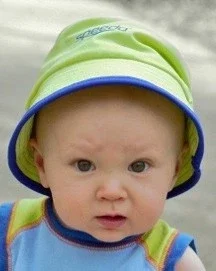
I cropped a little off the right side of the image, so the babies left eye is right on a rule-of-thirds (RoT) power point..
I have added exposure to the baby by selecting (Quick Select Tool) the baby (saved selection), making a new layer with the selection active (CTRL-J), changing the blending mode of the new layer to Screen, and reducing the layer Opacity to 25%.
I retrieved the baby selection but checked the Invert option so everything except the baby was selected. With that selection active I added a neutral density gradient (Gradient Tool) from the top of the image to the babies knees.
I then selectively sharpened the babies face, hat, fingers, neck area, using the Sharpening Tool set to 65%, Protect Details.
I then used the Polygonal Lasso Tool to select the eye whites and iris. With that selection active I made an Exposure Adjustment Layer and increased the exposure 0.25 EV.
I then used the Polygonal Lasso Tool to select the babies lips. With that selection active I made a Color Balance Adjustment Layer, subtracted some Magenta, and added some Red.
I flattened all the layers, duplicated the Background Layer (Ctrl-J) and clicked on Filter > Topaz Adjust.
I used Topaz Adjust's - Photo Pop - preset on that new layer and faded the preset to 25%.
Lastly I added a thin black border (Image > Canvas Size)

image.jpg
 
Last edited:

Create an account or login to comment

You must be a member in order to leave a comment

Create account

Create an account on our community. It's easy!

Log in

Already have an account? Log in here.

Back
Top Bottom