- Joined
- May 1, 2008
- Messages
- 25,507
- Reaction score
- 5,112
- Location
- UK - England
- Can others edit my Photos
- Photos OK to edit
- Moderator 🛠️
- #1
With these people thingies!
Well I did some people photography (yes I was that bored ) anyway I tormented my family with the flash on the camera for a while and I think I got the lighting right, however this is a totally new area for me so I need some technical input both in shooting and in editing(we will get to composition way way later).
First off the shooting; I used the following gear for each shot below:
Canon 400D
Canon 17-55mm
Speedlite 580M2 + lumiquest softbox
I set the flash so that the head was angled slightly forward, but mostly aimed at the ceiling rather than directly at people's face - bouncing off the roof as some say. This gave me desirable lighting except when I turned the camera for portate mode, where it started to give shadows on one side (the side most away from the flash). This was not too bad on the night as I tended to use portrate where such shadows would be a little more desirable, but overall it was not something that I found that I wanted in every portate shot; I wonder now if it would have been better to adjust the flash angle to point more directly at the subjects - I know that the ideal would be off camera flash held above the camera, but its just not an option that I had at the time.
Note that when in portate mode I did reangle the flash so that the light was still hitting the ceiling.
I set the camera to manual mode and used the settings as shown on each shot below to take each shot. I used this mode as the semi auto modes (av and tv) I found to not give suitable shutter speeds/apertures for what I wanted/needed in the situation; and exposure compensation was often not enough to push the settings where I wanted them. Further my experiences of flash in dim conditions (macro areas) has shown me that manual mode is really the best to shoot it in for most conditions to get the desired exposure.
For the flash I used the preflash button and let the flash meter itself, EXIF is attached to all the photos and there might have been one or two occasions where I dialed in a flash exposure compensation, but it was all experimental rather than working from an understanding of flash.
Now we get to editing - firstly something that I find myself almost always using outside, appears to give a horrible colour when used (on auto - though my manual attempts were no better) for these inside shots. Is there some way in which to use this tool best inside, or is it better to leave it well alone?
After that I did very little to these shots barring RAW coversion - mostly just a little boost in the saturation and contrast with noise and sharpening as well.
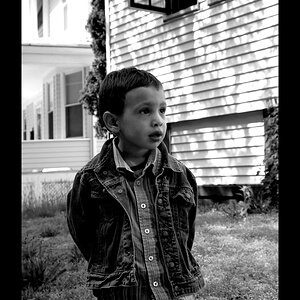
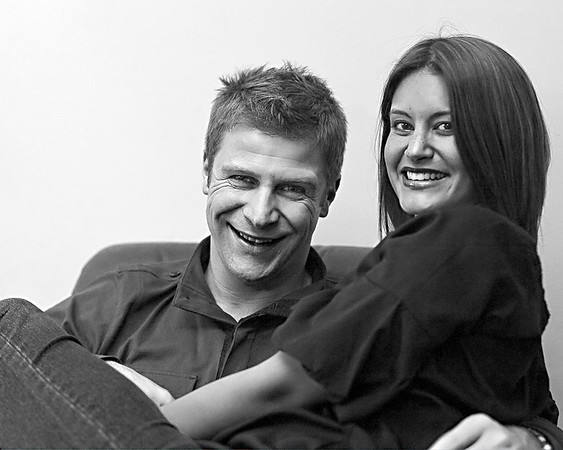
The shots - well here they are:

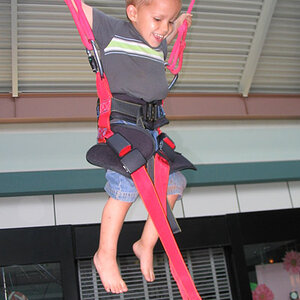
f5.6, 1/50sec, ISO 200,
http://i170.photobucket.com/albums/u275/overmind_2000/my works/christmas 08/1000/IMG_0025copy.jpg

f5.6, 1/50sec, ISO 200
http://i170.photobucket.com/albums/u275/overmind_2000/my works/christmas 08/1000/IMG_0035.jpg

f5.6, 1/50sec, ISO 200
http://i170.photobucket.com/albums/u275/overmind_2000/my works/christmas 08/1000/IMG_0055.jpg
There we go then - so anyone able to help me out here?
Well I did some people photography (yes I was that bored
) anyway I tormented my family with the flash on the camera for a while and I think I got the lighting right, however this is a totally new area for me so I need some technical input both in shooting and in editing(we will get to composition way way later).First off the shooting; I used the following gear for each shot below:
Canon 400D
Canon 17-55mm
Speedlite 580M2 + lumiquest softbox
I set the flash so that the head was angled slightly forward, but mostly aimed at the ceiling rather than directly at people's face - bouncing off the roof as some say
. This gave me desirable lighting except when I turned the camera for portate mode, where it started to give shadows on one side (the side most away from the flash). This was not too bad on the night as I tended to use portrate where such shadows would be a little more desirable, but overall it was not something that I found that I wanted in every portate shot; I wonder now if it would have been better to adjust the flash angle to point more directly at the subjects - I know that the ideal would be off camera flash held above the camera, but its just not an option that I had at the time. Note that when in portate mode I did reangle the flash so that the light was still hitting the ceiling.
I set the camera to manual mode and used the settings as shown on each shot below to take each shot. I used this mode as the semi auto modes (av and tv) I found to not give suitable shutter speeds/apertures for what I wanted/needed in the situation; and exposure compensation was often not enough to push the settings where I wanted them. Further my experiences of flash in dim conditions (macro areas) has shown me that manual mode is really the best to shoot it in for most conditions to get the desired exposure.
For the flash I used the preflash button and let the flash meter itself, EXIF is attached to all the photos and there might have been one or two occasions where I dialed in a flash exposure compensation, but it was all experimental rather than working from an understanding of flash.
Now we get to editing - firstly something that I find myself almost always using outside, appears to give a horrible colour when used (on auto - though my manual attempts were no better) for these inside shots. Is there some way in which to use this tool best inside, or is it better to leave it well alone?
After that I did very little to these shots barring RAW coversion - mostly just a little boost in the saturation and contrast with noise and sharpening as well.
The shots - well here they are:
f5.6, 1/50sec, ISO 200,
http://i170.photobucket.com/albums/u275/overmind_2000/my works/christmas 08/1000/IMG_0025copy.jpg
f5.6, 1/50sec, ISO 200
http://i170.photobucket.com/albums/u275/overmind_2000/my works/christmas 08/1000/IMG_0035.jpg
f5.6, 1/50sec, ISO 200
http://i170.photobucket.com/albums/u275/overmind_2000/my works/christmas 08/1000/IMG_0055.jpg
There we go then - so anyone able to help me out here?
Last edited:




![[No title]](/data/xfmg/thumbnail/39/39187-9ec2507d9e5ef2843f7f00127c7abb4c.jpg?1734173062)