What's new

Working on composition of flowers ...what do you think?

Photo Lady

Been spending a lot of time on here!
Joined
Dec 25, 2009
Messages
6,853
Reaction score
7,569
Location
ny
Can others edit my Photos
Photos OK to edit
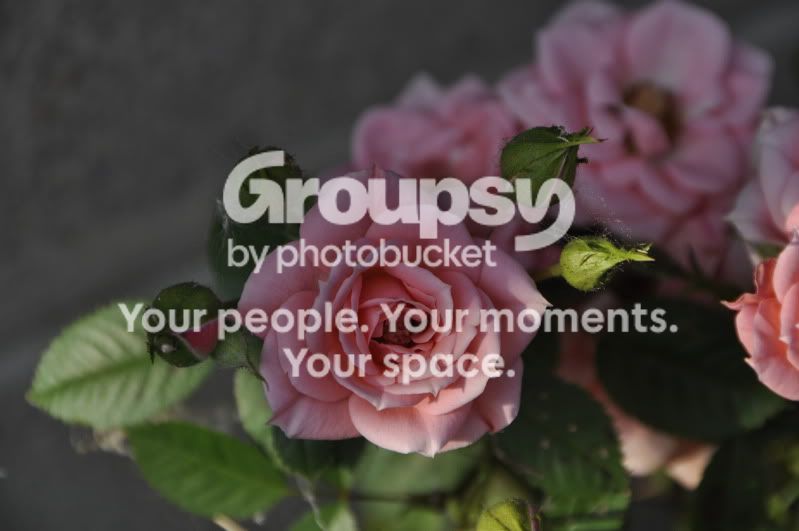
flowers024sa.jpg
 
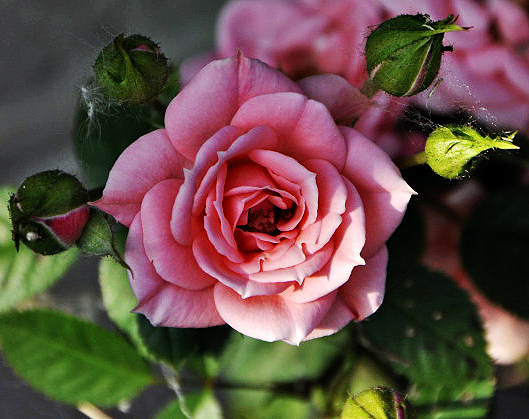
The lighting is.. bad. The flower is in shadow, and it's flat. Check out the rule-of-thirds. It's aesthetically pleasing to the eye, and your current centering leads to a boring image.

Regards,
Jake
 
thanks for your help.. even if it is negative.. i appreciate it very much.. back to drawing board.
hereandthere035.jpg
what about this one..?
 
I think I would crop off some of the left hand side, to just outside the one closed bud; crop a bit off the top, and then crop it on the right hand side, right outside the brightly-lighted close bud with the spider webbing on it. All that gray area is not helping the overall composition. I've grown roses before, and I "get" that this is light raking across a nice full blossom surrounded by buds, but I think the shadowed areas need more contrast. The highlighted areas, like the one budand spiderweb, and the right hand highlight of the blossom, are rendered well, but the shadowed areas need more of what is called "local contrast". Shadow values tend to bunch up sometimes, and look a tad bit muddy. WHat is needed here is a good, bright highlight value on the one bud and the blossom's petals, and then more difference in the shadows. Not sure what software you have to edit this with. It could be improved either by carefully adjiusting the tone curve in the black end, or by applying Unsharp Masking in a specialized manner, with settings like 10 to 15 percent, 150 pixel radius, Threshold of Zero (yes, you read that right!) (10-150-0), which will tend to increase local contrast mostly in the darker tonal values.

You know, this exact issue came up recently in a column written by master print maker Ctein, in The Online Photographer blog. ABout 2 months ago, or less, Ctein noted that one of **THE** biggest challenges in digital print making is to render natural textures with the realism that film can render things; this photo is a good example of that. Digital images often tend to render textures in the shade in a very "blah" sort of manner...there is software that can correct this, as well as processing techniques. For example, if I were going to make a print of this rose image, I would definitely,definitely try and get more shadow contrast...the shadows are just simply very low-contrast. This type of lighting is very beautiful to the human eye, but this particular digital image has not been processed to extract all the information in such a way as to make the image really "Pop!" like it did when you were there. You kind of have to go in, and overly-exaggerate the differences in the shadows to make them look more "real". I've done the best I can to try and explain what I think this shot needs.

 
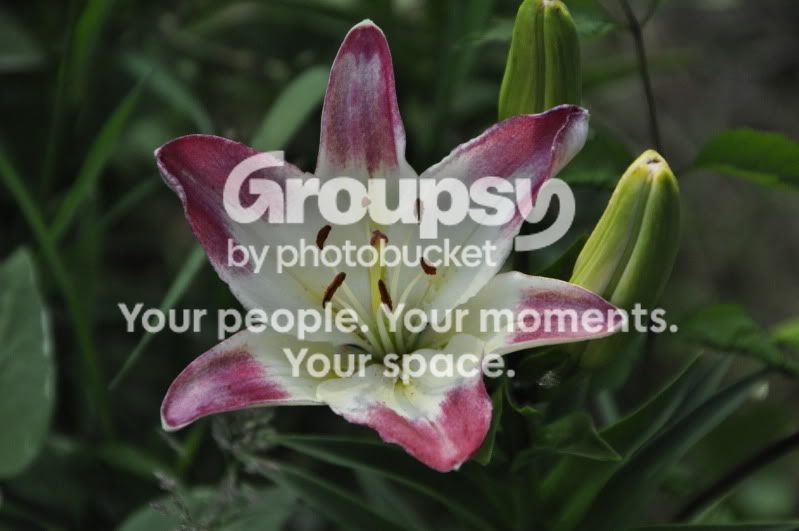
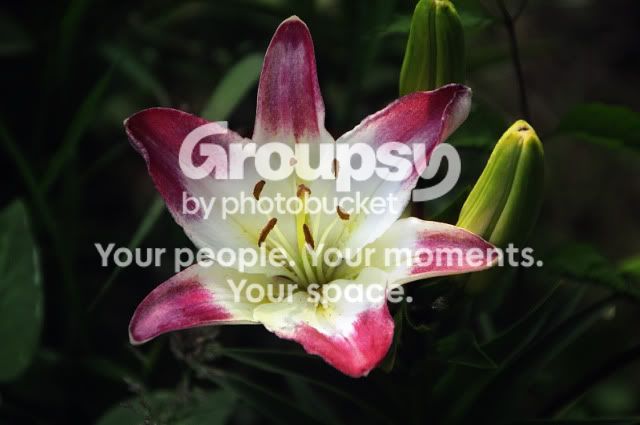
Still centered, and lack's any.. pop. Here's one of mine that is, granted, not amazing, but has some "pop"

_LNG0258edit.jpg
 
I think I would crop off some of the left hand side, to just outside the one closed bud; crop a bit off the top, and then crop it on the right hand side, right outside the brightly-lighted close bud with the spider webbing on it. All that gray area is not helping the overall composition. I've grown roses before, and I "get" that this is light raking across a nice full blossom surrounded by buds, but I think the shadowed areas need more contrast. The highlighted areas, like the one budand spiderweb, and the right hand highlight of the blossom, are rendered well, but the shadowed areas need more of what is called "local contrast". Shadow values tend to bunch up sometimes, and look a tad bit muddy. WHat is needed here is a good, bright highlight value on the one bud and the blossom's petals, and then more difference in the shadows. Not sure what software you have to edit this with. It could be improved either by carefully adjiusting the tone curve in the black end, or by applying Unsharp Masking in a specialized manner, with settings like 10 to 15 percent, 150 pixel radius, Threshold of Zero (yes, you read that right!) (10-150-0), which will tend to increase local contrast mostly in the darker tonal values.

You know, this exact issue came up recently in a column written by master print maker Ctein, in The Online Photographer blog. ABout 2 months ago, or less, Ctein noted that one of **THE** biggest challenges in digital print making is to render natural textures with the realism that film can render things; this photo is a good example of that. Digital images often tend to render textures in the shade in a very "blah" sort of manner...there is software that can correct this, as well as processing techniques. For example, if I were going to make a print of this rose image, I would definitely,definitely try and get more shadow contrast...the shadows are just simply very low-contrast. This type of lighting is very beautiful to the human eye, but this particular digital image has not been processed to extract all the information in such a way as to make the image really "Pop!" like it did when you were there. You kind of have to go in, and overly-exaggerate the differences in the shadows to make them look more "real". I've done the best I can to try and explain what I think this shot needs.
you are wonderful and i so much appreciate you taking time and energy to explain in such detail.... i will try to recapture everything you mentioned... shadows.etc.. i think i will start from scratch again rather then try and fix this one.. i will keep this pic along with your explanation as a step one learning tool.. i will be back when i can improve this image for your advice..thanks so much!
 
Still centered, and lack's any.. pop. Here's one of mine that is, granted, not amazing, but has some "pop"

_LNG0258edit.jpg
Alot of pop, so pop.... okay understand now...and very nice photo.... beautiful
 
Just like shooting a person you have to put the subject in decent light and make them stand out. Did a little fix here to give you an idea of drawing attention to the subject regardless if a flower or a person. Cool shot and try shooting in aperature priority to get what you want in focus and blurring out the distractions. Or try using a long lens that naturally throws that background out of focus.
-
hereandthere035usm.jpg


Shoot well and thanks for sharing, keep shooting, Joe
 
Just like shooting a person you have to put the subject in decent light and make them stand out. Did a little fix here to give you an idea of drawing attention to the subject regardless if a flower or a person. Cool shot and try shooting in aperature priority to get what you want in focus and blurring out the distractions. Or try using a long lens that naturally throws that background out of focus.
-
hereandthere035usm.jpg


Shoot well and thanks for sharing, keep shooting, Joe
wow what a difference.. i will try the long lens.. and thanks for the setting tips..will do... i cannot believe the pop.... you made...
 
About #1, your angle is a little straight. I mean that you're basically looking straight down at the flower. It's hard to get a sense of depth into it that way. A lower angle could help that. Then shadows would be there, adding to the sense of depth, and adding contrast. Check where the sun is and where you're shooting from RE: the sun's position, and the way the flower "bends" (the stalk isn't always strong enough to be straight).
 

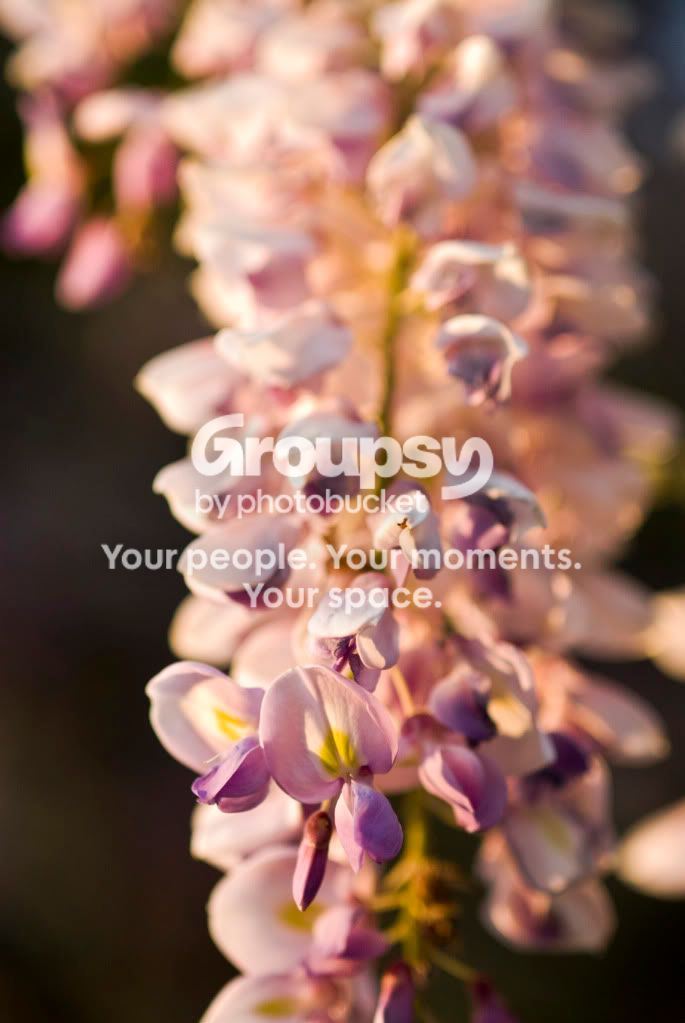
It's difficult to edit a small, web-sized 8-bit JPEG image file that needs a shadow boost, but this is 'sort of' the direction I was thinking it needs to go in terms of post processing. The final file would have much better shadow differentiation if working with RAW, 12- or 14-bit data.

135772037.jpg


On this photo, I used the Shadow/Highlight tool to very gently lighten the shadows, and to darken the highlights ever-so-slightly, and then I applied unsharp mask at 15 percent, 150 pixels-0 threshold, and faded it 50%, then re-applied the same amount of USM and faded it 52%, then did a Tone Curve adjustment, and then applied a bit of simple Sharpen, and assigned a sRGB profile to the image.
 
Last edited:
About #1, your angle is a little straight. I mean that you're basically looking straight down at the flower. It's hard to get a sense of depth into it that way. A lower angle could help that. Then shadows would be there, adding to the sense of depth, and adding contrast. Check where the sun is and where you're shooting from RE: the sun's position, and the way the flower "bends" (the stalk isn't always strong enough to be straight).
thanks.... i tried to get a few shots again.. now...but way to dusk here now.. i will look forward to trying your tips tommorrow..thanks so much.
 

It's difficult to edit a small, web-sized 8-bit JPEG image file that needs a shadow boost, but this is 'sort of' the direction I was thinking it needs to go in terms of post processing. The final file would have much better shadow differentiation if working with RAW, 12- or 14-bit data.

135772037.jpg
omg what an amazing difference... should i shoot in raw? would it be better ... i just cannot get over the difference..thanks so much
 
By shooting RAW, you can adjust manually what your camera is doing when shooting JPEG. Remember, your camera adds contrast, saturates the image, sharpens it and whatnot. If you shoo RAW every information that hit your sense is at your hands, untouched. You can also adjust the exposure, should you miss it. Also, I'm really fond of the "Clarity" bar. Your colours are better preserved and all that stuff. I can't explain it, really.

I shoot RAW when I want to edit them afterwards, or post them for C&C. I shoot JPEG for pictures I do for fun, or when I need my continuous burst rate to last for more than a couple of seconds. Preferably, I do both at the same time (thought SJPEGs).

You know, RAW images don't look any better than JPEGs unless you edit them.
 
By shooting RAW, you can adjust manually what your camera is doing when shooting JPEG. Remember, your camera adds contrast, saturates the image, sharpens it and whatnot. If you shoo RAW every information that hit your sense is at your hands, untouched. You can also adjust the exposure, should you miss it. Also, I'm really fond of the "Clarity" bar. Your colours are better preserved and all that stuff. I can't explain it, really.

I shoot RAW when I want to edit them afterwards, or post them for C&C. I shoot JPEG for pictures I do for fun, or when I need my continuous burst rate to last for more than a couple of seconds. Preferably, I do both at the same time (thought SJPEGs).

You know, RAW images don't look any better than JPEGs unless you edit them.
thanks for all this information... i will try it and have some fun experimenting... i need to set up a soft ware program for raw which i will do.. thanks again... you have all been just awesome in helping me... i may not get it all ....at once but i have this to come back to...
 

Create an account or login to comment

You must be a member in order to leave a comment

Create account

Create an account on our community. It's easy!

Log in

Already have an account? Log in here.

New Topics

Back
Top Bottom