What's new

Advice Please!!!

kaylahunsader

TPF Noob!
Joined
Mar 26, 2011
Messages
40
Reaction score
0
Location
Hendersonville
Can others edit my Photos
Photos OK to edit
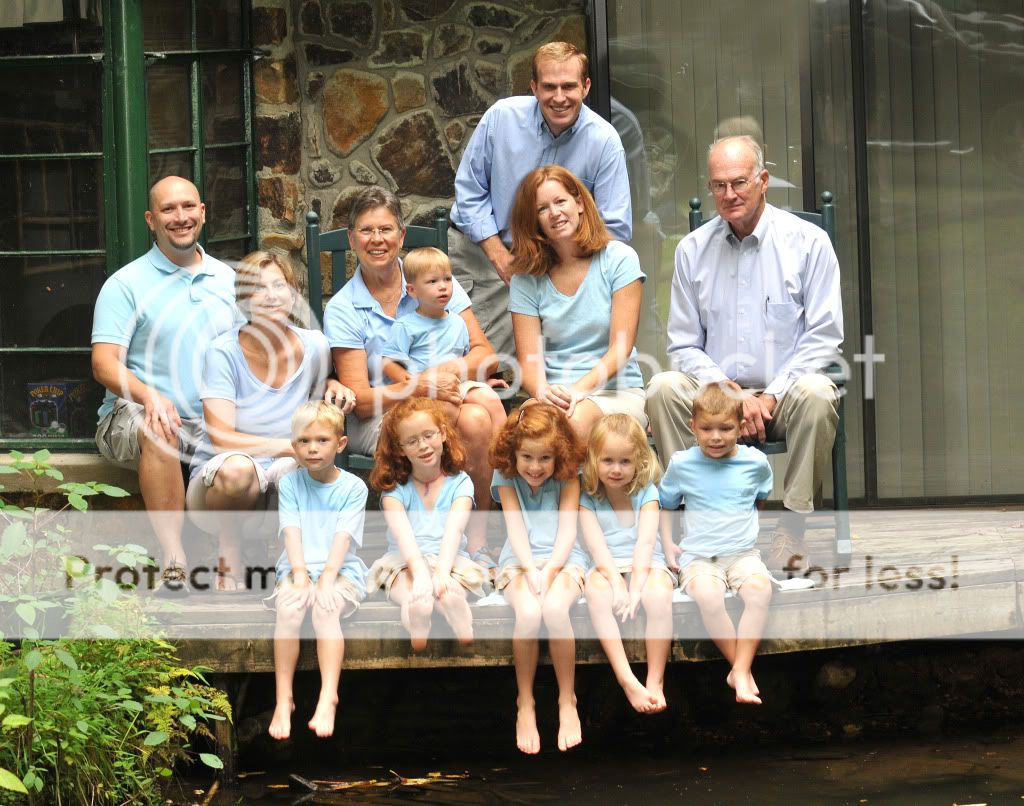
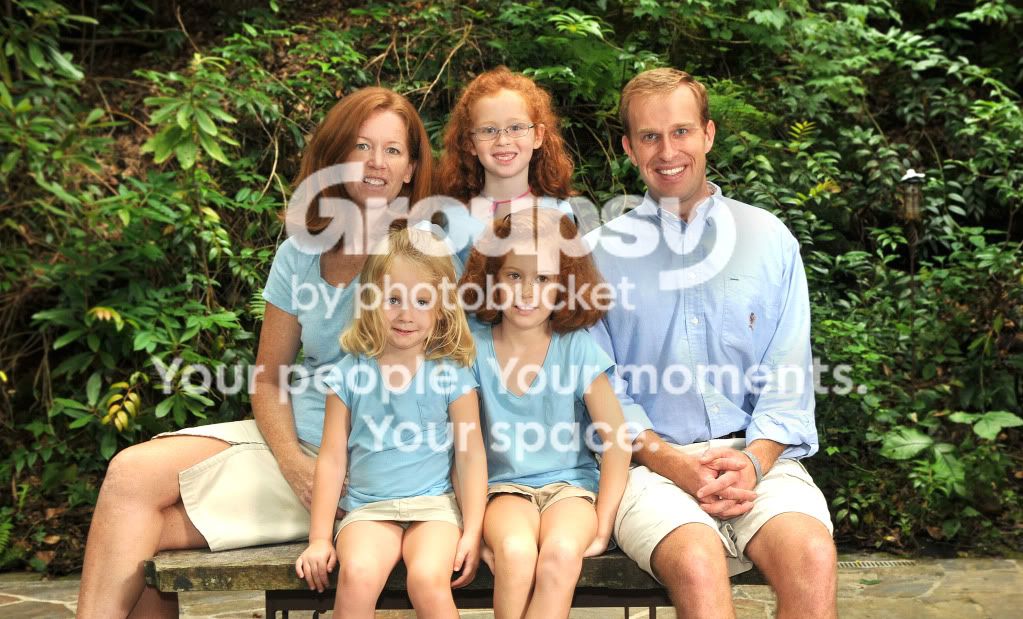
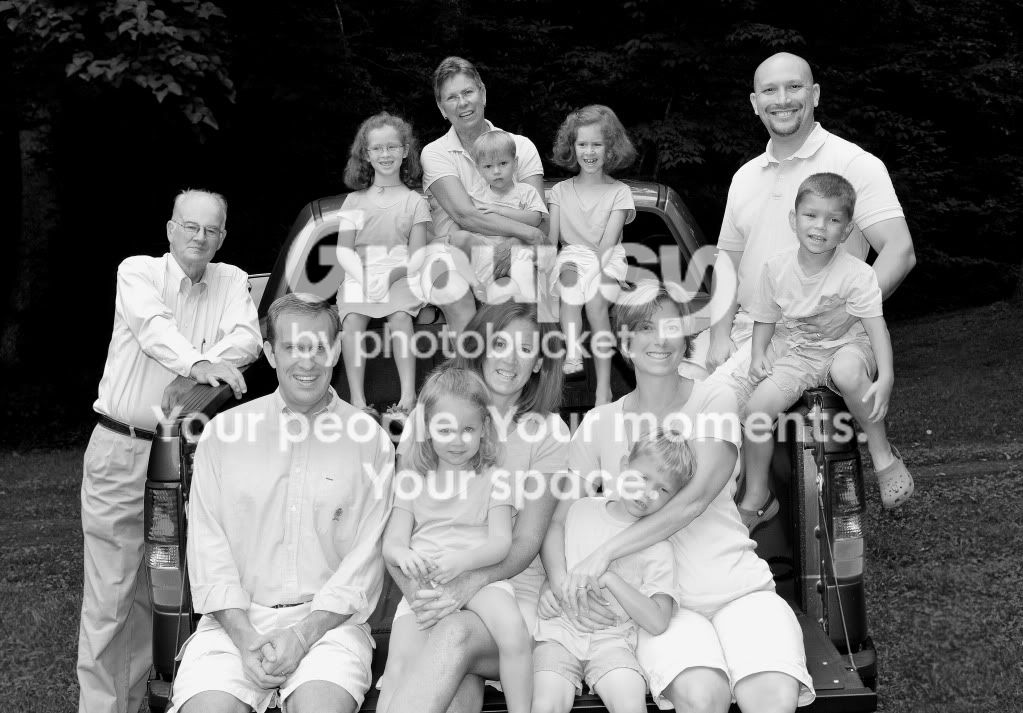
Here are a few family portraits I did a few weeks ago. I think they may be the worst photos I have ever taken lol. I want to make them look the best I can anyway. I have not done much to them, but made them lighter, and a little sharper. Any ideas as to what I could do to make them look as good as possible would be GREAT!

1.
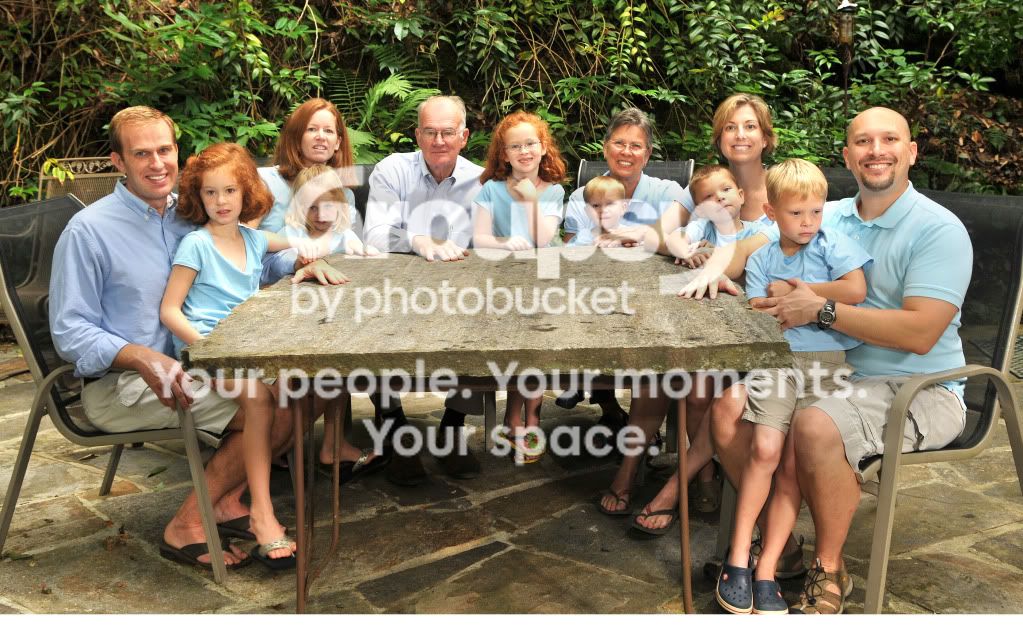
LindsayandBrentWedding039w2.jpg


2.
LindsayandBrentWedding010w.jpg


3.
LindsayandBrentWedding045w.jpg


4.
LindsayandBrentWedding018w2.jpg


I did put this one in Black and White
 
Suggestions per req:

1. Bin it. People looking away, eyes closed, harsh skin glare, and cropped toes.

2. Shooting against glass is generally not a great idea (Note the reflections in the door). Once again Grandpa(?) is looking away. I think what I might do here is try and clone over the window using the rock wall.

3. Much nicer; just crop a bit off of once side so that they're not quite so centered, and you've got a decent shot.

4. No.... you "did" this one in grey and grey. This one actually looks good from a compositional standpoint. Take it back and either revert to the colour, or rework the black and white so that the the you have a more realistic contrast.

As an aside, when shooting larger groups, I find it's best to shoot 4-6 exposures of each pose at a minimum, reminding them to look at you and smile each time. It may get a bit annoying, but the law of averages says that you should avoid the problems seen in #1 & 2.

Just my $00.02 worth - your mileage may vary.

~John
 
What editing tools do you have to use? Can you dodge and burn? Can you use curves and levels? Can you crop for prints? Do you want prints? Which size? etc
 
Yes, I have those tools that I can use. I would like them to be able to be printed for at least 5x7, or 8x10s. Also feel free to grab the photo and do whatever you would like to it and then tell me the steps you took.
 
Thanks....helpful tips. Larger groups and especially kids are always challenging for me.
 
I would reshoot it, looks like you were trying too many different areas. Decide on one location and set up your lights etc. I would get rid of the chairs and maybe use some other form of seating (apple boxes Mogul |Apple Box Full 19.75" x 11.75" x 8.0" | MOGAP100) that will let them sit at different heights. A black pelican case work fine for this as well as the black falls into shadow. Chairs may have worked where you had them but I would have tried a triangle of all the groups staying away from the reflections of that large window.
Watch the posing ,they should not be squating etc. look at your own avatar there is interaction and varying head heights that work. Basically build 3 small groups (triangles or diamonds etc. to make one large group.
-
Shoot well, Joe
-
 
Last edited:
Advice Please!!!
If you haven't already, learn how to use a gray card and how to set a custom white balance.

Undertake a study of posing techniques, for groups, couples, and single subjects.

In #1 (24 mm) and #4 (35 mm) there is perspective distortion (people furthest from the lens look noticably smaller) because you used short focal length lenses for shots that had people at substantially different distances from the lens.

You can use short focal lengths if everyone is nearer the same distance from the lens.
 

Create an account or login to comment

You must be a member in order to leave a comment

Create account

Create an account on our community. It's easy!

Log in

Already have an account? Log in here.

New Topics

Back
Top Bottom