[FONT=Verdana, Arial, Helvetica, sans-serif][SIZE=-1]
Source: http://photonotes.org/manuals/eos-elan/
Using the barcode reader.[/SIZE][/FONT]
[FONT=Verdana, Arial, Helvetica, sans-serif][SIZE=-1]To use the barcode reader turn the command dial to a PIC setting. You can input a barcode into the custom barcode setting or you can overwrite the default portrait, landscape, closeup and sports modes with your own barcode if you like. This is handy, since it means you can replace any PIC mode you don’t like with your own barcode. And also one advantage of the Elan/100 over the 10/10s, which can only let you set one barcode program at a time.[/SIZE][/FONT]
[FONT=Verdana, Arial, Helvetica, sans-serif][SIZE=-1]Find a barcode and scan it in. Hold the scanner nearly vertical and press the button, then swipe the tip across the paper, starting from the white square and moving to the right. Make sure it touches the paper itself. If the scanner’s tip light doesn’t illuminate when you press the button then the batteries are missing or dead. The scanner will beep if the code is entered correctly.[/SIZE][/FONT]
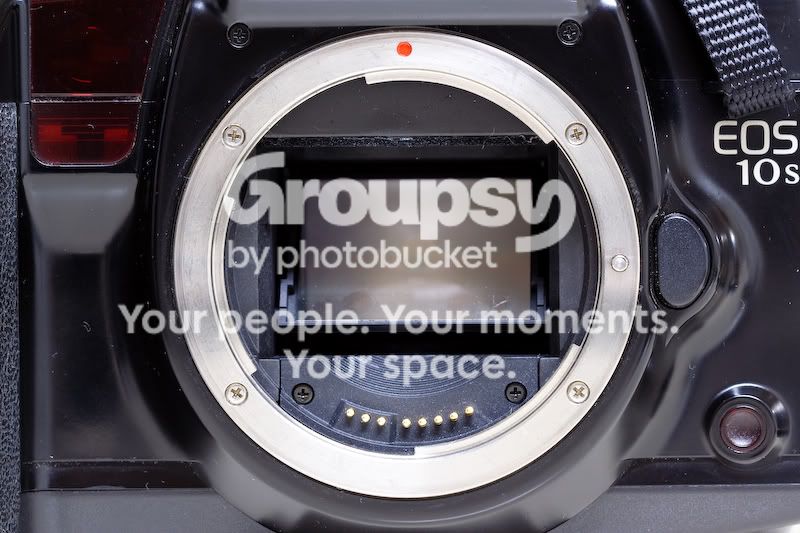
[FONT=Verdana, Arial, Helvetica, sans-serif][SIZE=-1]Press the round output end of the scanner against the barcode receiver on the camera body. [/i](it’s the translucent red button on the right side of the camera, looking from the back)[/i] Press the barcode into the body and push the barcode’s button at the same time. If you do it right (it’s easier with both hands) the camera will beep twice. The barcode that you’ve entered will appear in the display. (eg: P72 or whatever)[/SIZE][/FONT]
[FONT=Verdana, Arial, Helvetica, sans-serif][SIZE=-1]Turning the command dial to this setting will now engage whatever program you’ve installed. If you want to reset the program to the default setting for that command dial setting just enter the “reset” barcode that’s printed in the manual. If you don’t have the manual just print out the barcode 1320000000805000 using Interleaved 2 of 5 and use that. The barcode setting is set to default when the LCD displays “P00”, and the default barcode setting is identical to full auto mode.[/SIZE][/FONT]





![[No title]](/data/xfmg/thumbnail/33/33495-c9bffdaa44506a6169a2faff5c7e086e.jpg?1734163607)


![[No title]](/data/xfmg/thumbnail/33/33494-b043d63ade80615498faca324203747a.jpg?1734163606)