What's new

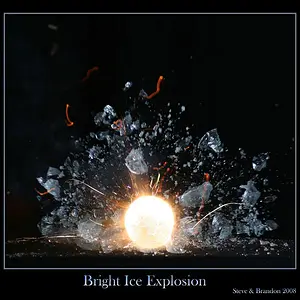
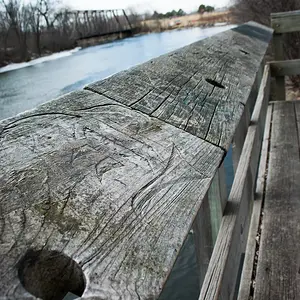
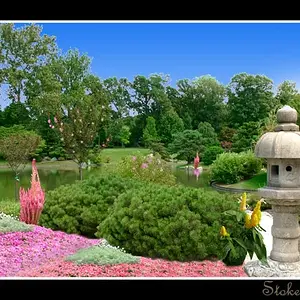
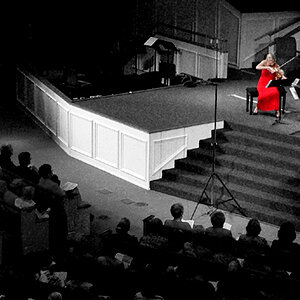
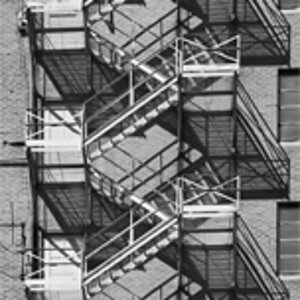
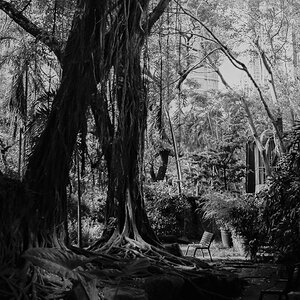
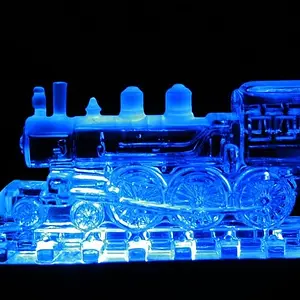
Do these look like they were shot with film?

These are great! I agree, a little grainier. My favorites are the first and last.
 
Just a thought for when you want "the film look" - why not use film?

You could buy a decent body that uses the same lenses you already have for less than $100. Instead of trying to imitate film, just shoot film.
 
If I had a Josh in my gear bag, I would have done it :). The only film I have shot was a point and shoot or disposable camera :).

Just a thought for when you want "the film look" - why not use film?

You could buy a decent body that uses the same lenses you already have for less than $100. Instead of trying to imitate film, just shoot film.
 
I will do more edits tonight and add more grain.
 
Schettylens, send me the shots tonight and ill give it a try :)
 
Hit the photos with one of these curves......

Crossprocessing Curve Presets by ~PederDingo on deviantART

there is one that makes the photo sort of brown. Used that on and then go to saturation and lighten the whole image a bit and increase the saturation. This might help for the color shots. For the bw you might add a bit of noise but i really dont like recommending that. Its better to try to get it when you shoot.

if you want you can send me a raw and i can see if I could tweek it for you.
 
i don't think this was mentioned, but if you don't want to deal with film, you can also try shooting through older film lenses adapted for your digital. some of the way lenses were made in earlier eras contributed to the film look. i agree more grain should be added in post. also try getting older vintage lenses.

here's a picture i took of my girlfriend with a russian lens called Helios i used on my 5D with a photoshop vintage action to process.

6296123764_3ff3938686_z.jpg
 
VSCO is supposed to be one of the best to make your digital film like. I will work on it more tonight. I have had it only a couple of days.
 
you can get a look like the photo above with those curves i posted a link to.
 
I know Joe. I am testing VSCO. I spent $120 on it, might as well use it. I like it so far. Havent played with it enough.
 
I know Joe. I am testing VSCO. I spent $120 on it, might as well use it. I like it so far. Havent played with it enough.

Never played with vsco. Im cheap and just figure out how to do it manually, lol. Must be nice to be a pro and be able to skip all the trial and error with fancy software plug ins.
 
I am no pro. Just dad with a camera.
 
If you want these to look like 35mm film from the 1970's, you need to add some obvious film grain to the images. The large, plain side of the white house..if that had been shot on film, we'd likely see some grain there. Same with the sky in that frame...too smooth, no grain,looks digital. In another vein, the tonality looks very "digital"...these look digital. Low noise, smooth broad areas with NO visible grain, and compressed tonal range. Film images that were shot on ASA 125 to 400 B&W film and developed in almost anything, anything at ALL,would show grain in the sky,and on larger, smooth-toned expanses.


What about the sharpness? Film wouldn't be this tack sharp would it?
 
Here is why VSCO is better than other emulators derrel:

"VSCO Film produces beautiful post-processing results in seconds. With our patent pending technology, VSCO Film utilizes camera specific film profiles to alter the way Lightroom and Adobe Camera Raw sees your RAW file. Welcome to the future. Welcome to the gold standard of film emulation."

It is not just presets for LR. It actually add more camera profiles to your lightroom along with their presets.
 

Create an account or login to comment

You must be a member in order to leave a comment

Create account

Create an account on our community. It's easy!

Log in

Already have an account? Log in here.

New Topics

Back
Top Bottom