What's new

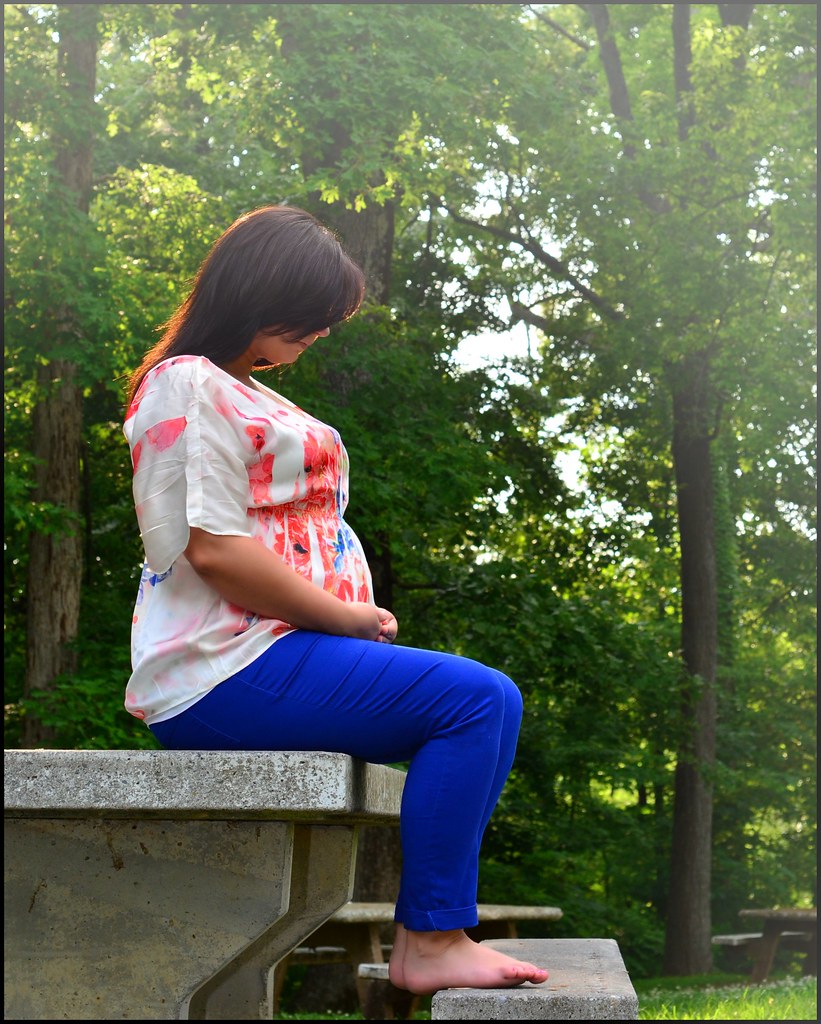
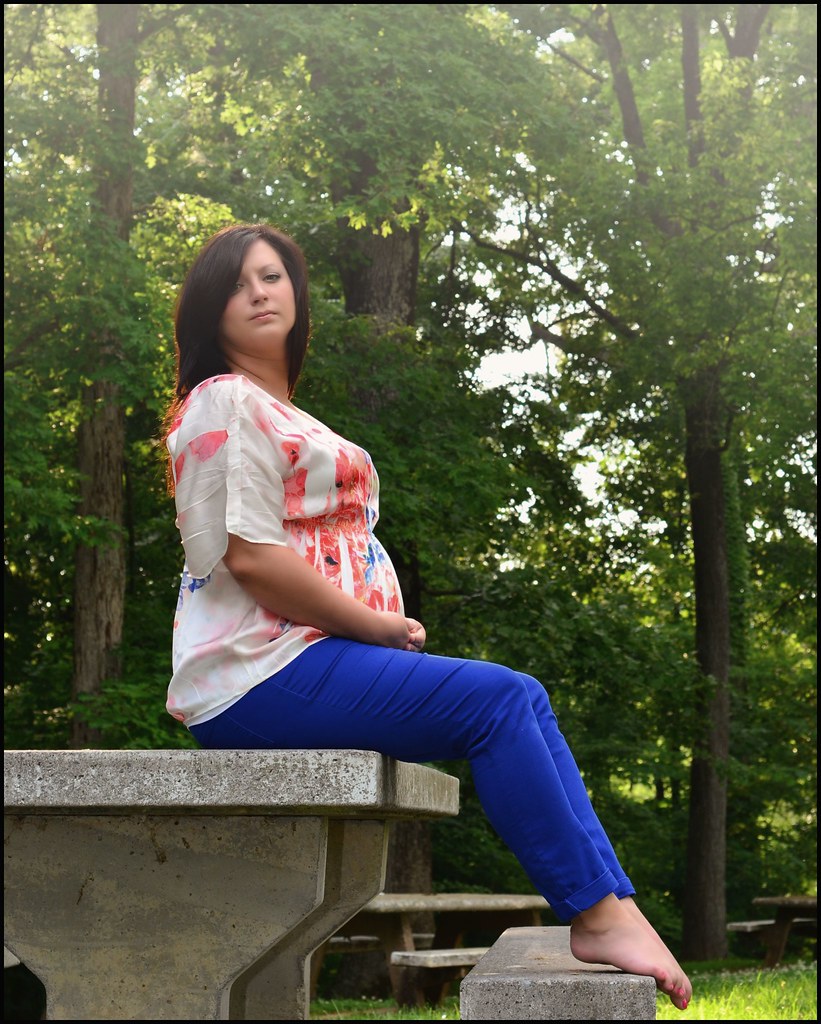
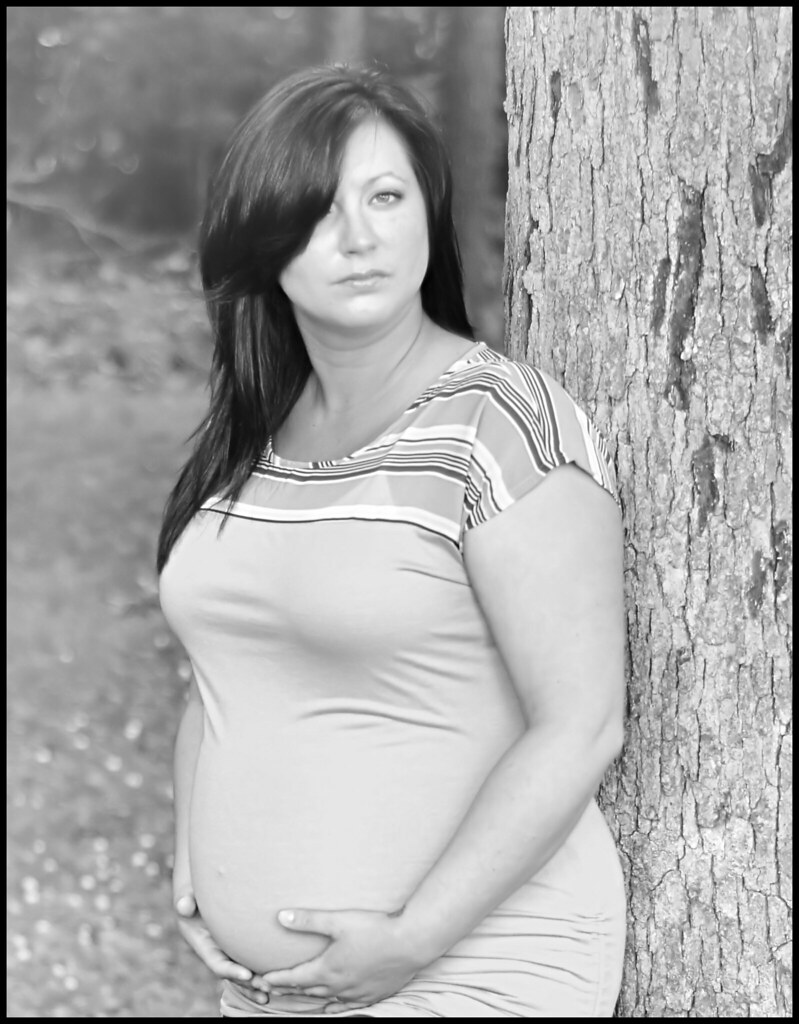
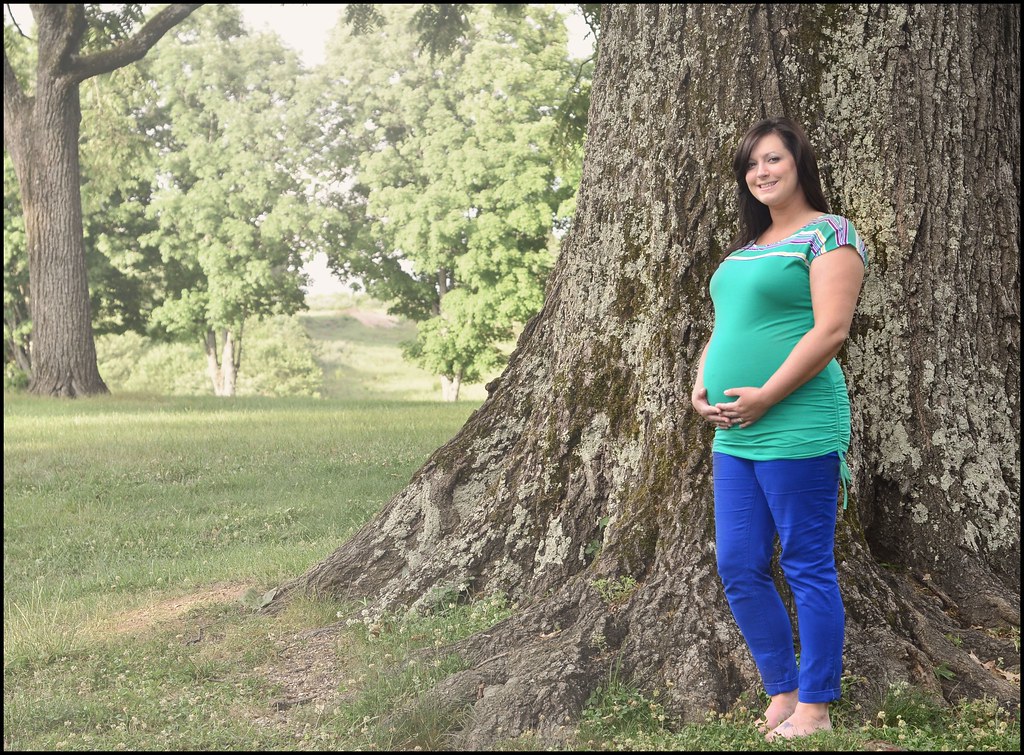
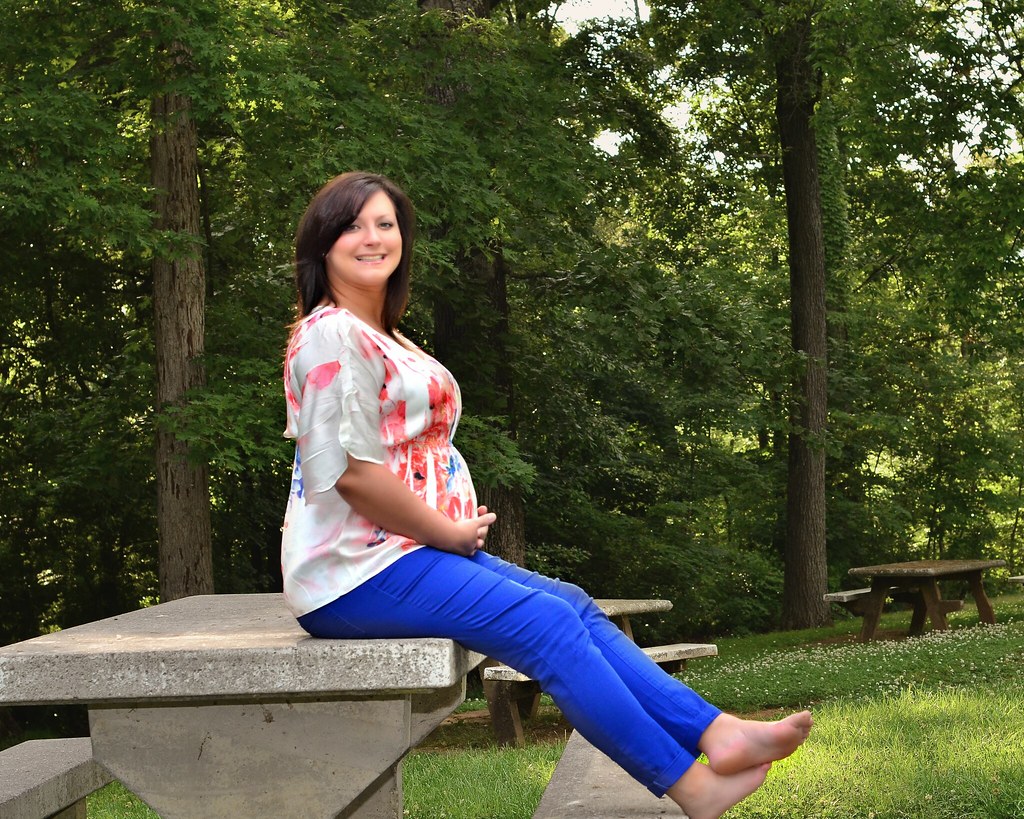
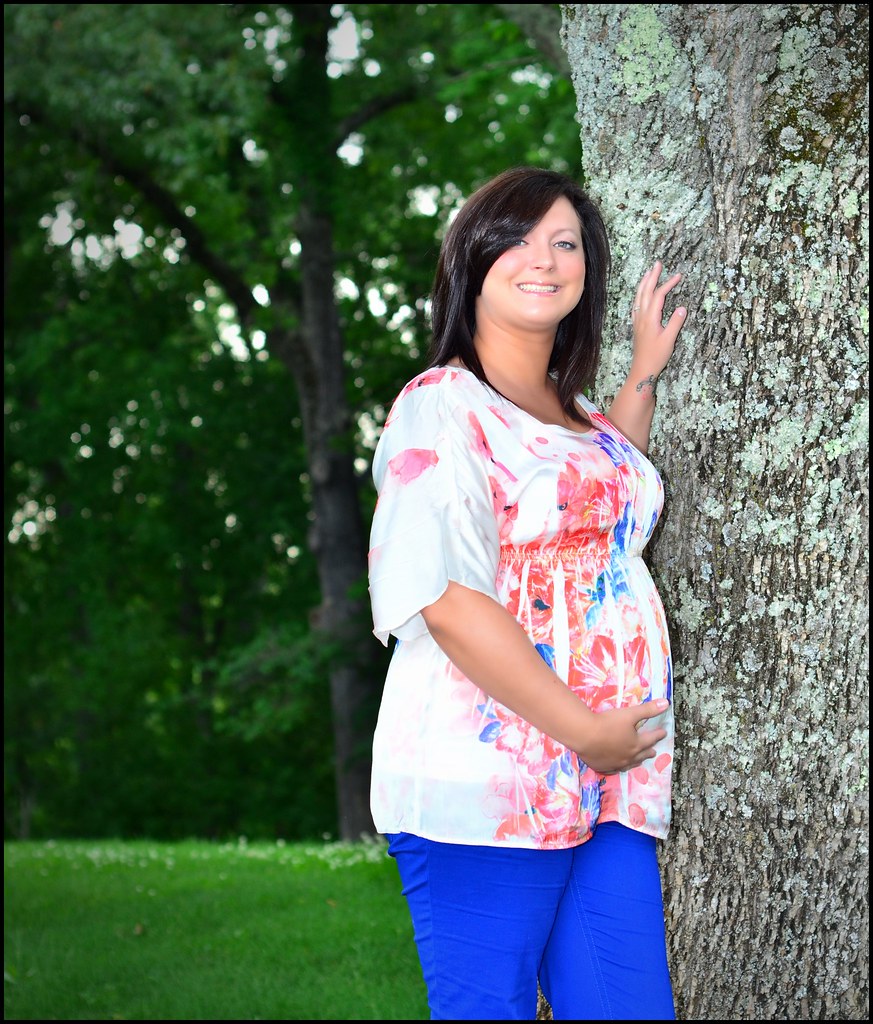
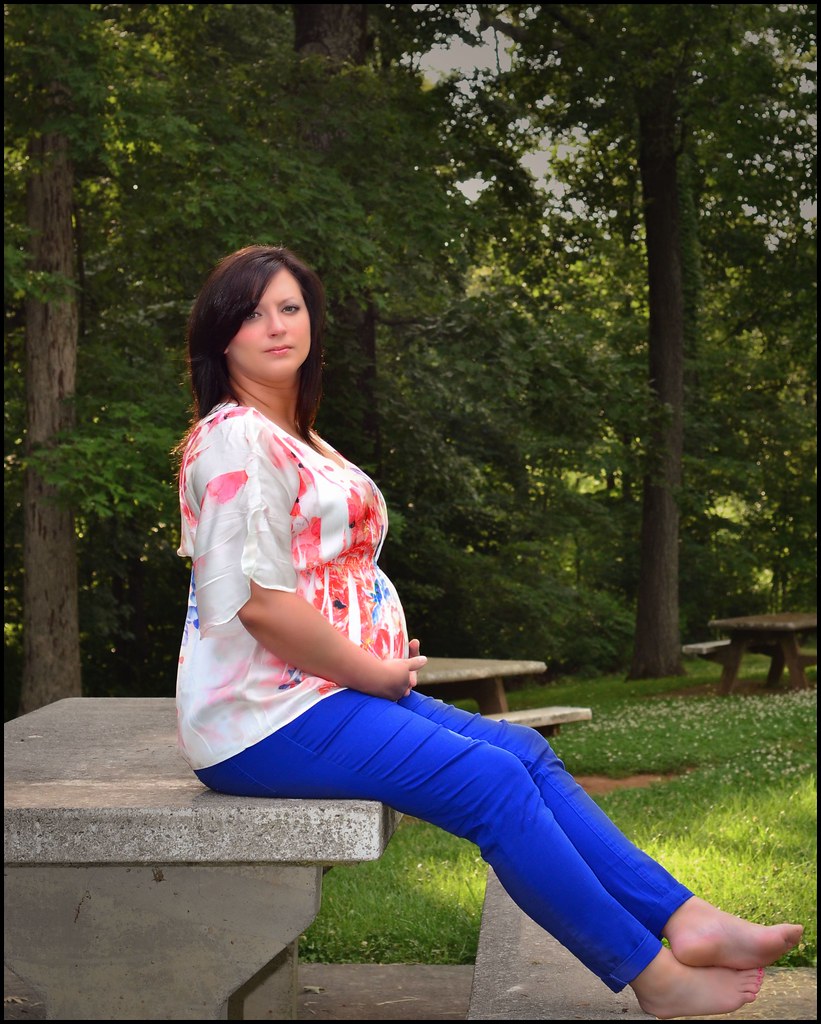
First people shots with the D7000. Wife's Maternity shoot. C&C if you please

matt62485

TPF Noob!
Joined
Mar 20, 2009
Messages
553
Reaction score
7
Location
Wilmington, NC
Can others edit my Photos
Photos OK to edit
Bear with me, all I have is a D7000 with a few sessions of experience (big difference from my D40), a hotshoe sunpak flash and my 50/1.8, but wanted to get some pix of my pregnant wife so we could have them for the future.

I really want to work on getting some more lighting for future shoots, but have a big learning curve to go through for that. I know the lighting isn't ideal, but I did what I could.


1.
7181547952_9350733ae0_b.jpg


2.

7181548452_14d2642d23_b.jpg


3.

7181548850_584549a8a7_b.jpg


4.

7181548960_b4d21dca95_b.jpg
 
The park bench isn't very attractive but the last shot is half-decent. If she was looking just a bit more to her right, allowing us to see just a bit more of her face and right eye.
 
Actually, I don't think the lighting is bad at all, especially considering your equipment. I've seen far worse materinity sessions from [alleged] professionals. As Trever mentioned, the setting isn't perhaps the most attractive, and your wife's expressions don't seem to indicatd that she's very happy in front of the camera. I would go back for another try, concentrating on getting her to look happy and maternal; and perhaps find a more appropriate setting; something quiet and natural, even if it's just a few feet away from where you are now without the tables in the shot.
 
thanks for the input. well i took quite a few but i didnt like the lighting as much and the park bench was a good spot for her to sit and take a break from all the standing shots/walking we had done, heres a few more of her smiling and one of us together (dont laugh at me, lol)

7192489254_a6a763d8a5_b.jpg


7192486008_25c02f605a_b.jpg


7192487338_612aa8f8dd_b.jpg


too much flash

7181547534_875e5ea7a6_b.jpg
 
Nice, and thank you for not showing her bare stomach. I think I'll duck down now. LOL!
 
lol. she didnt want me to anyways. no stretch marks yet though lol
 
matt62485 said:
lol. she didnt want me to anyways. no stretch marks yet though lol

Hopefully, she will stay like that. Usually, when that belly drops it happens. It's not the end of the world though. Lol
 
yea shes got a couple months to go yet so who knows. it is what it is though, she will just have to work on losing what she gained afterwards. the stretch marks are what they are though, can't do much about em other than keep rubbing lotion on her to try and prevent them.
 
your next investment should be a Silver Reflector
 
Silver will give you a a high contrast and details just like a flash effect. Easy way to understand also is Silver will just be like a reflective mirror whatever natural light is available you will get that same light reflected on the subject. White and other colour will give you a warmer tone. I have always used silver some time even accommodated with a flash.
 
Your wife is beautiful! With that said, I think focus is a bit off.
 
Do you uses Photoshop??? for now you can practice Curves and Levels before you buy the reflector. not sure if this was photoshoped but I can see that you have attempted to blemish her skin, by using the tradition bluring skin retouching will end up looking like a doll. Advise on using curves or level to bring out more tone in the skin then use the healing/patch or clone stamp tools for retouching before touching any bluring, as these photos are not portraits smooth blemishing wont be ideal
 
The park bench isn't very attractive but the last shot is half-decent. If she was looking just a bit more to her right, allowing us to see just a bit more of her face and right eye.
I agree, also could have gone a lil tighter maybe show half of the tree or less. I would have also played around with the channels in the black n white setting. Is this auto?
 
Your wife is beautiful! With that said, I think focus is a bit off.

thanks. geez, dont tell me that. ive been fighting what i fear to be a focus issue with this d7000 and im worried its equipment related. sometimes its hit or miss so i accounted it to lack of experience with a more advanced camera

Do you uses Photoshop??? for now you can practice Curves and Levels before you buy the reflector. not sure if this was photoshoped but I can see that you have attempted to blemish her skin, by using the tradition bluring skin retouching will end up looking like a doll. Advise on using curves or level to bring out more tone in the skin then use the healing/patch or clone stamp tools for retouching before touching any bluring, as these photos are not portraits smooth blemishing wont be ideal

paint shop pro x4. i did a little makeover tool on some just to soften it up some, maybe too much.

The park bench isn't very attractive but the last shot is half-decent. If she was looking just a bit more to her right, allowing us to see just a bit more of her face and right eye.
I agree, also could have gone a lil tighter maybe show half of the tree or less. I would have also played around with the channels in the black n white setting. Is this auto?

auto what? i shot these in manual.
 

Create an account or login to comment

You must be a member in order to leave a comment

Create account

Create an account on our community. It's easy!

Log in

Already have an account? Log in here.

New Topics

Back
Top Bottom