What's new

First photo, what Should I work on?

Velton30

TPF Noob!
Joined
Dec 8, 2008
Messages
23
Reaction score
0
Can others edit my Photos
Photos OK to edit
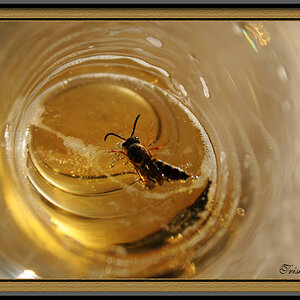
The title says it all. Brand new to SLR and this was one of my first shots outside my house. What should I work on in this close up.

I am just using a +3 magnifier on the lens (18-55MM)

P.S. Don't get to technical on me ;) I am still reading the book.

P.P.S. I don't think my picture is posting =/ Will try and edit if its not posting.

3093415103

http://www.flickr.com/photos/velton30/3093415103/ HEre is a link
3093415103
 
The first thing that I would do is work a bit on composition... you don't generally want a subject dead center in the frame like that. If it is OK to edit your picture I will show you a different composition for this picture that you might like.
 
I don't mind if you edit feel free.

And thanks
 
Always try to keep the head in focus.
Try not to shoot behind the animal ... unless the angle adds to the topic.

Yes, composition is the thing to work on.

Rule of Thirds is always an easy way.
 
Thanks sabbath999 I do like that, and you reminded me of a 10th grade high school photo class "Rule Of Thirds" lol.

I also see what your talking about dxqcanada when you say focus on the head. Now I see I am looking at its rear end instead of the head.

Thanks a lot guys!
 
Also were you using auto focus? for macro work like that bee its far easier to work if you use manual focus - set the lens to its closest focusing distance and then manually move the camera and lens closer to get focus. Rocking a little back and forth once you are really close to get the focus right where you want it.
You caught the shoulder of the insect this time - idealy you want the eyes - though at this angle it would be tricky.
Also don't be afraid to use your flash - with macro work its very advisable to do so - just hold a few folds of white toilet paper infront of the flash (use some elastic bands, just make sure they don't cover the flash head) which will help lessen the harsh effect of the flash light.
With that in use read up on aperture priority mode - when in that mode set your f number to something large - f8-f16 (f13 is where I generaly sit with mine). This is closing down the aperture (a bigger f number means a smaller aperture is used - and thus also a smaller apperture means a bigger f number - hence using a bigger number is closing down the aperture - making it smaller). A smaller aperture means that you get more depth of field in a shot (ergo more of it is in focus).
Of course a smaller aperture also means that you let less light into the camera - so your shutter speed is slower to compensate - using flash counters this and means you can use smaller apertures with faster shutter speeds (and thus get more depth into a shot0
 
Overread thanks for using the simple terms, I actually understood that and i will take it into account next time.

I am starting to learn how to use the P,A,S,M modes and trying to avoid auto so I can learn.

Back to the book!
 
Focus on aperture priority mode first - its a very popular and diverse mode and many people use it a lot. As aperture directly controls depth of field and the auto shutter speed selection adapts to changes in lighting quickly its very popular with people who have to shoot moving subjects or when out and about walking.
 
i like how it was edited above with it off to the right, but i would have gotten the entire flower on the right in the frame, and the head in focus as stated.
 
Keep in mind that with something like a bee, they are crawling all over the place or flying, so framing is tricky... it helps to get what you need in focus if you use a small aperture (f/22 for example, or smaller if you can) when shooting close up.
 
the crop is much better. also, don't just shoot one. shoot continuously. insects are always in motion and you are always in a spot to get a much better shot/pose when it's on the move :)
 

Create an account or login to comment

You must be a member in order to leave a comment

Create account

Create an account on our community. It's easy!

Log in

Already have an account? Log in here.

Back
Top Bottom