What's new

How to take photos and make the subject 'pop'?

Can you please explain what you mean here? Camera set to meter?
Here's what I do: (a friend taught me)
Set your camera to spot meter, and walk up to the person and fill the frame with their face and eyes. See what your camera meters when it is only accounting for the skin, set your camera to manual and use those settings.
 
Can you please explain what you mean here? Camera set to meter?
Here's what I do: (a friend taught me)
Set your camera to spot meter, and walk up to the person and fill the frame with their face and eyes. See what your camera meters when it is only accounting for the skin, set your camera to manual and use those settings.
Or you can just save a step and shoot in manual from the get go. ;)
 
Can you please explain what you mean here? Camera set to meter?

Wait, you got a 1Dx but don't know what metering a scene for a certain type of exposure is...? How long have you been photography'ing?

I mean, I don't begrudge anyone for buying what they want but talk about jumping Into the deep end without knowing how to swim.
 
This is really like buying an Audi R8 to learn how to drive.
Stop taking hundreds of pictures and expecting to find a magic button that will make them all great.

Go back and learn how to take well exposed pictures in good light.
 
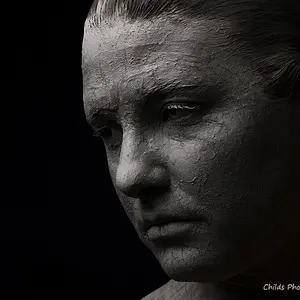
Pop is shorthand for separating your main subject from the background.

Another important consideration for 'pop' is the age old visual art concept that says - Light advances, dark recedes.

So you can use light, selective focus, proportion, scale, etc to generate 'pop'.
You get the most pop by using several of the available techniques.

So having your subject brighter than the background, having the background blurred, and having your subject have the most scale in the image frame really makes a subject 'pop'.
 
Last edited:
Guys, took all your comments to my attention, thanks for the help!
 
Google subtractive lighting for a full explanation.

Quick and dirty- black 5-1 to shade the subject then expose for the brightest part of their skin (easiest to just pick a cheek with your spot meter) and then add a stop for light skinned people or subtract one for darker skinned people. (google this if you're not familiar).

Hey presto, no shadows and you bumped up the background to a higher key.

On the estate one without a whole crew along Fillflash or just taking another shot of the background with out the subject and cutting them in later seems to be the quickest option.

I do take you to mean that you want to do all of this in a timely fashion, correct?
 
It's probably a defective camera. Send it to me and I will make sure it is disposed of properly. :mrgreen:

On a more serious note, taking photographs with mixed exposure levels is a classic problem. You would have the same situation if the couple were under the shade of a tree but with a non-shaded background beyond the tree. You also see this happen indoors when there is a window to the outdoors in the background.

The image essentially wants two different exposures... one for the subject, and another for the background. You can't have both in the same exposure (unless you shoot an HDR series and merge them.) BUT... it's an easy problem to solve when you think about it.

You can't do anything about the light in the background unless you plan to wait for it to get dark outside. But you can EASILY do something about the lighting on your subjects. You need to bring up the lighting on your subject to be a bit closer to the lighting of the background. You don't necessarily want them to be lit exactly the same because you'd lose the contrast... you just need to reduce the number of stops of difference between the background and subject.

If you meter the background and meter the subject, you may see a couple of stops of difference in exposure values. If you can get the subject to within about 1/2 of a stop, they'll look darker, but not "obviously" darker. This is easy to do with either (a) a large reflector (easy to use on a bright day and the reflector provides very soft light... a collapsible reflector isn't very expensive.) or (b) you can use flash for fill lighting. When I use flash, I tend to set the "flash exposure compensation" (not exposure compensation for the image itself... just the FLASH exposure compensation) to "-1" as a good starting point. That means however much light the flash needs to provide to fully illuminate the subject, the flash will fire at 1 stop less (50% of the light). This provides fill light to decrease the intensity of shadows so it still looks somewhat naturally... just not so extreme.

You could meter for the subject and allow the background to be over-exposed, but you don't want it to be blown out (don't want the whites clipping). You can also meter the background, then meter the subject, then set an exposure which is half-way in between (assuming they are not too far apart) and adjust in post processing because as long as nothing is clipping you have a lot of room to correct it later. Although I find it's a bit easier to just use a reflector.

 
Sometimes improper exposure can lean to improper focus. Our cameras depend on contrast to really sharpen our photos and often latches on to higher contrasted items in the image. Harsh lighting (those where the light source; often the sun)..is overhead can create terrible exposure for faces. To spot meter, simply go to your metering modes and choose "spot." Then ...choose a single-point AF (manually chose which AF point you want)..aim it at the skin or face, depress shutter button to tell the camera this is what you want to expose for. (if you are shooting in A-mode then it will adjust accordingly and visa versa) If you want to recompose your image as to where you are focusing but still want to simply use the AF-point to expose for that specific area you can change your settings on your camera to AEL (auto exposure lock) It will then lock the exposure reading it got off of the skin and then you are free to recompose as you would like. If you need more help ( a little complicated)..feel free to pm me!
 
Usually you do want to take the entire scene image into consideration per exposure but when having to decide, you ultimately want to expose for the skin if people/faces are the priority. It seems like a little fill light would of been helpful here. As much as OCF is very flattening, you could implement and power down the flash just a little to fill some shadows. Reflectors are great but positioning is everything.
 

Create an account or login to comment

You must be a member in order to leave a comment

Create account

Create an account on our community. It's easy!

Log in

Already have an account? Log in here.

Back
Top Bottom