What's new

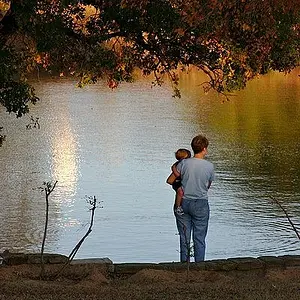
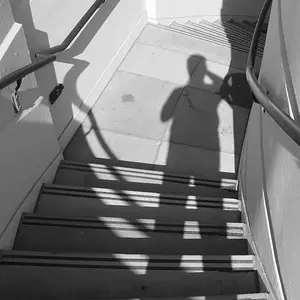
"I Have Me to Keep Me Company" series.

hey mike right on!! Exactly the technique, do you lasso your person and drop it in the other scene? that's how i do it. there are various other ways like the stamp thing i think, etc.
 
Matty-Bass said:
hey mike right on!! Exactly the technique, do you lasso your person and drop it in the other scene? that's how i do it. there are various other ways like the stamp thing i think, etc.
I do a loose feathered lasso to retain the shadows, and then use a small eraser tool to go around. It's very precise.
 
heh, i don't even do it that fancy! I just loosely lasso including the shadow and throw it in. i can see like 10 mistakes with poker pals:lmao:
 
There are so many ways to make extractions. Lately, I've been using the extraction filter to start with...then turn that into a layer mask to fine tune it.

Or sometimes I use a loose lasso to start with and make a mask from there...or maybe the magic wand or select color range.

Either way, I find it's always best to do the detail work with a layer mask. This way you can paint on or paint off...the parts you want to show through. You can go back and forth until you get it right....without erasing anything. Plus you can change the opacity and the hardness of the brush to feather the edges.
 
i love the gamer and poker ones! very well merged! :thumbup::thumbup::thumbup:
 
well thanks for all the comments! Maybe Big Mike should write the tutorial, I do it a lot easier and not as great results :lmao: i'll stop bumping this topic now...

by the way, thanks to those for the extra reputation, im almost at 100! :D
 
I did a quick tutorial in the themes section....in the thread dedicated to see-thru shots....
 
coolness! I'm really not great at tutorials so i left it to the pros :lmao:

We'll make you a rep whore yet

hehe, thanks jocose! Well lets see if i can hit two pips or whatever they're called.
 
good effort...putting the images in could use some work though...try feathering...excellent blending tool for when you can't get things spot on :)

gamers is my favorite

i'll post some i did last week when i get back on my desktop :)
 
hey, thanks for the tip! I'd like to see some of your work, these are fun pictures to make :mrgreen:
 
These look really fun, I want to give it a go myself.

To start with, if I have two photos with the same backdrop (it's just me thats changed position between shots) can I make one a background layer and one a top layer, So when I rub out parts of the top layer the background shows through?

I'm very new to photoshop.

Steve.
 
Guinness said:
These look really fun, I want to give it a go myself.

To start with, if I have two photos with the same backdrop (it's just me thats changed position between shots) can I make one a background layer and one a top layer, So when I rub out parts of the top layer the background shows through?

That's pretty much how it's done. You can stack (layer) the two photos and erase/mask over the parts that you want to show through.

Or you could 'cut out' the parts (you) from one photo and drop that (as a layer) onto the other photo.

There are lots of different ways to do it. It's also a good way to practice your photoshop techniques.
 

Create an account or login to comment

You must be a member in order to leave a comment

Create account

Create an account on our community. It's easy!

Log in

Already have an account? Log in here.

Back
Top Bottom