What's new

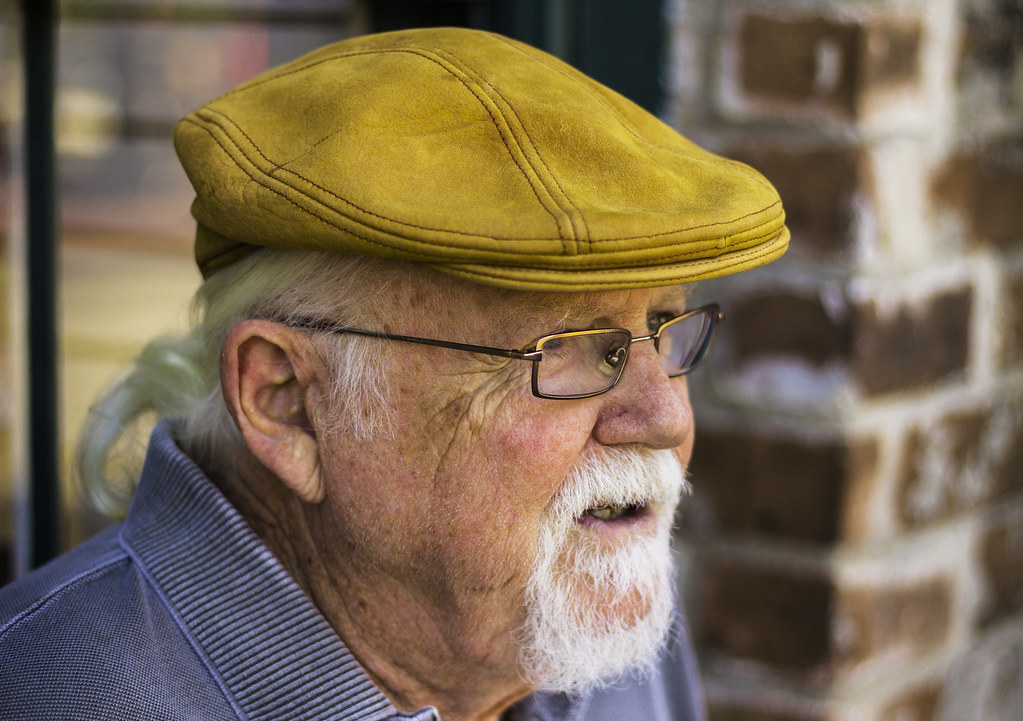
My Daugher and a Gentlman

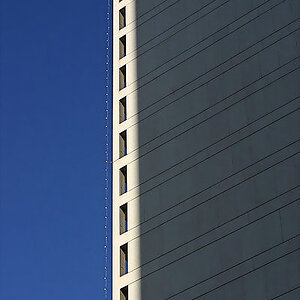
O.K., 3 & 4 are the best here. Just crop #3 a little closer to eliminate distractions of background texture and highlights.

$14122955814_e38c77d8f7_b - Version 2.webp
 
what did you see wrong with the others? just for future help that is all..
 
Wow.. that old guy was super cute. The kid though.. yeesh.

Kidding, of course.. lol. Ok, keeping in mind that I am not spending a lot of my time taking people portraits so I'm about as far away from an expert on the subject as one can get, on shot #1 I would actually crop this one a little wider. The reasoning behind this is her eyes are looking out of frame, a wider crop would make it seem less like were "missing" whatever it is she's looking at.

On #2 I'd probably crop out some of the space to the top and left, much like Designer did with his edit of #4, although I'd probably move her to the right of the frame more given her pose, and I would actually probably crop a little of the bottom portion off or if there is more of that in the original include more of that, you want to avoid cropping at a joint when possible and on her right arm looks like this was cropped pretty much right at or just a little above her wrist - er sorry, elbow.. lol.

#4 is very solid, excellent composition - I'd leave that as is. Just my 2 cents worth of course, YMMV
 
Last edited:
You need to stop looking at these as pictures of your much beloved daughter and start looking at them with the eye of a photographer.

This is in focus but look at the reddish bluish tinge in the skin and the blue color of the sclera of the eyes.
The lack of shadowing and the yellowish tinge in the forehead makes me think this was shot with an on-camera flash under mixed lighting

enwd0.jpg


#3 is totally out of focus.
Sharpness is not a necessity but a lack of sharpness should be for artistic reasons and not because its a mistake.


t74tq.jpg
 
Thanks for the feed back.. One 1 there is no wider, I was using my 50 and was right up on her. I see what you are saying though, but I thought that the eyes added to the silliness of the photo.


Question though.. What is YMMV?
 
what did you see wrong with the others? just for future help that is all..

#1 Goofy faces are fun, sure, but this one is cropped too tightly. Also, since this should be for family only, don't bother showing it to strangers.
#2 Model is not looking at the camera, and it's framed quite loosely. Sometimes that works if the model is looking AT SOMETHING that is either in the frame or implied.
#3 Focus issues, as The_Traveler has pointed out.
#4 Should have been in portrait orientation. Some background clutter. Narrow DOF

YMMV means "your mileage may vary".
 
You need to stop looking at these as pictures of your much beloved daughter and start looking at them with the eye of a photographer.

This is in focus but look at the reddish bluish tinge in the skin and the blue color of the sclera of the eyes.
The lack of shadowing and the yellowish tinge in the forehead makes me think this was shot with an on-camera flash under mixed lighting

#3 is totally out of focus.
Sharpness is not a necessity but a lack of sharpness should be for artistic reasons and not because its a mistake.

Actually the flash was off camera and to the side, camera left, but I see what you are saying about the blue in the eyes. The skin tone is a fault I have, I am still not great with setting my white balance so I leave it on auto. Since there were some greys I used the white balance tool on PS to get me on the right track. I am still learning that as well though.

I was really disappointed in the sharpness of 3. I really like that shot and how it shows her personality so I put it on here anyways.

Thanks for the feed back.
 
Thanks for the feed back.. One 1 there is no wider, I was using my 50 and was right up on her. I see what you are saying though, but I thought that the eyes added to the silliness of the photo.


Question though.. What is YMMV?

"Your mileage may vary", meaning that you need to keep in mind that this is soley my opinion and initial impressions and not something written in stone by lightning from on high or anything.. lol
 
The_Traveler helped me when my computer was not showing me the correct color/white balance. I fiddled with my display some and now I see pretty much the same colors as those with a calibrated monitor. Maybe your display is off.
 
Thanks for the feed back.. One 1 there is no wider, I was using my 50 and was right up on her. I see what you are saying though, but I thought that the eyes added to the silliness of the photo.


Question though.. What is YMMV?

"Your mileage may vary", meaning that you need to keep in mind that this is soley my opinion and initial impressions and not something written in stone by lightning from on high or anything.. lol

Thank you..
 
Thanks for the feed back.. One 1 there is no wider, I was using my 50 and was right up on her. I see what you are saying though, but I thought that the eyes added to the silliness of the photo.


Question though.. What is YMMV?

"Your mileage may vary", meaning that you need to keep in mind that this is soley my opinion and initial impressions and not something written in stone by lightning from on high or anything.. lol

Thank you..

No worries. I did a lot of reading on composition myself when I first got started not too long ago, I still have a long way to go still but it really did improve my results a lot I think.
 
The_Traveler helped me when my computer was not showing me the correct color/white balance. I fiddled with my display some and now I see pretty much the same colors as those with a calibrated monitor. Maybe your display is off.

I have no clue how to set that up on my monitors...
 
Thanks for the feed back.. One 1 there is no wider, I was using my 50 and was right up on her. I see what you are saying though, but I thought that the eyes added to the silliness of the photo.

Please take this in the helpful way it is meant.

Three basic cautions:

1) No one but you cares about any pictures of your children/wife/pets as anything but pictures.
It is difficult to be objective about your family but objectivity about your work is crucial to getting good.
If you put up a picture and say the equivalent of 'this is the best picture I ever took and its of my grandmother who just dies and everyone who has ever seen it thinks it's just wonderful', you are putting an enormous burden on the viewer to temper their comments so as not to hurt yur feelings.
Don't identify pictures you post as your relations or express any feelings about the subjects if you want to get good honest responses.
You can see that happen here, especially in the People Forum; someone will post a picture and identify it as their cute whatever and the first five comments will be about that.

2) If you know a picture sucks, don't post it.
What do you expect us to say?
Why waste our time or make us think you have no clue what is going on?

3) Don't give reasons why the shot didn't come out or is really lacking.
Not our problem and none of us care.
If a plumber did a bad job and then said, 'yeah, I didn't have the right wrench', would you care? No, me neither.
Learn, go on, get better.

 
Point taken. Thanks again
 

Create an account or login to comment

You must be a member in order to leave a comment

Create account

Create an account on our community. It's easy!

Log in

Already have an account? Log in here.

New Topics

Back
Top Bottom