First off, only put 3 to 5 photos max per post, otherwise its just too many to give good C&C on.
Now I am only an amateur at best, and these opinions are strictly mine but hopefully it will get the ball rolling on a few more C&C replies.
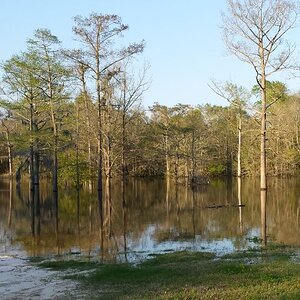
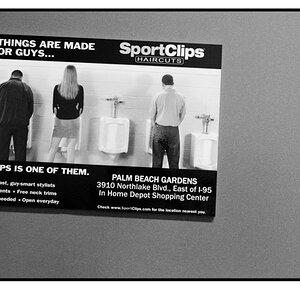
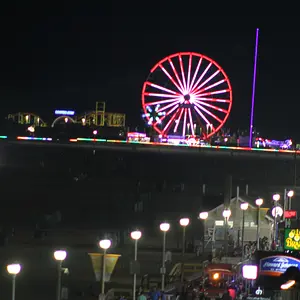
1, 2 & 3 All have have an odd kinda greenish tint to them or something. Not sure what it is. White balance is on the wrong setting or the shutter speed was a little too long. Setting that aside, I can see what you were going for with the first photo, but it doesn't look like it works quite well in the end. I think the 2nd photo would be a little better if the man's back was against the border that way you wouldnt get that little bit of city between him and the border - kinda distracts the eye. The third one I do like composition wise, but its that color issue that faults it. Hopefully someone else will know what is causing that.
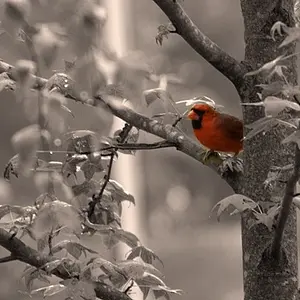
4. I really like this one. I think its the strongest of the bunch. Nice composition and the colors are warm.
5. Nice shot of the stars, but thats about it. Doesn't really do much for me
6. I see that odd greenish tint again in this one for some reason. I think it would look better if you cropped out the buildings on the right. The branches and pole on the left side sort of get in the way of the picture overall.
7. Interesting shot, but not a fan of the angle though.
8. Another interesting shot, though I would have taken a few steps back and gotten the entire tree in frame
9. This one I like as well. Probably the 2nd strongest shot in the bunch.
10. Nice shot, but I think I would have left out the bridge.. Or at least the land on the left.
11. I see what you were doing with this one, but the tilt hurts it as well as cutting off the top of the building. I would have either stepped back a little or changed the angle just a bit, gotten a better shot of the fountain foreground and top of the building, then I would crop out the building on the left and palm tree on the right.
12. I'm just not feeling this one for some reason.
13. It's a moon! Nice clear shot, little soft on the top right. I would use PS and sharpen it just a touch.



 .... there are many lovely shots in your collection; some are really excellent :thumbsup:


![[No title]](/data/xfmg/thumbnail/31/31509-b8abaec96e6e375688e269bc89f47652.jpg?1734159970)