What's new

Portrait of a Girl: Need Help

andrewohphoto

TPF Noob!
Joined
Sep 11, 2011
Messages
7
Reaction score
0
Location
Southern California
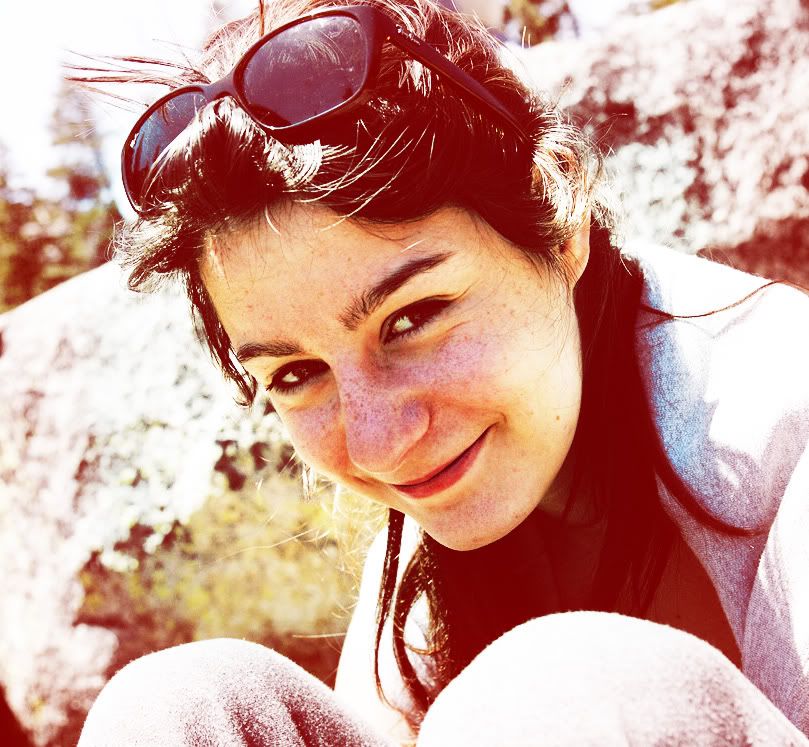
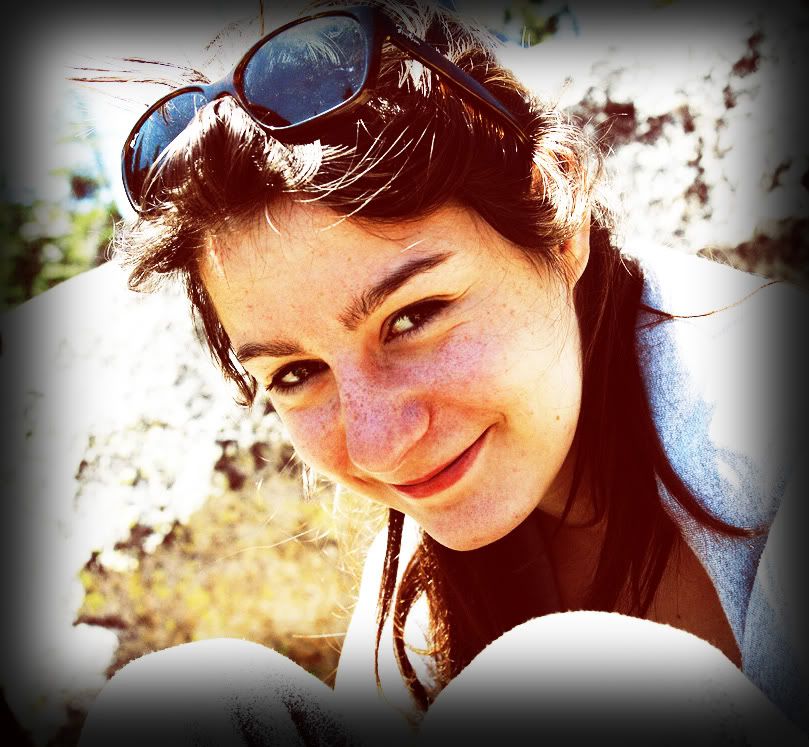
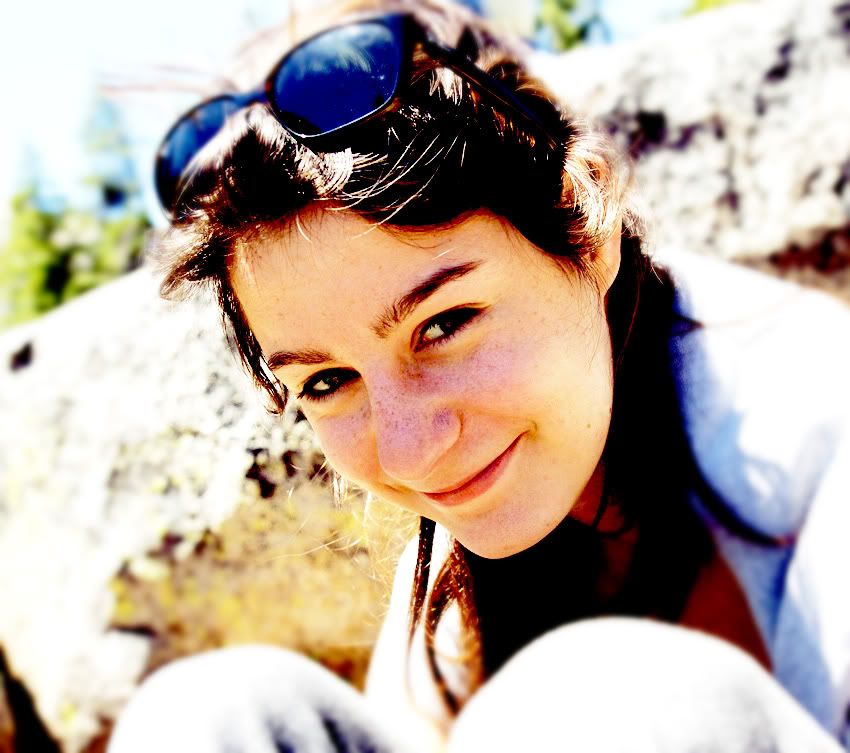
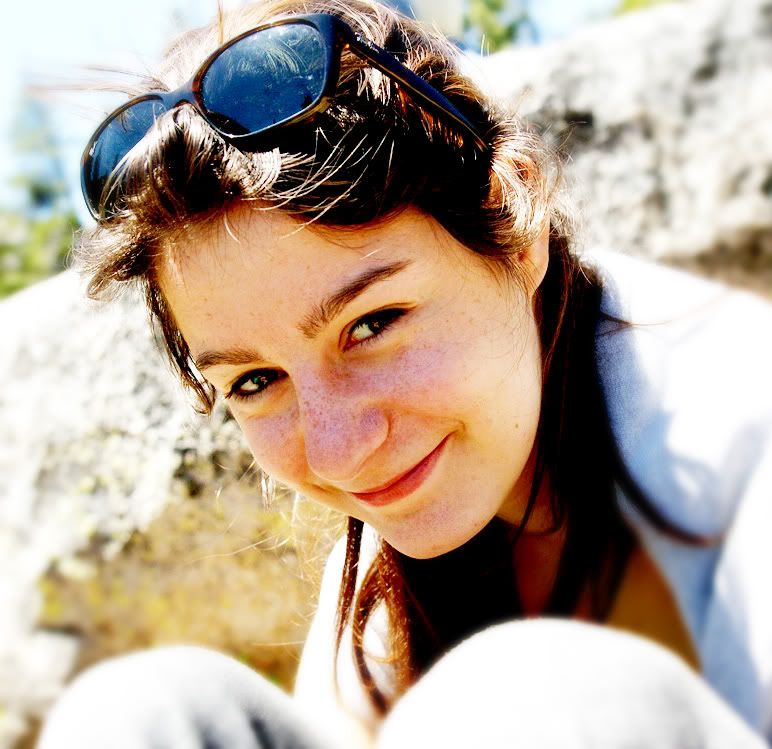
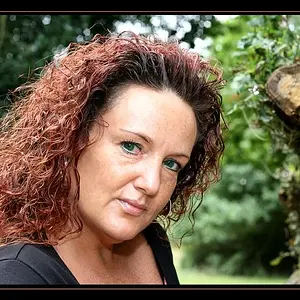
Hey guys, I'm trying to get better at photoshop and was editing this photo I took of one of my friends at Rubicon springs. I made several edits, and I was wondering if you guys could give me some advice on which one you think is the best, or what I should have done, or what I could do in the future. Thanks!!
Here is the original:
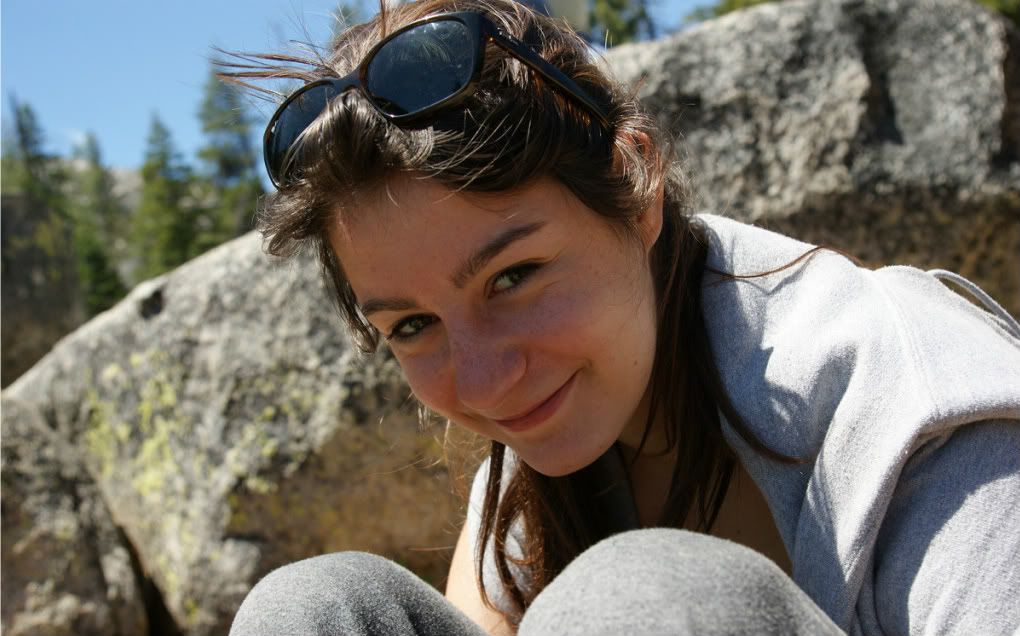
DSC08497.jpg

And here are the edits:
v. 1
mariannared.jpg

v. 2
redvig.jpg

v. 3
vigblur.jpg

v. 4
brightblur.jpg
 
I don't really like any of them. But, if you wanted to make these look better - try and fix the nose area. Its really red
 
The edits come off harsh. The original would have been a winner if you would have used fill flash.
 
yea, i don't like any of the edits, they all look over processed. When i edit a photo all i really do is adjust the exposure if need be, and adjust the curves until i like the results. Maybe some dodging and burning too. I shoot in raw too and it allows for a lot more fine tuning.
 
You can't make global changes when the exposure problems in the picture are different.
Learn masking
Fix the light areas then fix the dark areas

In this shot there is a lot of color noise in her face because it is a deep shadow.

dsc08497lll.jpg
 
Yellow areas darkened a tiny bit

blue areas burnt in a lot

pink areas lightened quite a bit and sharpened for local contrast
red area lightened a lot


dsc084971llllll.jpg
 
I would darken the background and lighten the face, too.
 

Create an account or login to comment

You must be a member in order to leave a comment

Create account

Create an account on our community. It's easy!

Log in

Already have an account? Log in here.

Back
Top Bottom