What's new

Senior Portrait

kaydee

TPF Noob!
Joined
Feb 20, 2014
Messages
4
Reaction score
2
Location
Midwest
Can others edit my Photos
Photos OK to edit


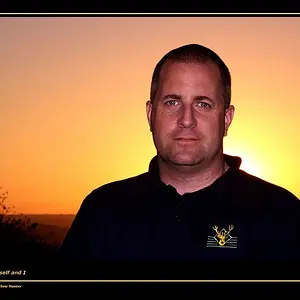
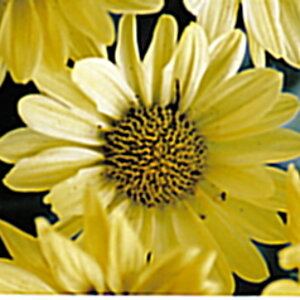
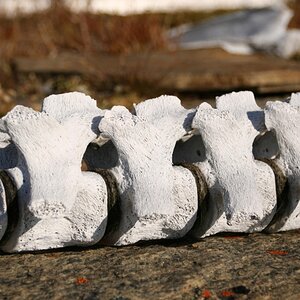
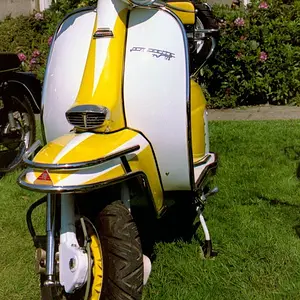
So! I took this photo's a little while back. My sister was needing some senior pictures and my family didn't have much money to hire a professional. I was using my cell phone's camera so you can imagine the difficulties that came with it... I also ended up taking pictures of my boyfriend to try and gain some experience with taking male senior portraits. (Of course he was in college.. but.. it works! :D) I am coming to you guys for advice. I want to take more senior portraits but I still have difficulty with different 'poses'. Natural elements like wind and too much light stand in my way some times, also. I do have a DSLR camera now so I am still getting used to it. Looking back, I notice some editing mistakes that I would have done differently.. But I would like to hear some suggestions on how I could have improved these portraits.
 
First, welcome to the forum! Next, I'd suggest making sure you're getting out there as much as possible with your DSLR to practice with exposure, lighting, composition, etc.

As for the photos. I think the first and last ones are the best of this set. The lighting seems ok and they seem to have natural poses. The second one has a significant amount of distortion. Try a longer focal length and stand farther back. Also try to keep the horizon level. The fourth one feels a little too square, meaning he is just directly facing the camera. Again, opening up the crop a tad and having him angle body a little might help.

Anyway, those are just my suggestions. Others may have more or different thoughts to help you out. Hope that helps!
 
What are you shooting with? A DSLR or a point-and-shoot?

The reason I am asking is because I noticed that you heavily added artificial blur to the first image and some red flares which look okay but if you have a DSLR you can have complete control over your depth of field.

It's a great pose, your model looks comfy and the lighting is great! However, there is a bit of distortion in your photos. It is more noticeable in the male, you can see that his face and shape doesn't seem natural and has a sense of roundness to it. This is caused by having a wide angled lens and standing to close to your subject. Trying back up a bit and if you have a variable focal length lens, zoom in. Typically, good portraits look best between 70mm - 135mm. Give it a shot!

I also noticed that the first photo of the male is a bit soft or unfocused. Again, this may be caused by standing to close to your subject and because of this your lens may be unable to focus that close. Or perhaps you let autofocus choose for you and didn't notice. This is why you always want to be shooting in manual mode.
 
At the time these photos were taken, they were with my camera on my phone. These aren't with my DSLR. The DSLR I own now is a Canon 60D.

But this is great advise though, guys!! Being new at this is still kind of intimidating. But I know that practice is the key.
 

Create an account or login to comment

You must be a member in order to leave a comment

Create account

Create an account on our community. It's easy!

Log in

Already have an account? Log in here.

Back
Top Bottom