What's new

Thin skin

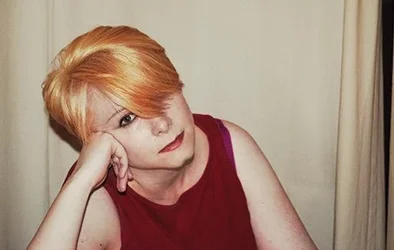
try a diffuser in front of your light source to make it softer and a little bit of post treatment but honnestly I do not see a major problem about your pic except for an overall blue/magenta shade
 
Eat a few cream pies every day to get a nice layer of blubber between your skin.

Problem solved. You're Welcome.

:thumbdown:

This is an art oriented forum (really?) so, please, be creative.


If you're going to eat a few cream pies, get someone knowledgeable to make them for you.
 
Why not just remove the red in post?????
 
Ok The 1st thing that pops to my mind is that it is just your face that looks red. and that makes me think it is your make-up. Most base makeup and powders have shiny bits added to them that will reflect light in a photo. I would go to the mac store and ask them to do your makeup for you or get some of their base and see if that does not help. I have worked as a make-up artiest for over 5 years and I have seen makeup add green, blues, reds and whites to peoples photos due to what is in them.
 
A little quality makeup and you can always bring the reds down a hair in post processing. OnOne Perfect Portrait works well also. I'm a half bloke and spent a lot of years in the UK. Everyone over there is see though, and I mean that in a nice way. :) Also, the colors you wear will add to your skin tone so wear more pastel colors that won't create a color cast on your skin.
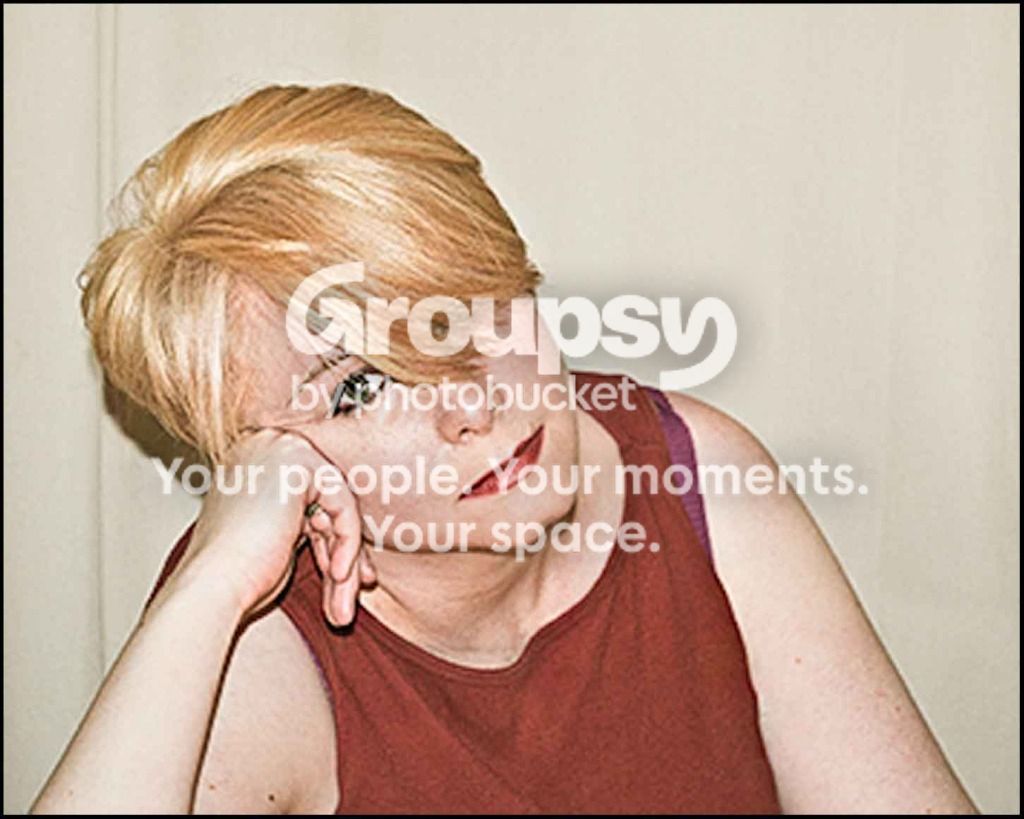
 
The main problem is mostly your camera settings. This photo you posted is badly under exposed, and under exposure over saturates colors. Adding 2 stops of exposure helped a lot. Some other minor tweeks, including increasing the red channel slightly, yielded this:

BP300711Edit.jpg
 
Wow! Thank you - I love the way this looks, and I went and looked up the different ways to adjust my exposure settings (aperture size and shutter speed), and am playing around to see what effects adjusting the red, green and blue channels have.

I might never have the gifted eye of some of the photographers I most admire, but I found in the past that I needed something to work on to learn how to do something, and asking questions piece by piece along the way helps pin stuff down for me. So thank you all so much! I'm really learning stuff here.


The main problem is mostly your camera settings. This photo you posted is badly under exposed, and under exposure over saturates colors. Adding 2 stops of exposure helped a lot. Some other minor tweeks, including increasing the red channel slightly, yielded this:

BP300711Edit.jpg
 
If you live near Chesterfield we could take a proper B+W on medium format or even color i have some fuji 160NPS
 
I don't see anything wrong with your skin in the photo. I can see where you are coming from saying you look red, but if you didn't say it, I really wouldn't have thought anything about it.
I would brighten up your photo in an editing program and see what it looks like from there.
 
this thread just won't die.

skieur - dog river must have pretty low expectations.
 

Create an account or login to comment

You must be a member in order to leave a comment

Create account

Create an account on our community. It's easy!

Log in

Already have an account? Log in here.

New Topics

Back
Top Bottom