What's new

Very new, testing the waters... here are some of my pics *picture dump*

edit: please continue with comments/critique i want to further my photography to the next level

What is the next level?

i want to learn how to spice up my photos a little. I feel as if some of them are boring.. i've been trying to aim for a end product that i have in mind. Like with the forest pictures, i wanted to try and make it spooky since it was a fairly dark day. then the flowers i wanted to make bright and vibrant even though i took those in the same place as the spooky pictures. i feel like the colors aren't right on 12, there blurry when the original picture wasn't. if that makes sense.
 
to me, 12 looks like a depth of field thing. there are parts that are focused, parts that aren't. depending on if/how you cropped it, it might be an easy adjustment. try opening it up in preview. under the tools menu, choose adjust color, and at the bottom is a slider for sharpness. see if that doesn't help.
 
Holy Heck!! Nice house in number 2 of the car pictures!! :lol:

hahah the guy who lives there used to play for the NBA :er:
but yeah those aren't really the most, fun pictures.. those were with my old camera
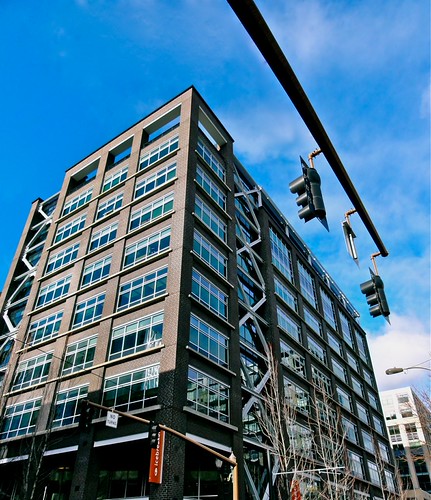
if i had the choice i would want to get better at wildlife photography and possibly taking pictures of things in cities (forgot what its called)
 
edit: please continue with comments/critique i want to further my photography to the next level

What is the next level?

i want to learn how to spice up my photos a little. I feel as if some of them are boring.. i've been trying to aim for a end product that i have in mind. Like with the forest pictures, i wanted to try and make it spooky since it was a fairly dark day. then the flowers i wanted to make bright and vibrant even though i took those in the same place as the spooky pictures. i feel like the colors aren't right on 12, there blurry when the original picture wasn't. if that makes sense.

Ah.

Well on #12, it looks like you did a global saturation boost which brought out blues and cyans in the white flowers, boosting saturation too much on a jpeg brings out posterization/pixelation, ruining imag quality.

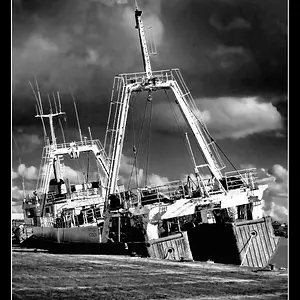
Your two black an white "spooky" shots are rather flat gray. There is no drama. You need some darks and lights, and better contrast. Be careful how you convert to black and white, and not simply convert to grayscale. I don't know the software you are using, so I have no idea how you can achieve it.

Overall, good eye.

 
to me, 12 looks like a depth of field thing. there are parts that are focused, parts that aren't. depending on if/how you cropped it, it might be an easy adjustment. try opening it up in preview. under the tools menu, choose adjust color, and at the bottom is a slider for sharpness. see if that doesn't help.
when i change the sharpness, it makes the flower look like its plastic, although when i mess with the saturation it seemed to fix it a little.
 
What is the next level?

i want to learn how to spice up my photos a little. I feel as if some of them are boring.. i've been trying to aim for a end product that i have in mind. Like with the forest pictures, i wanted to try and make it spooky since it was a fairly dark day. then the flowers i wanted to make bright and vibrant even though i took those in the same place as the spooky pictures. i feel like the colors aren't right on 12, there blurry when the original picture wasn't. if that makes sense.

Ah.

Well on #12, it looks like you did a global saturation boost which brought out blues and cyans in the white flowers, boosting saturation too much on a jpeg brings out posterization/pixelation, ruining imag quality.

Your two black an white "spooky" shots are rather flat gray. There is no drama. You need some darks and lights, and better contrast. Be careful how you convert to black and white, and not simply convert to grayscale. I don't know the software you are using, so I have no idea how you can achieve it.

Overall, good eye.

i'm using iphoto and for that i took away some contrast and saturated it a little bit. i messed with the "highlight" a little and then to get the really green color i turned the "tint" up to the side thats green. i really have no idea what the tint is but it gave me the bright color i wanted! haha
 

Create an account or login to comment

You must be a member in order to leave a comment

Create account

Create an account on our community. It's easy!

Log in

Already have an account? Log in here.

New Topics

Back
Top Bottom