grantjames
TPF Noob!
- Joined
- Sep 29, 2010
- Messages
- 50
- Reaction score
- 0
- Can others edit my Photos
- Photos OK to edit
This first one, was done by holding the lens and twisting the camera whilst the picture was being taken:
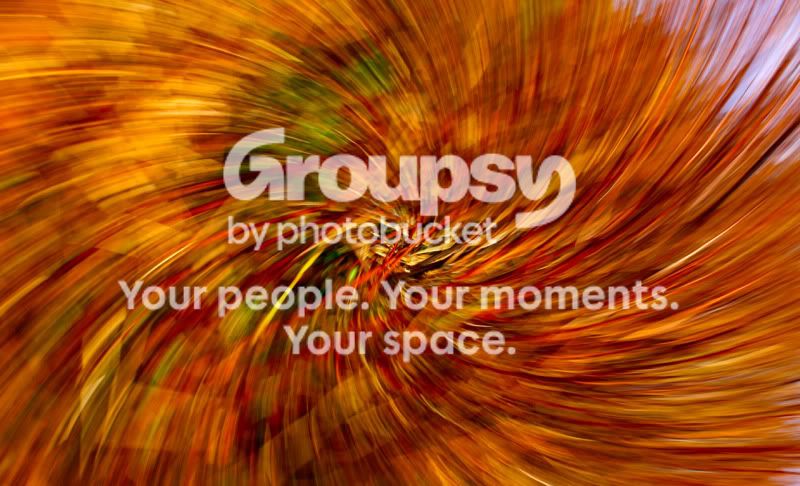
It was basically some brown, vertical branches. I can't remember exactly what I did in photoshop, but I think I basically made the colours "pop" more by messing with the levels and brightness/contrast. I may have put some sort of filter on it too to give it the rich orangey-brown colour.
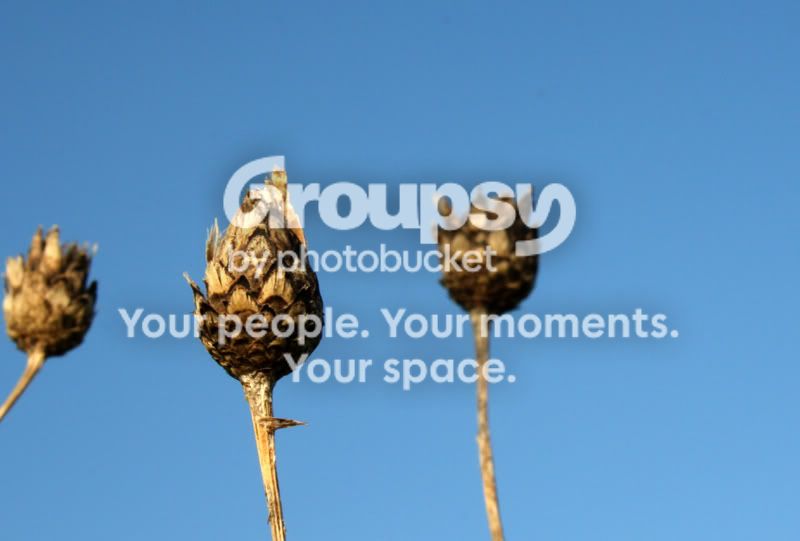
This second one was basically some brown plant against a blue sky. I just altered the levels here to get a really strong contrast between the brown plant and the blue sky. I'm still experimenting because I think sometimes I over adjust the levels. Does anyone think I've made this one "pop" a little too much? Looking back on it (I did the editing last night) I think maybe I've made the plant look a little "radioactive", lol!
Any comments and criticism is greatly appreciated
Thanks for looking!
It was basically some brown, vertical branches. I can't remember exactly what I did in photoshop, but I think I basically made the colours "pop" more by messing with the levels and brightness/contrast. I may have put some sort of filter on it too to give it the rich orangey-brown colour.
This second one was basically some brown plant against a blue sky. I just altered the levels here to get a really strong contrast between the brown plant and the blue sky. I'm still experimenting because I think sometimes I over adjust the levels. Does anyone think I've made this one "pop" a little too much? Looking back on it (I did the editing last night) I think maybe I've made the plant look a little "radioactive", lol!
Any comments and criticism is greatly appreciated
Thanks for looking!


![[No title]](/data/xfmg/thumbnail/31/31085-9786bf0c16c072633ecdfad477c23095.jpg?1734159197)