What's new

First pics from my new camera

Netskimmer

No longer a newbie, moving up!
Joined
Jul 23, 2009
Messages
1,392
Reaction score
229
Location
North Carolina
Can others edit my Photos
Photos OK to edit
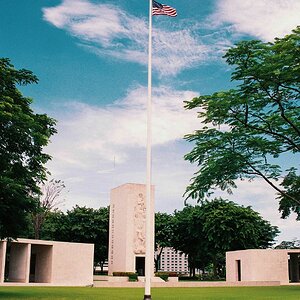
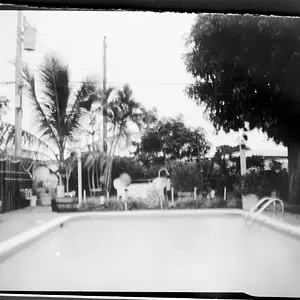
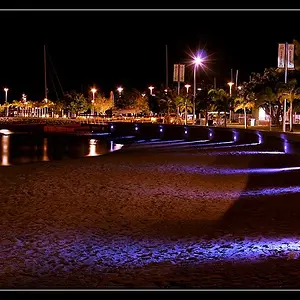
I just walked around in my back yard snapping shots. Because this is my first SLR camera I am using the manual setting so I have to adjust everything myself in an attempt to learn as much as I can. Constructive criticism is more than welcome.

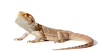
This batch is of my pet bearded dragon King Louis and some of our horses.
1
Lou3jpg.jpg


2
Lou2jpg.jpg


3
Lou1jpg.jpg


4
DSC_0060.jpg


5
DSC_0056.jpg
 
the beardie is severely underexposed and you sliced its tail off

All of them look like snapshots...
 
The angle was a bit odd for the beardie. I basically just stuck the camera in his terrarium and took several pictures while playing with the various settings on the camera. I thought the flash might upset him so I only had the environmental light to work with. Which do you think would yeild better results, higher ISO, wider aperture or slower shutter speed? He is pretty good about setting still so a slower shutter speed wouldn't be a problem.

Is snapshot a specific term or are you just saying they look casual?
 
all snapshots---and several frames.. not much different than the last. Underexposed.. :/ eh.
 
Most of the time when people say "snapshot"
they mean you basically went out, took some pictures of what you thought looked cool, and didn't take into consideration any of the basic rules of photography. i.e, rule of thirds, lighting, depth, exposure, etc.
The first 3 seem underexposed, while the sky in the last one was blown out.
The horse would be good with a better crop, and some PP.

Here's some playing around i did.

2mgjgns.jpg
 
Most of the time when people say "snapshot"
they mean you basically went out, took some pictures of what you thought looked cool, and didn't take into consideration any of the basic rules of photography. i.e, rule of thirds, lighting, depth, exposure, etc.

That's pretty much what I did. I was focusing more on exploring the technical aspects of the camera rather than the subject matter. I probably should study those basic rules a bit more.
I like the results of your edit. By cropping out the other horses in the background you have eliminated the clutter and helped to bring the subject into a more prominent position. Your cropping has also applied the rule of thirds by pushing the subject more to the left of center and you have altered the colors to compensate for my overexposure. I will need to read those rules and learn how to read a histogram. :blushing:
 
Most of the time when people say "snapshot"
they mean you basically went out, took some pictures of what you thought looked cool, and didn't take into consideration any of the basic rules of photography. i.e, rule of thirds, lighting, depth, exposure, etc.

That's pretty much what I did. I was focusing more on exploring the technical aspects of the camera rather than the subject matter. I probably should study those basic rules a bit more.
I like the results of your edit. By cropping out the other horses in the background you have eliminated the clutter and helped to bring the subject into a more prominent position. Your cropping has also applied the rule of thirds by pushing the subject more to the left of center and you have altered the colors to compensate for my overexposure. I will need to read those rules and learn how to read a histogram. :blushing:

What's a histogram?
 
From what I have read it is a bell curve the camera or computer software can produce for a photograph to show the exposure level.
 
Histograms are not bell curves - this is not statistics 101 - this is photography :)
This is important because there is no histogram shape that you need to aim for when shooting - no perfect shape to the light of the graph that will get good results. Each situation will be different - the key is learning to read the histogram enough to understand what it is telling you.

And they are easy to use too - the right side shows full under exposure - areas of your photo where nothing but pure black and no details are recorded. Whilst the right is full overexposure - bright white where (again) no detail is recorded. Inbetween those two points you have the spread of the light through the shot and (depending on the scene) this can be full of complex peeks and troughs or not. In some cases you might even get several separate peeks with no link between them.
A "correct" exposure when reading the histogram in an ideal situation is one here you have no bars hitting the far left hand side and also have the majority of the bulb of the light over as far to the right as possible. In editing you can always darken selective areas if you want; but if you have the opposite (ie key areas you have to brighten) then you will start introducing noise into those areas as you add light in editing.

To help with this histograms also have gridlines, where each line represents one full stop - so if you're one stop underexposed (ie you have a full stops distance between the brightest point of data and the far right hand side) then you can use settings for a second shot which allows for letting in one more stop of light (slower shutter speed; wider aperture; higher ISO). Of course sometimes you won't want to do this - you might need a faster shutter speed for action or your ISO and aperture might already be at their limits. So its important to temper the idea of perfect histogram exposure with remembering the limits at the time due to light and also due to artistic need (since sometimes you'll want to go against the grain to get the artistic representation you want).


EDIT _ as for the photos if you want to learn the first and best step is to first do two things:
1) When shooting pause and think - think about what you want the photo to show and also how you want to show this. Time, experience, practice and messing around and making mistakes will help you a lot in speeding up and getting to grips with this.

2) Don't just post photos and expect others to think. Doing so leaves you at the whim of the wind - instead ground yourself first. Learn to look at your photos with a critical eye and don't just think about the problems - write them down (that forces you to organise and put structure to your thoughts). In addition self criticism in a thread can help you learn as others can pitch in on your own views - pointing out where you might be overthinking on minor points or where you might be overlooking the bigger picture.

 
.........To help with this histograms also have gridlines, where each line represents one full stop - .............

I have yet to see this. Where do you find histos with grids?

I get vertical grid lines on my DSLR when I view the histogram normally - I shoot canon but I've never been led to think that other brands didn't have the gridlines to show the variation over the graph. Maybe its hidden in a menu option that has to be enabled?
 
Which do you think would yeild better results, higher ISO, wider aperture or slower shutter speed?

Higher ISO. I like the lizards pictures and the angle. I think all the pictures would benefit from a 7:5 crop except the last shot which IMO is a dud.
 
The angle was a bit odd for the beardie. I basically just stuck the camera in his terrarium and took several pictures while playing with the various settings on the camera. I thought the flash might upset him so I only had the environmental light to work with. Which do you think would yeild better results, higher ISO, wider aperture or slower shutter speed? He is pretty good about setting still so a slower shutter speed wouldn't be a problem.

Is snapshot a specific term or are you just saying they look casual?


Higher ISO allows for a faster shutter speed with the addition of more grain.
Wider aperture would slow shutter speed but with the benefit of larger DOF.
Slower shutter speed would allow for lower ISO with less grain, but with the added risk of camera shake.

They all work together, I can't just tell you what setting to use.


FWIW, beardie's don't give a hoot about a flash.

charles_1 by Lyonsroar91, on Flickr
 
The shots are made with a D5100 at ISO125. Increasing the ISO even several stops isn't going to create issues with 'grain'.
 

Create an account or login to comment

You must be a member in order to leave a comment

Create account

Create an account on our community. It's easy!

Log in

Already have an account? Log in here.

Back
Top Bottom