What's new

It's been a while.

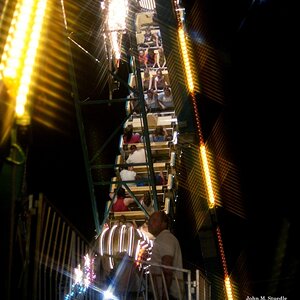
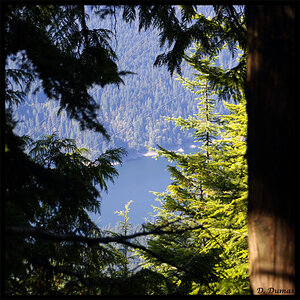
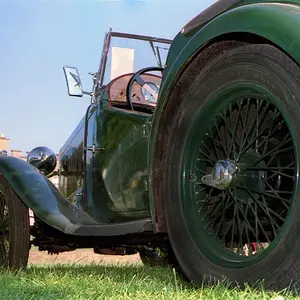
To me they all look under expose.
 
i would go with a bit underexposed as well. they look good, i like the shots, just pretty dark for me. and the vignetting just makes them look even darker.
 
The sun was completely gone and I had my polarizer was on because I was going for a more darker photo. What ISO and shutter speed do you think I should be at? I'm very unsure what "vignetting" is so please explain in more detail on what you mean by that. Thanks
 
Last edited:
The first and the last shot have a nice light and nice clouds....
the second shot is kinda over exposed and the second one needs better lighting...

as of your composition i would prefer the first one ^^

well done and keep it up
 
Vignetting is the dark top corners on the first 3 pics. This is often caused by a low quality lens at certain focal lengths and apertures, or perhaps all if it's a really bad lens. Other things that can cause this are lens hoods and filters that extend too far from the lens so they physically get in the shot. This can be fixed in post, especially if you shoot RAW.

There is no right or wrong ISO and shutter speed combo. To correct the exposure, you can correctly change one or the other, or both, or neither (change aperture instead). It depends on what you want. Motion blur? Low Noise? Depth of Field? These are decisions you need to make. Pick the two most important ones and compromise on the third, or compromise on all three. It's completely up to you.

The key is to meter it correctly. If you are shooting in auto or semi-auto, add exposure compensation once you see the histogram is showing too dark after you take your first shot. I almost always use the histogram because the LCD can be deceptively bright in dark environments like you were shooting, and deceptively dark in bright sunlight. The histogram doesn't lie, especially if you are looking at the RGB histogram (may or may not be available on your camera).

Having said all that... if you shot these in RAW, I think a lot could be done to improve them. Just some minor tweaks and they'd be good exposures.

 
I left my filter on in the first three and the last one I took it off.
 
Straighten out your pictures! There's nothing more annoying than a tilted horizon.
 
Straighten out your pictures! There's nothing more annoying than a tilted horizon.

1-3 were taking on a tripod on a floating dock 4 was on a tripod on a hill. Personally, i don't want to straighten them out, I like the way it looks. I like pictures to show some imperfection. I don't use Photoshop or any other editing tools.:thumbup:
 
Straighten out your pictures! There's nothing more annoying than a tilted horizon.

1-3 were taking on a tripod on a floating dock 4 was on a tripod on a hill. Personally, i don't want to straighten them out, I like the way it looks. I like pictures to show some imperfection. I don't use Photoshop or any other editing tools.:thumbup:

I'm all for a tilted picture as long as its intended to look dramatic. That's not the case with your pictures. If there was a kid in close proximity jumping in the air, sure. But not an ocean landscape shot.

The amount of tilt you have on your pictures just looks lazy and accidental, sorry.
 
I left my filter on in the first three and the last one I took it off.

You can either crop out the corners, try to fix in camera RAW, not zoom out as far, use a wider aperture, or buy a slim filter (or not use one at all). Or any combination of the above.

Cropping: Easy. But you lose data and change the composition.

Fixing in RAW: Easy, but you must shoot in RAW. You could probably fix vignetting on a jpg, but I've never tried it. I doubt the results would be as acceptable, but might work out ok.

Zoom In a bit: More difficult, or perhaps impossible, to get the composition you want. You'd have to zoom in quite a bit to lose that amount of vignette.

Wider aperture: Won't really remove it, but might blur it and make it less noticeable/more natural.

Buy a Slim Filter: The best solution, but also the most expensive.
 
Can you do me a favor? Straighten out one of my pictures so i can understand, to me both bridges in the background make the horizon look uneven.
 
Here is a simple tool that you can use to check horizon lines. Scroll the images in this thread up so the horizon is lined up with the top of your browser. Your browser window will always be perfectly horizontal with respect to the image crop. If you line either of the bridges up with the top of the window, you can see they are both leaning dropping to the right. #1 is level. The other 3 are all tilting right. #2 is a bit more difficult to see because the pincushion distortion is causing a portion of the horizon on the left side to actually level out, but the right side is dipping badly.
 
hmmm got ya. Since i know where the bridge are, they aren't as bad but i see. thanks!
 

Create an account or login to comment

You must be a member in order to leave a comment

Create account

Create an account on our community. It's easy!

Log in

Already have an account? Log in here.

Back
Top Bottom