What's new

Mrs Czempinski (my wife)

shinycard255

No longer a newbie, moving up!
Joined
Nov 27, 2012
Messages
166
Reaction score
64
Location
IL
Can others edit my Photos
Photos OK to edit
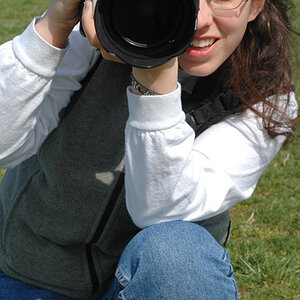
So a few months ago, my wife and I were at a wedding for one of her friends and I brought my camera along to snag some photos. Since she was standing up in the wedding, I was able to tag along with the bridal party while they got all their formal shots done. In the meantime, I snagged my wife and snapped a few shots of her while she was waiting for the photographers to finish up with the bride and groom. This was one of the better shots I was able to get of her.

C&C is always appreciated (especially since I want to start doing more portraits)

img7384f.jpg
 
I did some skin smoothing, but didn't want to go overboard. When the original file is viewed at 100%, there is still some texture in it. I'll tone it back some more and see how that looks. Thanks for your input. Still new to retouching faces/people so any input is good. Thank you
 
Nice shot. I like the lighting on the skin and photogenic wife for sure. The skin is a little too soft for me and the Iris enhancement is a bit much. Don't get me wrong, I love the draw to the eyes but it's taken a bit too much. Maybe drop exposure to the eyes a little. I personally would have loved to see a little more below the shoulders. Not sure why but she seems "scrunched" (no offense). I like it though. Thanks for sharing!
 
Nice shot. I like the lighting on the skin and photogenic wife for sure. The skin is a little too soft for me and the Iris enhancement is a bit much. Don't get me wrong, I love the draw to the eyes but it's taken a bit too much. Maybe drop exposure to the eyes a little. I personally would have loved to see a little more below the shoulders. Not sure why but she seems "scrunched" (no offense). I like it though. Thanks for sharing!

Looking back at the photo again, I agree the skin is too soft. I also see what you mean about the eyes being too bright. I'll make some adjustments to the eyes and skin. I don't have any shots showing more of her shoulders. This was OOC without any cropping done to it. I'll keep in mind to leave some room for cropping in the future. Thanks for the input
 
I think most of us tend to go a little overboard with the processing at first; getting 2nd opinions from the pros here has helped me tremendously.
With the suggestions above taken into account, it's a really nice photo of a pretty young lady with a heart stopping smile. If you get the time I'd love to see the reworked image when you're done with it. :)
 
I think most of us tend to go a little overboard with the processing at first; getting 2nd opinions from the pros here has helped me tremendously.
With the suggestions above taken into account, it's a really nice photo of a pretty young lady with a heart stopping smile. If you get the time I'd love to see the reworked image when you're done with it. :)

I plan on posting an updated image with all the suggestions that have been mentioned above. Little busy at work, but at some point today I will post an update
 
I toned down the eyes and brought more texture back into the skin. I say it looks a lot better. She doesn't look like a Barbie doll anymore and there isn't as much attention brought to the eyes

So here's an updated image with what was mentioned in the post:

img73842.jpg
 
Next time have her turn her head to her right a tiny bit more. It will get the left eye out of the corner so you can see the whole thing, those eyes deserve to be highlighted, pose her so you can see them.
 
SO much better, not that the first one was bad to start with, just a little too edited. But this looks perfect in my opinion.
Great job, she is beautiful. :)
 
The eyes are still over done, that, with a combination of no whitening of the teeth makes them stand out more. I'd bring down the
eyes a bit more, and then whiten the teeth a bit.

Composition is pretty good. If you used a fill light, the processing would be less obvious.

The skin softening isn't bad in the first one, but the color differential between the cheeks and the forehead make things a little unnatural looking.
 
Next time have her turn her head to her right a tiny bit more. It will get the left eye out of the corner so you can see the whole thing, those eyes deserve to be highlighted, pose her so you can see them.

I see what you mean. Thanks for the tip!

The eyes are still over done, that, with a combination of no whitening of the teeth makes them stand out more. I'd bring down the
eyes a bit more, and then whiten the teeth a bit.

Composition is pretty good. If you used a fill light, the processing would be less obvious.

The skin softening isn't bad in the first one, but the color differential between the cheeks and the forehead make things a little unnatural looking.

Still overdone, huh? I'll keep messing around with the file. I did actually whiten her teeth a bit (and desaturated to get rid of the yellow). I didn't want to whiten the teeth anymore because the teeth that were more in the light were already starting to get blown out. Maybe I'll dodge the others to bring them out a bit

I had no flash with me that day, just my camera. Fill flash makes quite a difference

Never noticed the color difference between her cheek and forehead until you brought it up. Wonder if there's anything I could do in PS... time to start playing around again!
 
Next time have her turn her head to her right a tiny bit more. It will get the left eye out of the corner so you can see the whole thing, those eyes deserve to be highlighted, pose her so you can see them.

I see what you mean. Thanks for the tip!

The eyes are still over done, that, with a combination of no whitening of the teeth makes them stand out more. I'd bring down the
eyes a bit more, and then whiten the teeth a bit.

Composition is pretty good. If you used a fill light, the processing would be less obvious.

The skin softening isn't bad in the first one, but the color differential between the cheeks and the forehead make things a little unnatural looking.

Still overdone, huh? I'll keep messing around with the file. I did actually whiten her teeth a bit (and desaturated to get rid of the yellow). I didn't want to whiten the teeth anymore because the teeth that were more in the light were already starting to get blown out. Maybe I'll dodge the others to bring them out a bit

I had no flash with me that day, just my camera. Fill flash makes quite a difference

Never noticed the color difference between her cheek and forehead until you brought it up. Wonder if there's anything I could do in PS... time to start playing around again!

Careful with desaturation, it tends to turn teeth grey. What I like to do, is take a white brush and paint over the teeth and then lower the opacity. Different areas of the mouth require different opacities depending on how the light hits it.

As for the eyes, the whites are are so bright and the eye socket is so dark, making it look unnaturally white.
A tiny bit of fill would make the difference.
 
I mean this in the nicest way possible...I would bet anything this photo looked better than any of your 2 edits straight out of the camera. Your processing is WAY off and you are making the photo worse!
 

Create an account or login to comment

You must be a member in order to leave a comment

Create account

Create an account on our community. It's easy!

Log in

Already have an account? Log in here.

New Topics

Back
Top Bottom