What's new

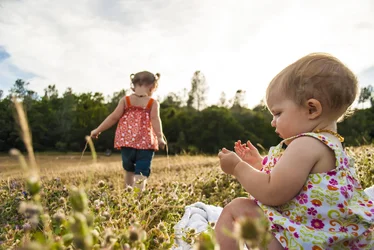
My Nieces - newbie criticism welcome!

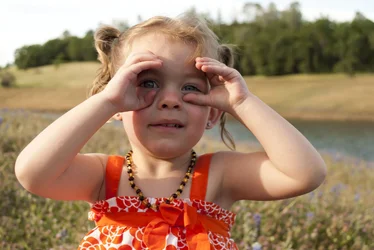
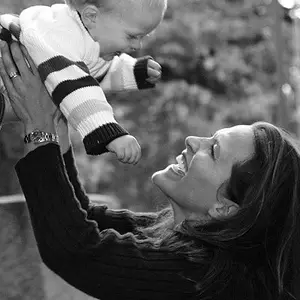
Is anyone else seeing strange blurred stuff going on with the skin in 2?

Yes there is, she has rosacea, and I attempted to edit it out but my photoshop skills are nonexistent (obviously :confused::confused: lol)

Here is my attempt at better white balance using a threshold layer in photoshop (thank you youtube), except now she seems really pink?

I wouldn't say really pink but yes there is some pink there. When you import the raw file into photoshop is when you can correct wb.

Allen, good edit.
 
Is anyone else seeing strange blurred stuff going on with the skin in 2?

Yes there is, she has rosacea, and I attempted to edit it out but my photoshop skills are nonexistent (obviously :confused::confused: lol)

Here is my attempt at better white balance using a threshold layer in photoshop (thank you youtube), except now she seems really pink?
Ah.. can you post original?
 
This is what I came up with #1, trying to see if I can get it similar to your edit
$DSC_0289sm.webp
 
Is anyone else seeing strange blurred stuff going on with the skin in 2?

Yes there is, she has rosacea, and I attempted to edit it out but my photoshop skills are nonexistent (obviously :confused::confused: lol)

Here is my attempt at better white balance using a threshold layer in photoshop (thank you youtube), except now she seems really pink?
Ah.. can you post original?


Here is original as shot.
$DSC_0116.webp
 
Just smoothing the sking a little bit will probably take care of that.


I didn't mention that this is a cute close up of her.
 
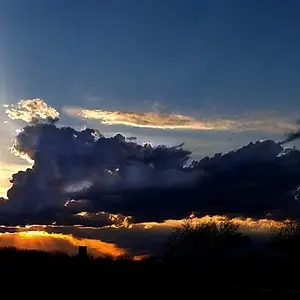
cute pics! I like the first, the last is a little underexposed, and the 2nd is a cute pic but the photoshopping of the skin just doesn't work. Do you might if I try my luck having a go at editing it?
 
cute pics! I like the first, the last is a little underexposed, and the 2nd is a cute pic but the photoshopping of the skin just doesn't work. Do you might if I try my luck having a go at editing it?

Go for it, I am very new to all of this so my editing is elementary at best.
 
Your edit of that first looks WORLDS better!
 
$DSC_0116.webp

she is really gorgeous. i did a quick edit on the second in lightroom 3.
 
I love lightroom.. and I don't have PS on my laptop, just on my desktop and I really rarely use it. I upped exposure 1 full stop, decreased on clarity -20.. upped the vibrance +22 I think? and added sharpening, some noise reduction and some skin smoothing on her face that was probably not even necessary to clear her skin further after the increase of exposure and other changes.
 

Create an account or login to comment

You must be a member in order to leave a comment

Create account

Create an account on our community. It's easy!

Log in

Already have an account? Log in here.

New Topics

Back
Top Bottom