What's new

Newbie... need direction!

gbug46

TPF Noob!
Joined
Nov 13, 2008
Messages
25
Reaction score
0
Can others edit my Photos
Photos OK to edit
I have been a lurker here for a while~ and have decided to jump in because I really would like some direction in what I am doing! :D I looked around and couldn't find any info on maximum pic size... is there one? If so, I will resize.

I took some pictures of my BF's daughter at the park the other day and would love for you to critique some for me... here are just a few of the many we took!

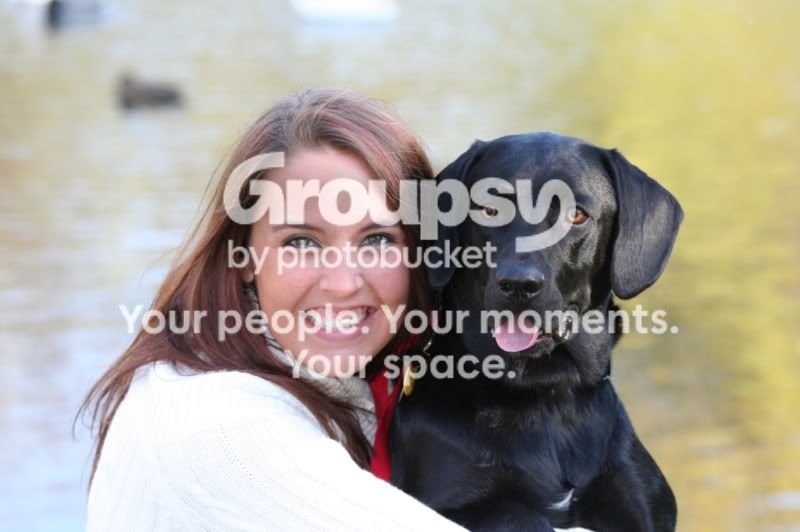
1.
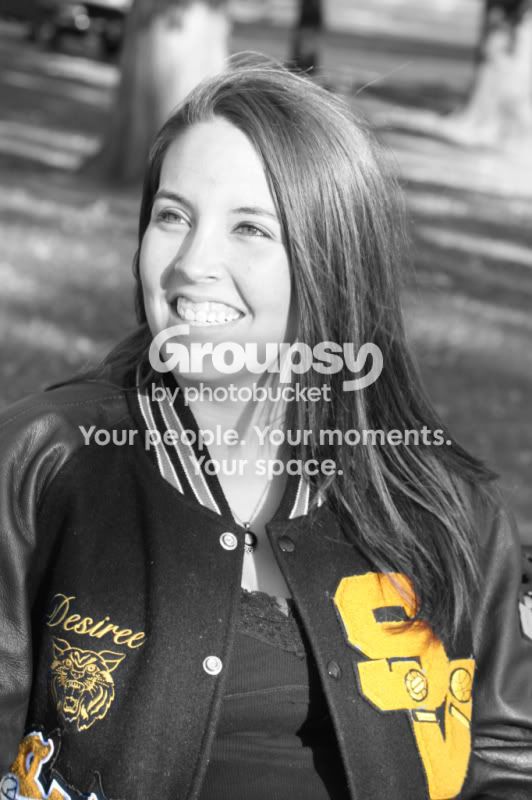
desi.jpg


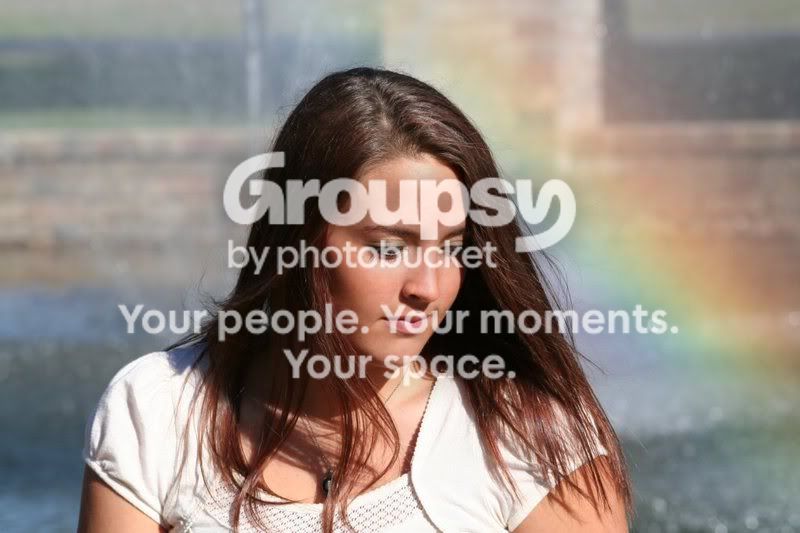
2.
IMG_1001.jpg


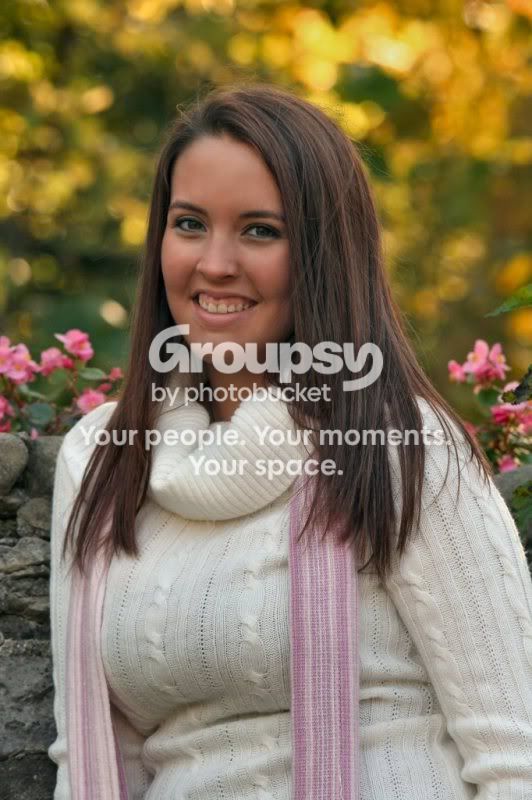
3.
IMG_0980rt.jpg


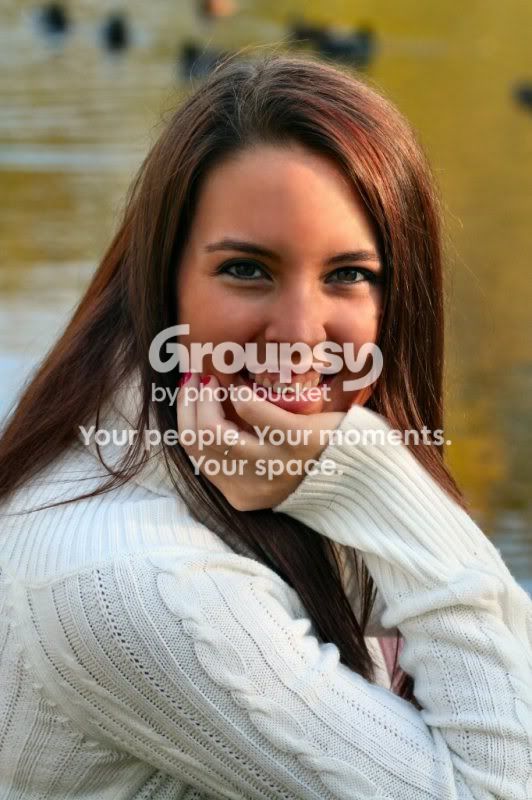
4.
IMG_1020rt.jpg


5.
IMG_1005rt-1.jpg


Please C&C for me... After looking them over and reading other C&C's I realize now that they are probably too close up and also too centered?!?

Thanks~
 
Last edited:
Actually these aren't too bad.

As long as you keep the eyes (as a general rule) in the top 1/3 of the picture frame you're doing pretty well. Keep that in mind for landscape shots as well. The picture with the K9 is a little too centered but the rest look fine.

Keep working on your settings in manual mode.

Both of your landscape shots look a little blown out.

edit*

1 more thing. Picture size that works for the forum is really no more than 800x400 I think? Someone can correct me, but essentially it depends on the size of the viewers monitor. Mine is 1280x800 so I can see a full portrait picture on my the screen with that size.
 
Thank You bace! I am definitely still working on techniques, exposures, etc...

I need all of the advice I can get!
 
I think you did a good job...My only other advice would be watch your lighting. #1. is a bit to bright. Notice the shadow across her face in #2, and the highlight on her forehead and left cheek in #5. Some will say it doesn't matter, but others will say its a big distraction.
Overall, nice shots.
 
Thank you Droberts... I do struggle with lighting... but have tried to start paying closer attention to that.

Thanks again!:D
 
You're definitely on the right track. I like them all. To improve lighting on the face, try a reflector. Did you use fill flash at all on these?
 
edited to say- *I misunderstood pugnacious33's question!! Hmmm... fill flash? I have no idea what that is! :D

Yes I did use a flash on some of the shots I took, but I don't remember which ones... we took so many that day at several locations... I think the glare of the sunlight was an issue in a lot of the pics.... Is there a rule of thumb on positioning when taking pictures in the sunlight?... obviously, I didn't do so well in some of them, but some came out nice?!? :confused:
 
Last edited:
I love #3, the fact that she isn't looking at the camera makes it that much better. #1, I like that you left the color on the letter jacket. How did you do that?
 
Pretty nice shots overall. #1 is artsy, and I like it, but the bright yellow does distract from the main subject. #4 is also a nice shot and is soft (meaning in a good way) but again the brightness above the subject's head does pull the eyes away. They could be toned down in editing for comparison.
 
:hail:I am so surprised that it seems I did a decent job! Thanks so much!!

It was what I will call my "first" real photo shoot! I was actually asked by my friend to do these... Not just running around taking pictures of and for everyone! :D She is wanting me to get more as the year progresses for her daughter's senior year... we will do some snow shots later and spring, etc...

*S40T5Lover~ I used photoshop to make it a black/white photo and erased the areas of the letters so that the yellow would show through. I think #3 is one of my fav's even though you can't see her face, that rainbow shot was a one in a million... the sun just happened to be at the right spot to make a rainbow in the fountain behind her! Her mom actually noticed the rainbow so we moved over there to try to capture the rainbow in some of the pics~ I was quite surprised, though I still don't see the pot of gold, do you? :D

*TwoRails~ #1 was the her absolute favorite when I gave the disk to her... then the one with her doggie (which I love too, btw) How can I go about toning down the brightness?
 
In regards to #1, when you use selective coloring, you draw the subject to the colored items. Works great for bridal bouquets, not so much when you're supposed to be looking at the face. Also, when you do selective coloring, your black and white conversion for your top layer has to really nail it. Selective coloring really highlights (no pun intended) a poor B&W conversion.

#3 is really your strongest photo, I think, but might need some cropping.
 
edited to say- *I misunderstood pugnacious33's question!! Hmmm... fill flash? I have no idea what that is! :D

Yes I did use a flash on some of the shots I took, but I don't remember which ones... we took so many that day at several locations... I think the glare of the sunlight was an issue in a lot of the pics.... Is there a rule of thumb on positioning when taking pictures in the sunlight?... obviously, I didn't do so well in some of them, but some came out nice?!? :confused:

Fill flash is just like regular flash, just used to compliment the natural light.
 
*rufus~ I love to play around with selective coloring... I did many with my oldest DD's, sister in law, and many other friends wedding pics that I managed to snap... like you said, mainly the bouquet, but occasionally the brides silhouette from the whole background... It's just a fun little tool I like to play around with, but I need to learn how to use it more efficiently.

I love #3 too... but I didn't want to crop out too much of the rainbow~ what do you think?

In regards to #1, when you use selective coloring, you draw the subject to the colored items. Works great for bridal bouquets, not so much when you're supposed to be looking at the face. Also, when you do selective coloring, your black and white conversion for your top layer has to really nail it. Selective coloring really highlights (no pun intended) a poor B&W conversion.

#3 is really your strongest photo, I think, but might need some cropping.
 
I read up a little bit about it last night... I'll have to see if I can adjust my flash...

Thanks!

Fill flash is just like regular flash, just used to compliment the natural light.
 
... *TwoRails~ #1 was the her absolute favorite when I gave the disk to her... then the one with her doggie (which I love too, btw) How can I go about toning down the brightness?
I like them, too. I took the liberty of "playing" with shot #4 just to see if you'd like the concept but discovered I can't (yet) upload any photos. I also noticed I don't know how to PM you. To answer your question, there are at least two ways to do it. One is to use the "burn" tool of your favorite image editor. I don't profess to be all that good at it, which is why I wanted to try it first. The burn attempt came out 'OK' but not quite what I wanted if the photo was mine. I tried with various settings but wasn't really that happy with it.

My second method attempt was to select the area above and around the subject's head and then promoted that to a separate layer. Then I used a basic "smart photo fix" in advanced mode which lets you control low, mid, and high tones (as well as a few other settings) and left everything alone except for lowering the highlights. After trying various settings I came to one that was acceptable (not too bright, but not too muddled, either). For giggles, I then went back to the first layer (the original shot) and brightened it up a little and increased contrast a little. Over all, not too bad for my skill level and could tell that spending more then the 15 - 20 or so minutes on it, it might come out pretty decent (editing wise). Now, that's not to say you'd even like it as everyone's tastes are different, and I'm not a pro, either. In the spirit of sharing, and since I can't PM you, if you'd like to see it, maybe we can contact a Mod and have them forward it to you...
 

Create an account or login to comment

You must be a member in order to leave a comment

Create account

Create an account on our community. It's easy!

Log in

Already have an account? Log in here.

Back
Top Bottom