What's new

Photos from an amateur photographer deployed to Afghanistan--CC

daniel.garcia

TPF Noob!
Joined
Oct 27, 2011
Messages
22
Reaction score
4
Location
Currently deployed to Afghanistan
Can others edit my Photos
Photos NOT OK to edit
I am a Sailor (Corpsman) currently deployed to a trauma hospital in Afghanistan. My job out here is to tend to our wounded Coalition Forces as well as local Nationals injured by the many aspects of war. I recently picked up photography as a way to pass the time on deployment and as a way to express myself creatively. I wanted to get feedback on two of my photographs, and get tips or advice on what I am doing wrong or what I can do better. I appreciate all the comments in advance.

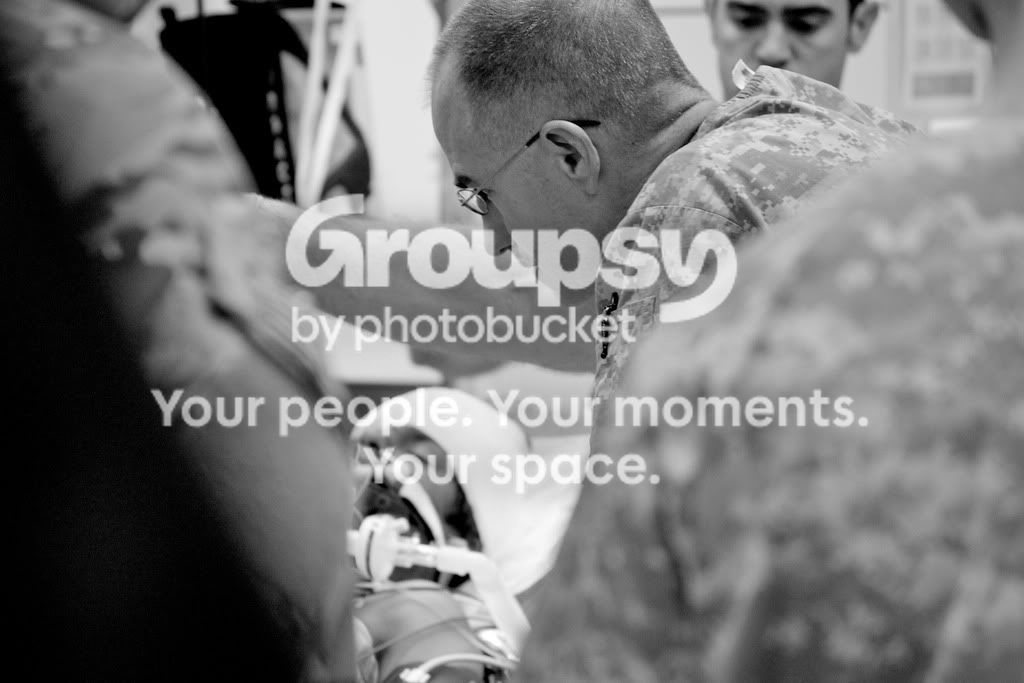
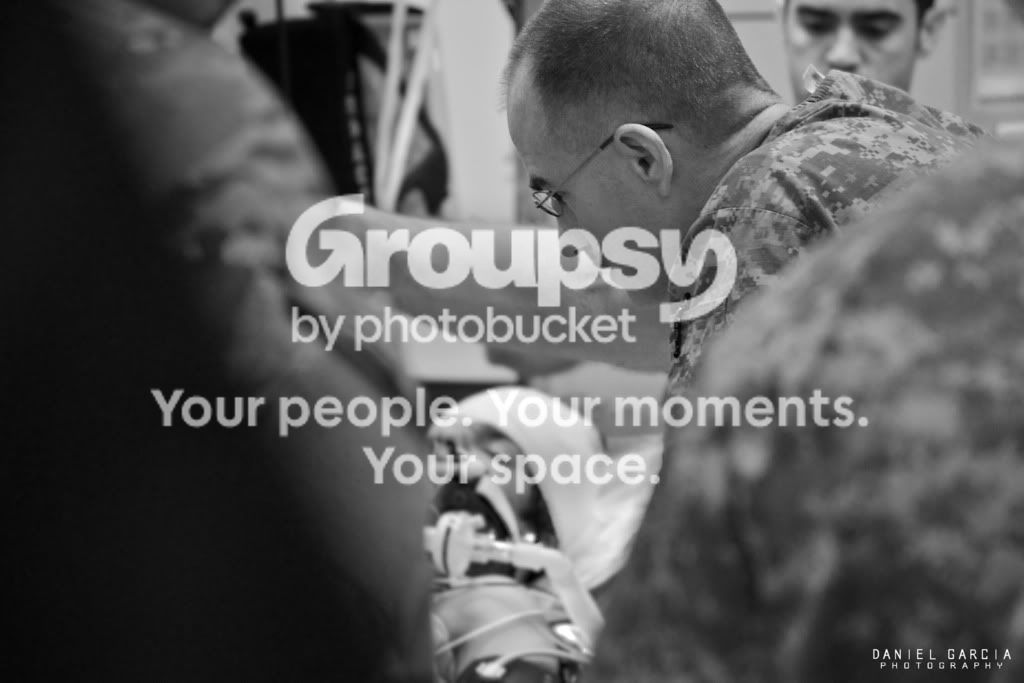
#1 A nurses assessing a wounded local national boy who was just unloaded from a helicopter and brought into the trauma Bay.
DSC_0082.jpg


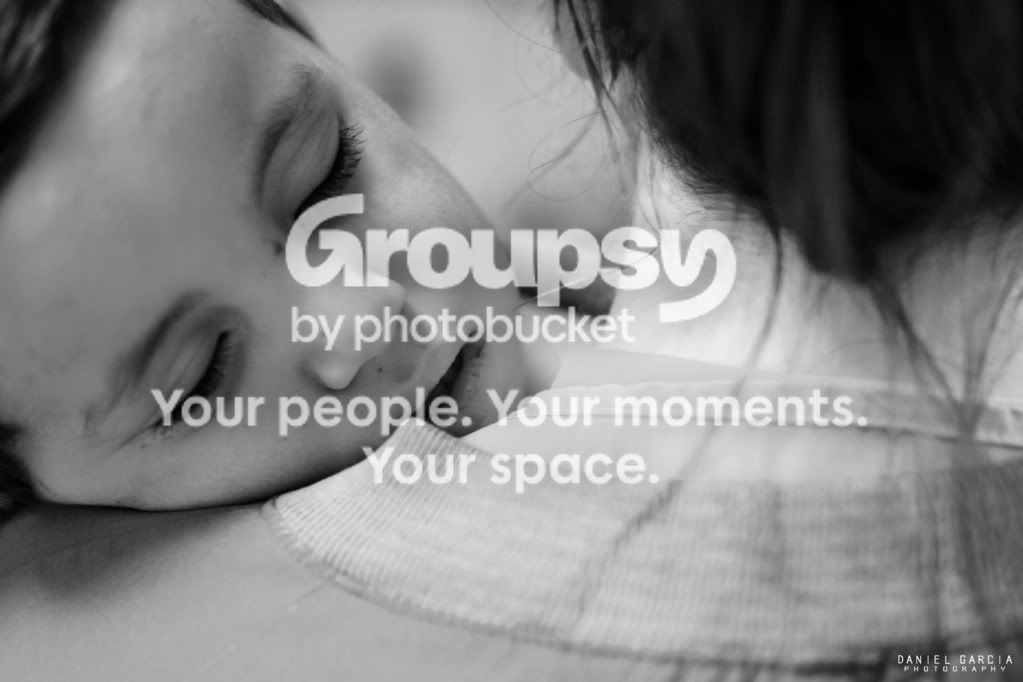
#2 A local national child who would not stop crying without interaction from our staff.
DSC_5251.jpg


Again, your CC is welcome! I am just getting my feet wet in the world of photography but I have a feeling I will be investing much more time once I get home.
 
I really like the first one. Good composition, and it definitely tells a story. However, the second is too blurry for my liking.
 
I like them both, Daniel. It's not easy taking candid shots like those.
 
The second is just a little soft, but for me it still captures and depicts a moment, and for that reason it's a keeper. A lot of great photojournalism images are not tack sharp. I might crop a little bit on the right side to remove some of the out-of-focus hair and collar. In the first the center of interest is blocked and is only a small part of the shot - not your fault, as I'm sure you couldn't just barge in between the guys in the foreground to get an unobstructed view.
 
nice shots. I like the first one but may crop a tad off the left to un center the subject. good impact and I like the framing provided by the other soldiers.
 
I think you can improve your b&w processing a little bit. For me it doesnt have enough contrast. Too much middle tone.

Welcome and keep sharing those photos!
 
thanks for all the comments.

post is my weakest area of photography at the moment. i have a professional photographer on deployment with me who has been mentoring my composition and technique, but i've been on my own learning about post processing. so any tips on how i can edit these pictures in post (aperture 3.1) would be appriciated.
 
I agree with schwetty. PP could use some work. I do like the first one. Maybe give it another go. I've also found it you let others edit your photos you can learn a lot as a beginner. I can't help as much on the PP side, especially for BW conversion but hopefully some others will chime in.
 
My opinion (it's not my job..i haven't done what you do), in scenarios like #1 go widefor situational context, as well as the image you took here.
 
DSC_00822.jpg


my second attempt at PP. actually put a little more effort than just a preset this time. better? worse?

i would be willing to post my raw's if someone wanted to give a go at editing them.
 
Up to you..myself i wouldn't be giving it away - it's historic material. The PP style isn't going to move the guy's arm and shadow a bit more out the way. Be willing to hold the camera high over your head and grabs some shots blind...to get a clearer viewpoint. Straighten and crop later Just my 2 cents. Sorry if it's no appropriate to what your dealing with here. Guy in the way is a guy in the way..better to see more of the guy in the way than just an arm...wider/context.

cheers,
 
i have much better shots of the patient. there are just some things i'm not willing to put online due to the sensitive nature of the content and our mission. it seems everyone has taken the patient as the point of interest. this picture was more meant to display the nurse and the moment he is in dealing with a new patient being put in front of him (which is why he is in focus, and the rest is lost in the bokeh.) i'm sure different people will interpret the photo in their own way. thanks again for all the feedback. i do appreciate it.
 

Create an account or login to comment

You must be a member in order to leave a comment

Create account

Create an account on our community. It's easy!

Log in

Already have an account? Log in here.

Back
Top Bottom