What's new

Why are my photos grey or overexposed looking

Bxluser

TPF Noob!
Joined
Mar 7, 2015
Messages
5
Reaction score
0
Hello!

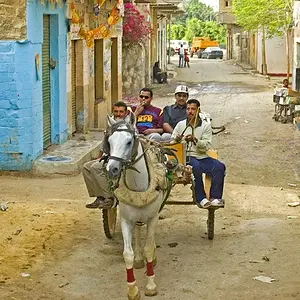
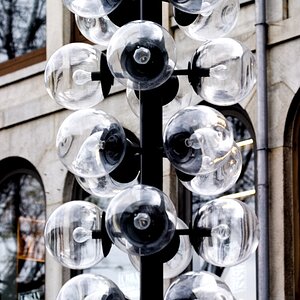
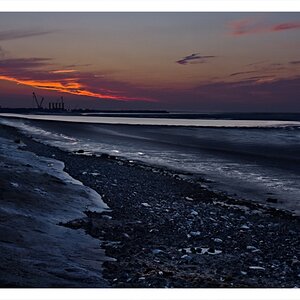
I bought an Olymous XZ1 when they first came out but have had a lot of problems with the lens jamming. After our last holiday it jammed for the third time and I decided it is not worth the cost of repairing it so I bought an old Sony DSC-F828 secondhand. This seemed to work okay at the beginning and the owner said she had never had problems. But suddenly when I was shooting in autofocus the image became darkened. Everything in autofocus now shoots as if I had applied a grey filter. I also have problems when it is sunny and everything is completely bleached out as in an old overexposed film. I thought I have some feature on but the weird thing is that everything is okay in M and A modes! Is the problem me or the camera? I have looked at the manual but can't see anything obvious. The first two photos show the exact moment of the shift and what is happening. The third shows the overexposure. It is shot when it is sunny but with the sun to the left not actually against the camera.
DSC00186.webp
DSC00187.webp
DSC00208.webp
 
I know nothing about your camera. The problems you describe I would look to see if you did some sort of meter compensation accidentally (for the over exposure) and maybe you somehow switched something to shoot RAW (WB issue causeing colors to be off). That would be my guess. As I said though, I know nothing about your camera.
 
Does the camera have an exposure bracketing option? That's what it looks like to me.
 
Looks like shooting mode or white balance is off or it's broke.
Try taking a series in manual and see what you get after checking shooting mode and white balance.
 
The colors look strange too.
 
What is exposure bracketing?

I thought it might be that the nightshot feature is on but when I press this button it doesn't do anything. It is of a type that doesn't give a satisfactory 'response' when you press it (if you know what I mean).
 
Exposure bracketing is where you intentionally take multiple shots of the same scene... one overexposed, one with a 'correct' exposure, and one underexposed. Many digital camera can be set to do this automatically.

See page 63 of your manual.
 
No. I was just trying out the camera with the same shot. It is dusk so quite dark.

There is a button WB that must be the white balance but like the others I get no positive feedback from pressing it.
 
Is there an option to reset everything and start again? I thought turning on and off should do this but it doesn't seem to.
 
Is there an option to reset everything and start again? I thought turning on and off should do this but it doesn't seem to.

See page 64 of the manual.

No. I was just trying out the camera with the same shot. It is dusk so quite dark.

There is a button WB that must be the white balance but like the others I get no positive feedback from pressing it.

You need to spend some time reading the manual. Just pressing buttons hither and yon leads to frustration.
 
I've gone through it but a lot of it could be written in Greek and by the time I am ten pages on I have forgotten what was before :(

I just want to use it in basic autofocus mode and it is very frustrating that this is the one that has gone grey.
 
Auto bracketing, if set, will affect every photo you take, even if they're not taken together. If autobracketing is enabled without you knowing it, then one picture will be "correctly" exposed, the next will be 1 or 2 stops dark, and the next 1 or 2 stop light. It doesn't care if you take them in sequence or three weeks apart! The camera just goes correct, over, under, correct, over, under, cycling those over and over.

There are a couple of reasons to do this. You are shooting a scene with a wide variation in lighting and you want to be sure to get a good image, so you bracket the exposures and use the best one. Or, you are planning to blend the images with something like HDR, where the software uses the detail from several images and blends them into one impossible to get single image.

Make sure that no bracketing is enabled, and your camera will meter correctly each time it clicks.

The other thing going on is white balance. Oddly enough, in some cameras, white balance is also something that can be bracketed. The camera will shoot correct, cool, and warm. If all of the pictures are generally wrong the same way, you may have a manual white balance setting in place. I don't know the specifics of your camera, but that WB button may cycle through different settings, or you may need to turn a dial while holding WB to adjust the setting, in which case the button by itself does nothing. It's up to you to find that adjustment method in the manual. To start with, find automatic WB and use that.
 

Create an account or login to comment

You must be a member in order to leave a comment

Create account

Create an account on our community. It's easy!

Log in

Already have an account? Log in here.

New Topics

Back
Top Bottom