What's new

You Gotta Try This!

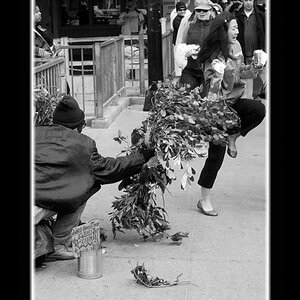
Found a tutorial that explains this technique with layer masking. Looks a lot easier than the way I was doing it.

 
Last edited by a moderator:
That is so cool! I need to try that. Everyone did an amazing job.

*My first post..woohoo! lol*
 
I love posting those type of pics because people are so baffled by how you made them.
 
Okay, I got more of these.... but I don't understand why they are blurry... sort of... I don't really like the outcome, some are dark, some blurry it's all just crap quality.

Oh well. It was fun, damnit! lol

MadyChanWestmountcopy.jpg


MadyChanFencecopy.jpg


MadyChancopy.jpg


BaseballTalkcopy.jpg
 
this is so cool!! Imma have to try it out
 
that was fun :) I'll have to do it again when I feel like getting my tripod out (instead of a crooked chair), my hair is combed, and I'm not wearing my maternity clothes (the baby is 4 months old LOL)

sort of a "I WISH" picture LOL.. I might actually get something done!
270248319_P8pE8-M.jpg
 
Up This thread! Some more:

MadyPark.jpg


teffycopy.jpg
 
love it! I just did one using the lasso method but it's a little choppy looking.
How can I do this with layers mask? I have PSE and just downloaded the layers mask plug in for it.
 
Were these done in Photoshop Elements or CS4
 
wow this thread is old :) but fun though
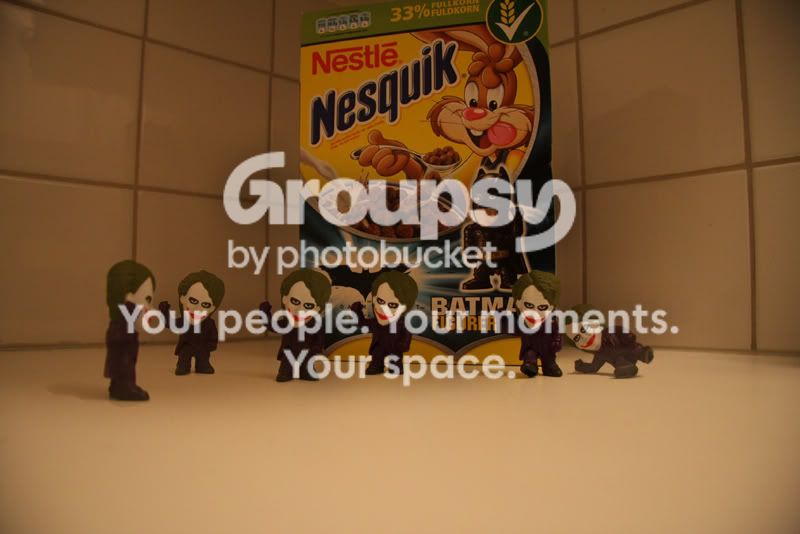
here is mine too bad I didnt have a tripod otherwise I would have made one of people too but I guess a plastic dummy should be good enough :D

IMG1230c.jpg
 
Were these done in Photoshop Elements or CS4

I think she did it in photoshop CS3, hope you dont mind me answering that question for ya
I believe CS4 was released less than two months ago
 
Actually, it was Photoshop CS2 - lol.

And about the layer masking, there is a link posted up in one of the previous posts. It's a video tutorial. [ame="http://www.youtube.com/watch?v=DA8TgyTruV8&feature=related"]http://www.youtube.com/watch?v=DA8Tg...eature=related[/ame]
 
oh thank you! I missed that link about. The method is much better than the lasso cut and paste because it is non-destructive and looks much more natural.
The only thing that does not work with the layers mask in PSE6 is when he says to alt+layers mask to add a new, already filled with black mask. It still comes out white but oh well, just go fill it with black.
Thanks so much for sharing this method. My kids are loving it. So far we've done the oldest as his own band (singer, drummer, both guitarists, all with different clothes on), the youngest dressed up like an army man and did a whole battle scene in the yard and we also posed the cat all around the room.
Too fun!

 
Last edited:
lol well when I made mine I actually used the lasso and drag method mostly because its just a simple object with a very simple background and I was too lazy looking for tutorials lol if I did take some real portraits then the layer masking thing would have been much better and easier way. btw why are you using photoshop elements? its kinda crappy and doesnt have much of the powerful tools in photoshop
 
kinda crappy? Elements? No it's not. Everything I've read says it has about 90% of what photoshop has, minus all the graphic stuff. And things that it doesn't come with (like layers mask), etc, you can just download the plug in for it. It cost $100. The latest edition of Photoshop costs $700. Good enough for me!
 

Create an account or login to comment

You must be a member in order to leave a comment

Create account

Create an account on our community. It's easy!

Log in

Already have an account? Log in here.

Back
Top Bottom